NissanConnect case study
Nissan Motor India · Connected-car mobile app

NissanConnect,
rebuilt around the driver.

The connected-car app had flat engagement and almost no business impact for 2.5 years. I led the end-to-end redesign for the Indian market. Nissan's leadership then adopted it as the benchmark for NissanConnect in other countries.
My role
Head of Design · Principal UX, design team lead
Client
Nissan Motor India
Platform
iOS & Android, connected and non-connected cars
Scope
Audit, research, IA, visual design, design system, testing
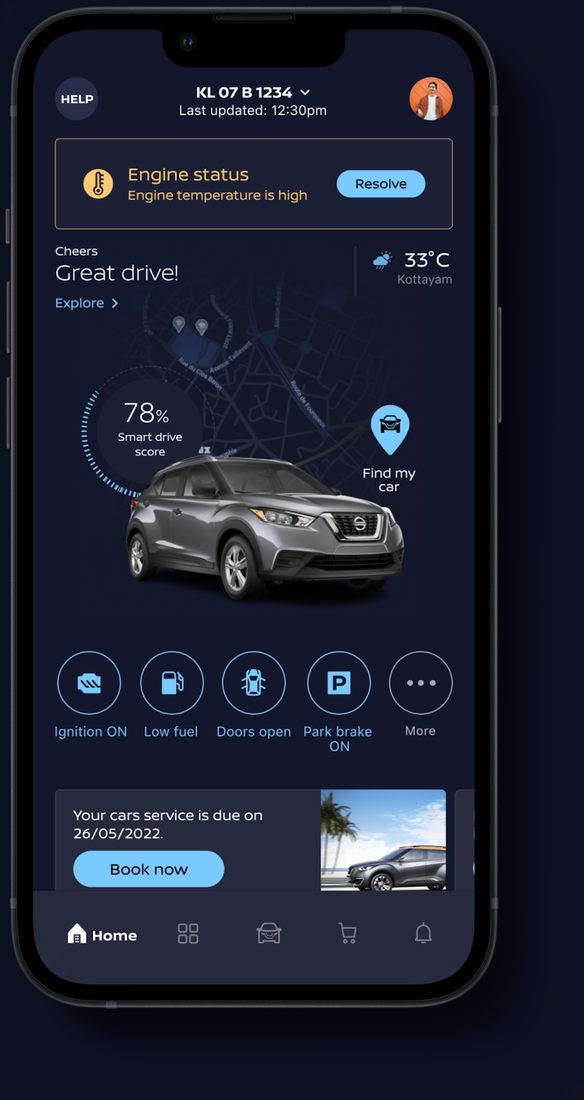
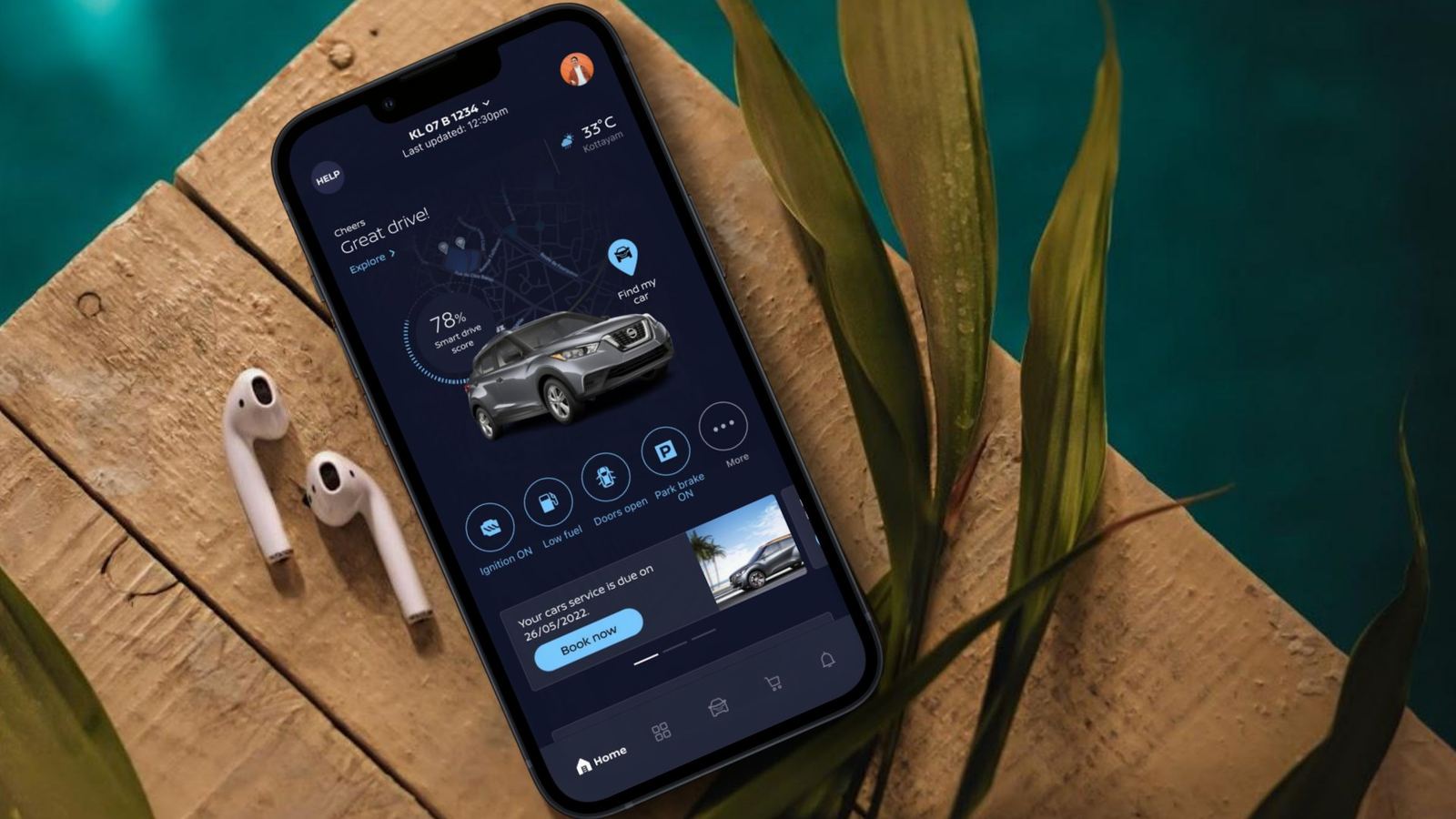
The final NissanConnect home screen, dark theme, on an iPhone
+120%app revenue against the previous two years
+82%service bookings through the app
1,800+new-car bookings and leads in the first 3 months
Globaladopted as the NissanConnect benchmark for other markets
Situation

A feature-rich app nobody trusted

More than 30 features, from geofence alerts to a virtual showroom. But vehicle data was often stale, alerts were late, and service booking broke after updates. Owners installed it, checked it a few times and stopped.

What I did

Rebuilt it from evidence

A 58-point heuristic audit, an accessibility review, nine field studies, 13 interviews and 2.5 years of analytics became a new IA and a glanceable home. I then co-created a global design system with Nissan's Europe team.

Outcome

A revenue channel, then a global standard

Service bookings, accessory sales and leads rose sharply. Nissan's directors made the design the reference for other countries, which led to the Kicks infotainment redesign.

My role

Leading the design end to end

I was Head of Design on the engagement. I owned the design strategy, ran the research plan and design reviews, and was the design voice in front of Nissan's director board.

  • StrategyReframed the brief from “increase engagement” to “earn back trust, then turn it into service and sales”.
  • ResearchDesigned the research mix and ran the director-board and stakeholder interviews.
  • TeamLed product designers, UX researchers and a UI designer through critique and quality reviews.
  • AlignmentPresented home-screen directions to the director board and drove the decision to one direction.
  • SystemPartnered with Nissan's Europe team to shape a global design system instead of a one-market style sheet.
Illustrated portrait of SajinSajinHead of Design
Illustrated portrait of ArathiArathiDesign team
Illustrated portrait of GokulGokulDesign team
Illustrated portrait of ShafaazShafaazDesign team
Illustrated portrait of VishnuVishnuDesign team
SajithDesign team
RishinDesign team
The core design team. Alongside us: Nissan's project lead, PM, and Android, iOS and backend engineers.
Approach

Five phases, one thread of evidence

  1. Understand the current appUsed it as owners, mapped every flow, ran heuristic and accessibility audits.
  2. Define & ideateField studies, interviews, analytics, reviews, competitors and the journey map.
  3. Solution & wireframesNew IA, sketches and a clickable wireframe prototype.
  4. Design & prototypeDirections for the director board, light and dark themes, working prototype.
  5. Usability testingGuerrilla tests in five cities and heuristic validation with the client.
Chapter 01The problem

Thirty features, and owners still didn't open it

“The current mobile app has not been generating significant business for the last 2.5 years, and user engagement is consistently low.”

That was Nissan's brief. Before redesigning anything, we used the app as owners and as designers, and mapped every flow end to end. We recorded the first-time experience and checked our understanding with Nissan in several sessions.
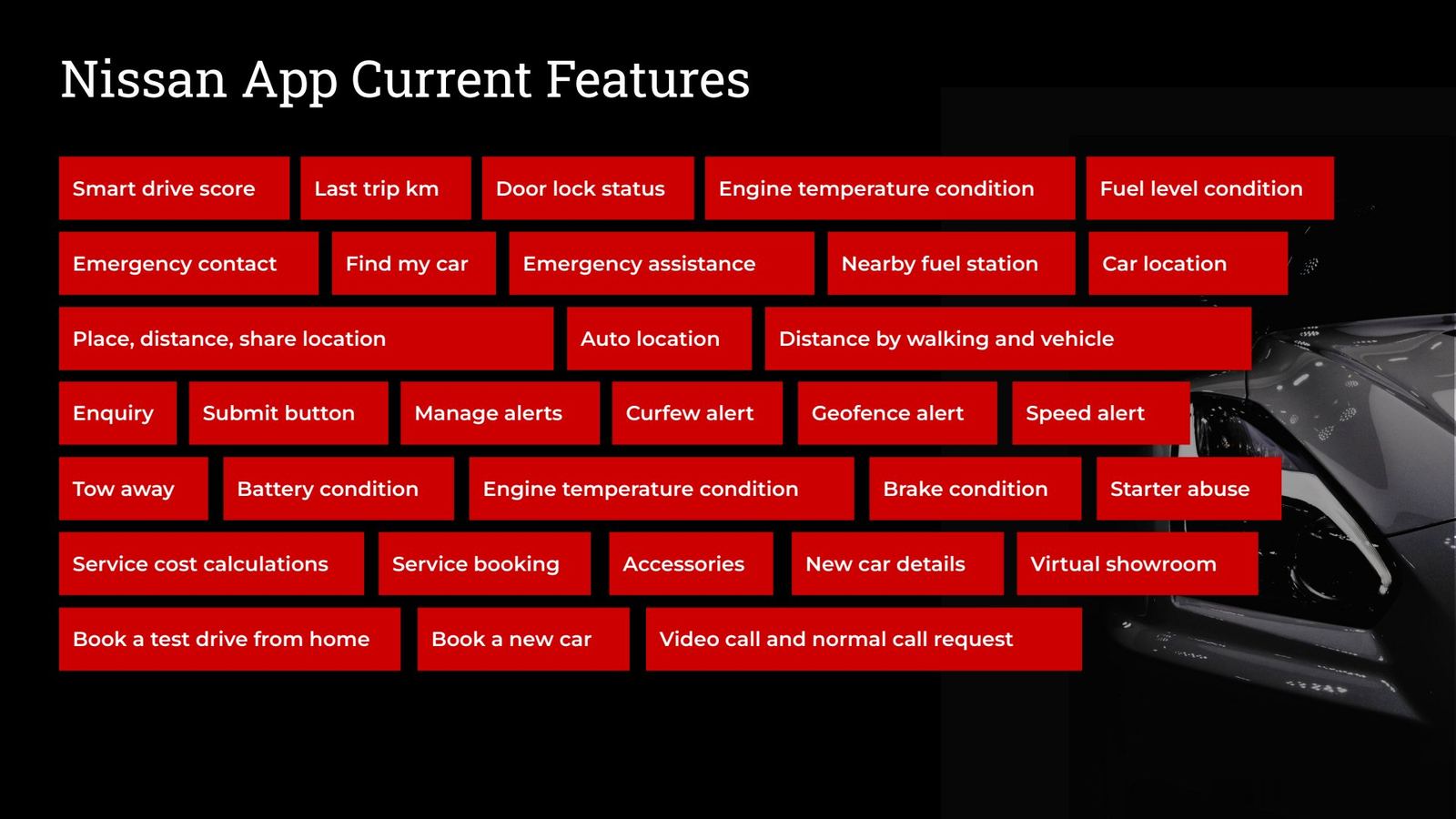
Slide listing all current NissanConnect app features
Slide 5Every feature in the existing app. Breadth was never the problem.
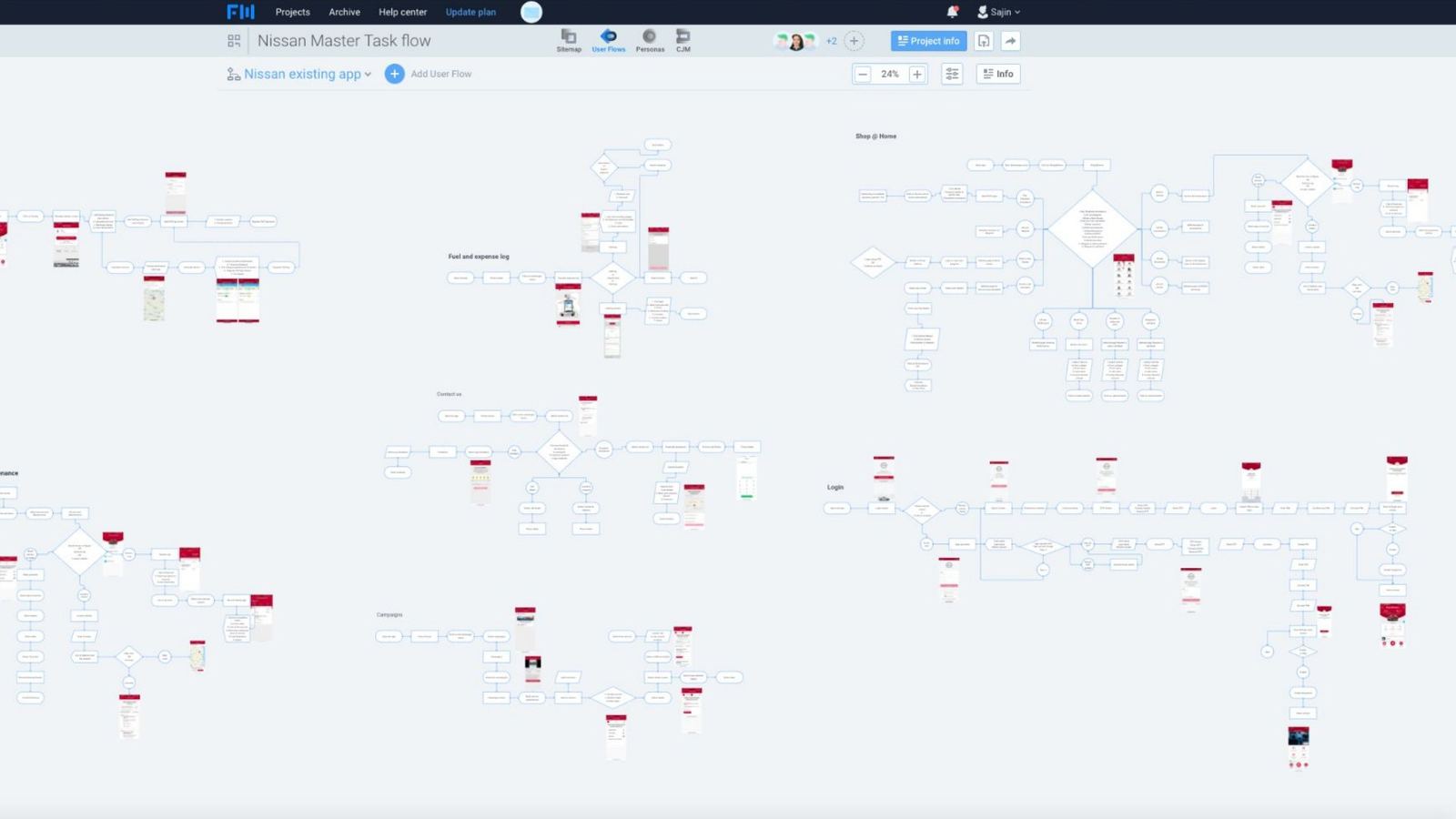
Existing user flows

We rebuilt the whole app as a flow map first

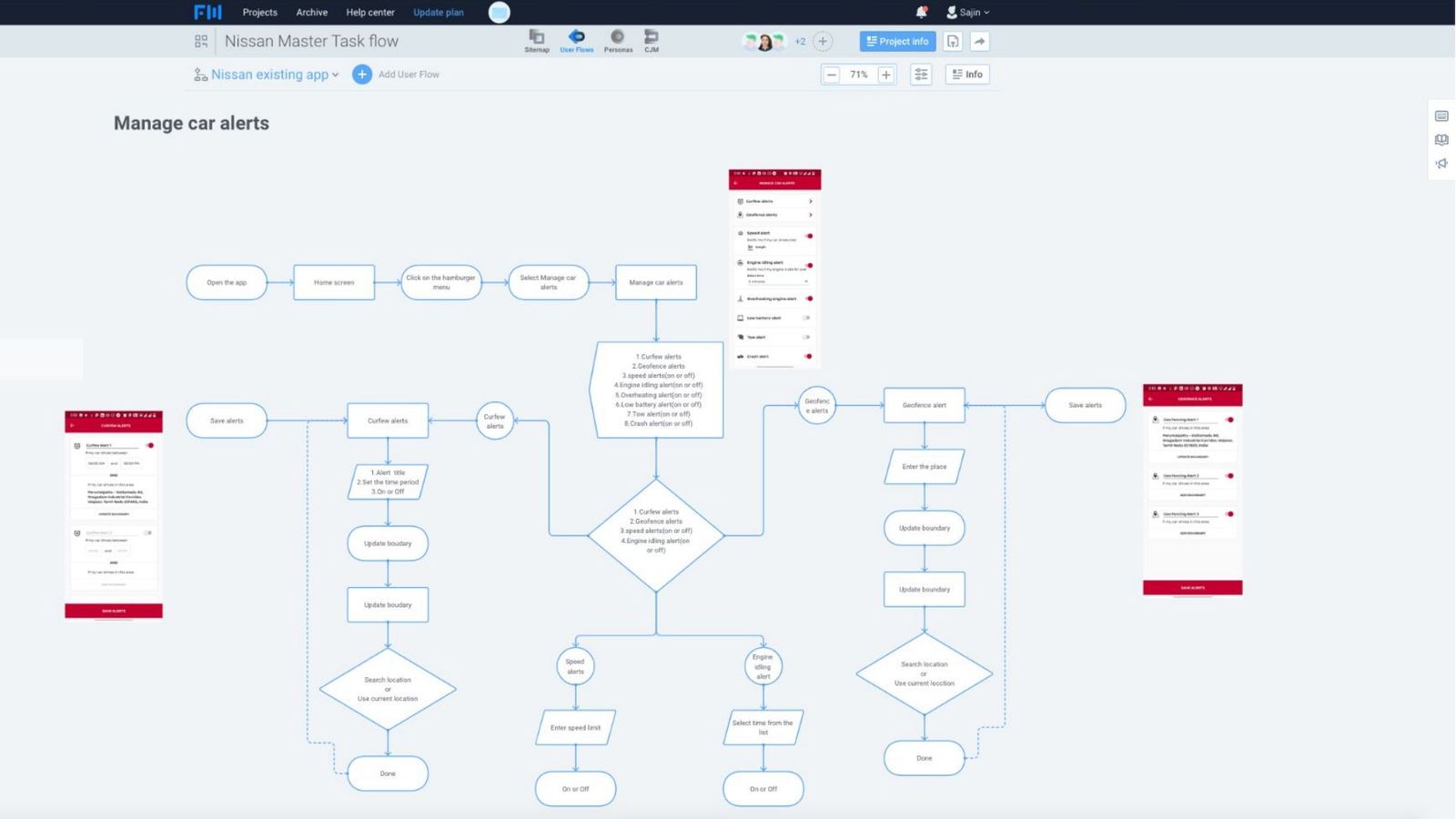
The full map showed dead ends and loops that single screens hide. Signing up with Google led back to the sign-up screen, and core status needed the ignition on. These maps became the baseline for the audit. Click to zoom in.
Existing app user flow, part one
Slide 7Existing app flow: onboarding, home and core features.
Existing app user flow, part two, managing car alerts
Slide 8Existing app flow: managing car alerts and deeper features.
Chapter 02The audit

A heuristic evaluation of every screen

We started with an expert usability review to find what was broken before talking to owners. That let the interviews go deeper than surface complaints. The full evaluation runs to more than 40 slides.

Open the full heuristic evaluation ↗
How we ran it

Five steps, scored the same way on every screen

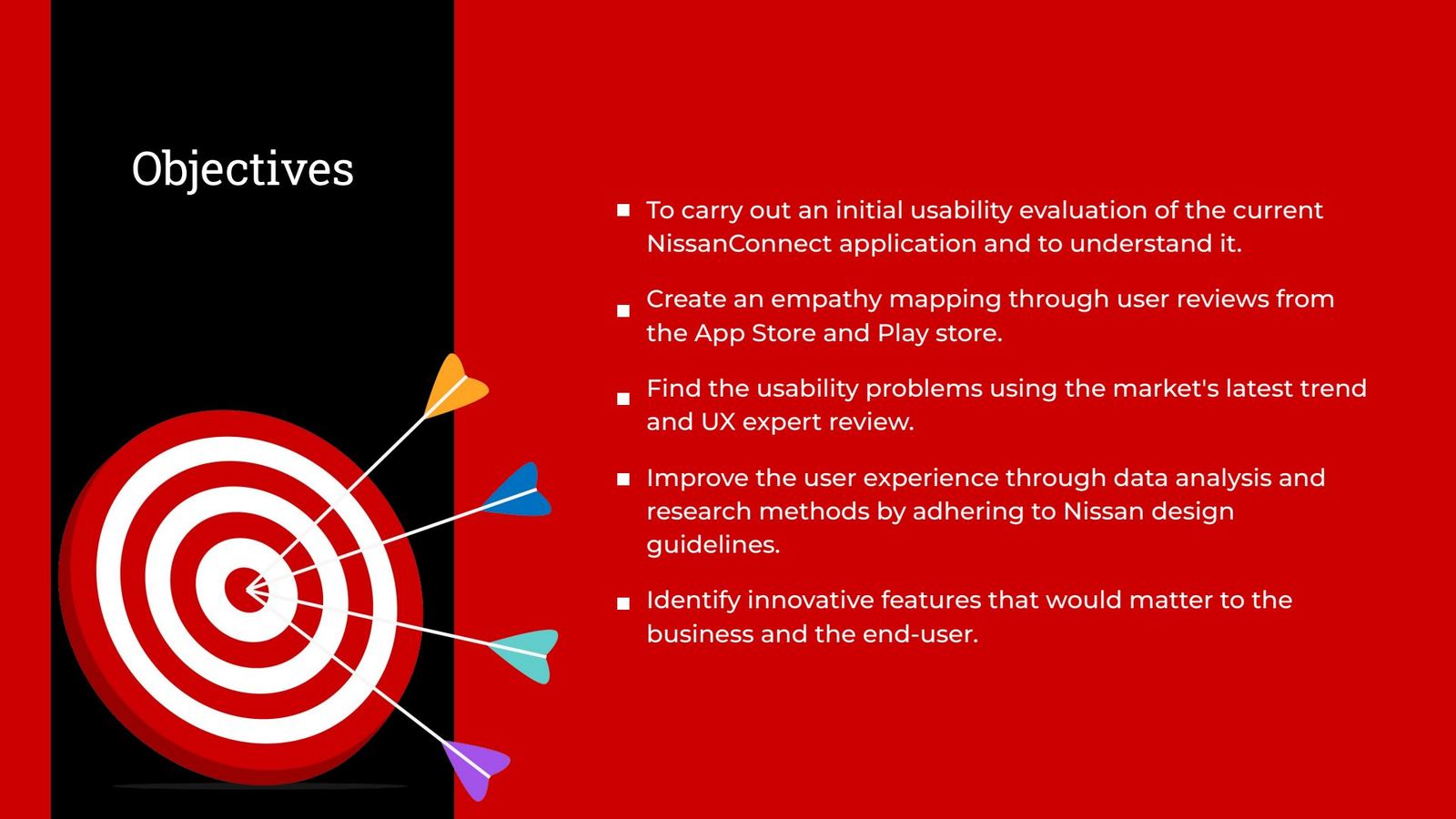
  1. Set objectivesEvaluate the current app, build empathy from store reviews, and find innovations that matter to users and the business.
  2. Walk every flowEach evaluator used the app as a new owner, screen by screen, following the flow maps.
  3. Score against principlesNielsen's 10 heuristics, 7 UX laws and Nissan's global design guidelines.
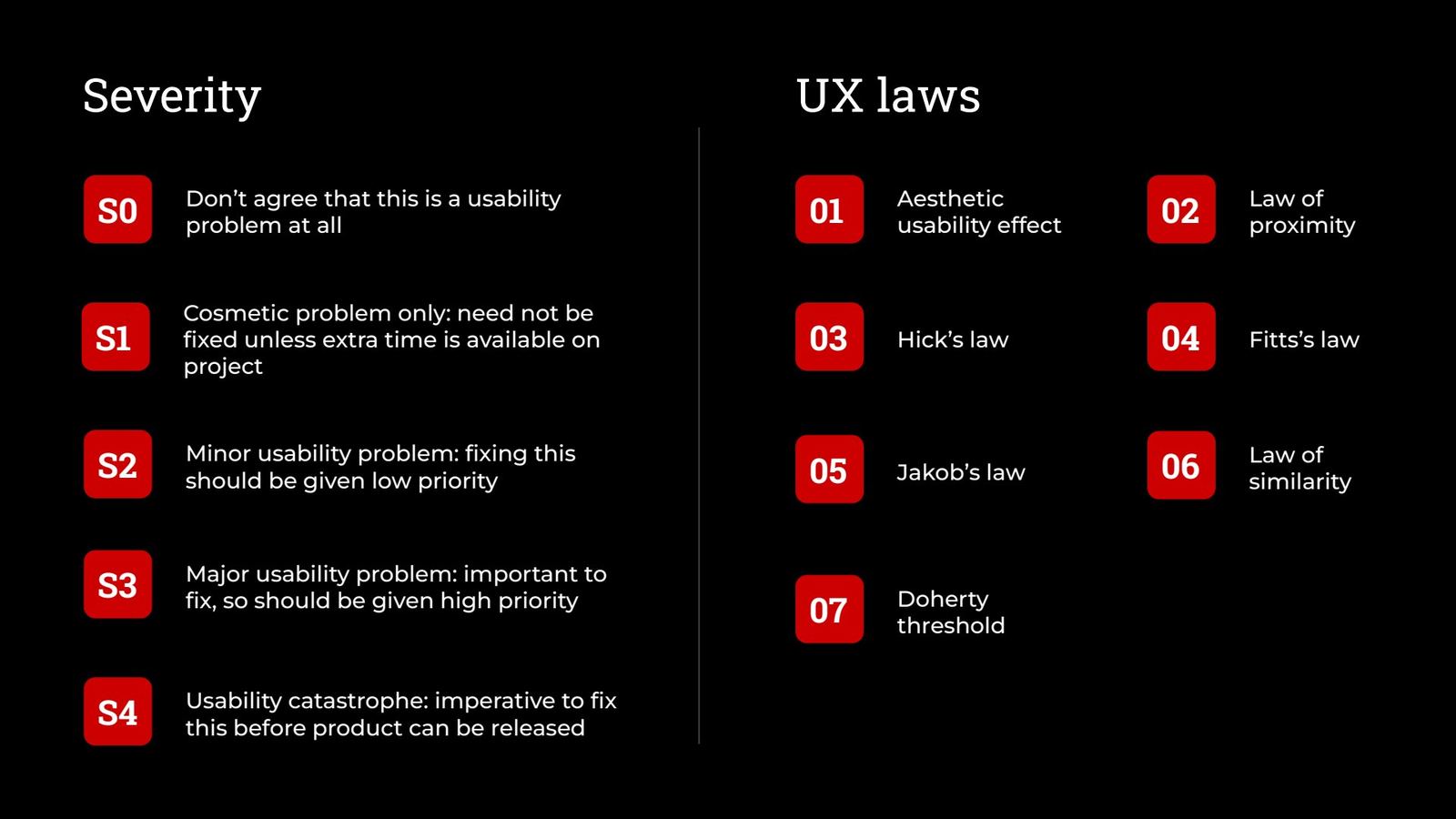
  4. Rate severityEach issue rated S0 to S4, from “not a problem” to “fix before release”.
  5. RecommendEvery issue paired with a recommendation, summarised in a prioritised report.
LawAesthetic–usability effectLawLaw of proximityLawHick's lawLawFitts's lawLawJakob's lawLawLaw of similarityLawDoherty threshold
Heuristic evaluation objectives slide
Slide 10Objectives of the evaluation.
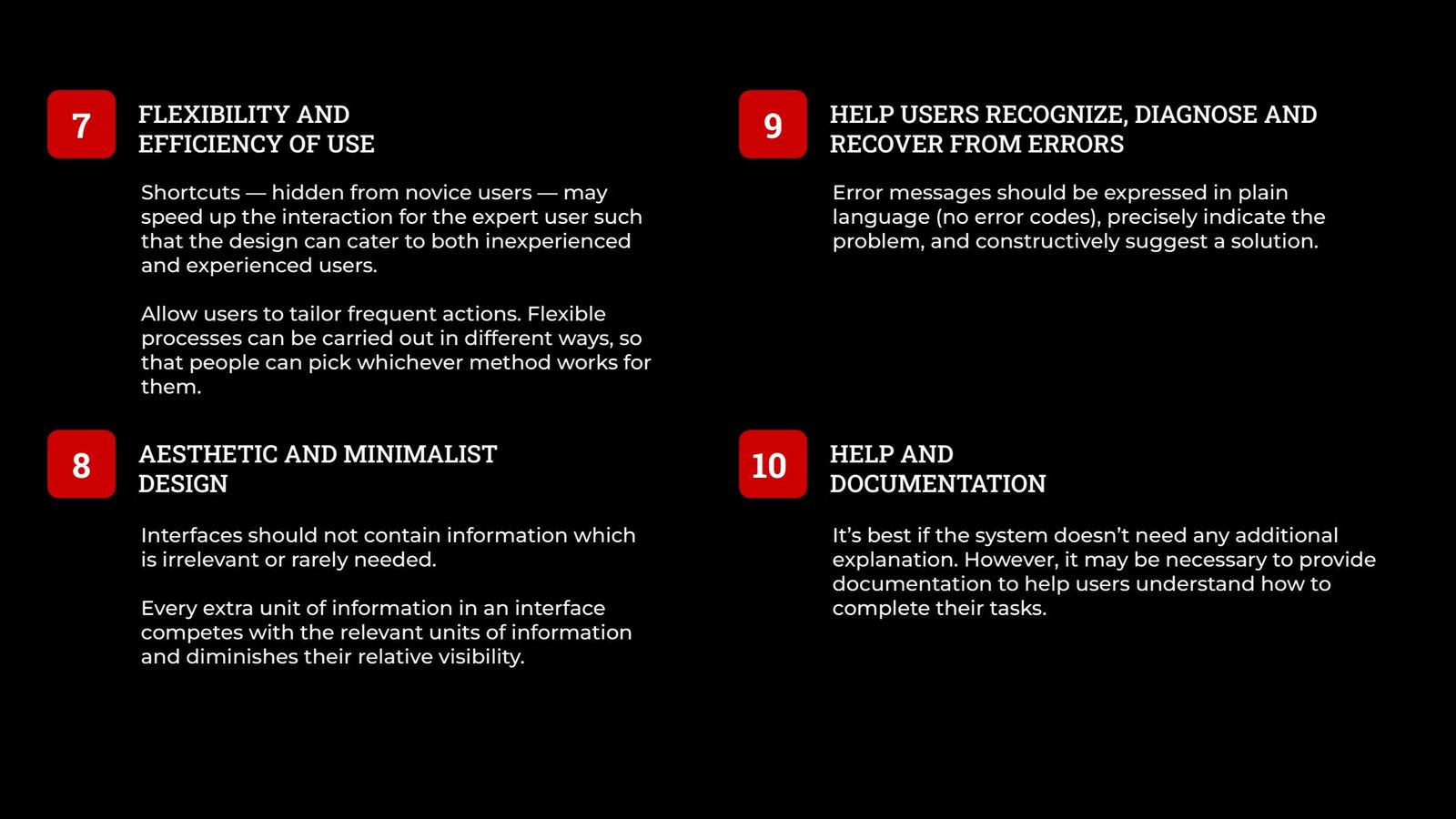
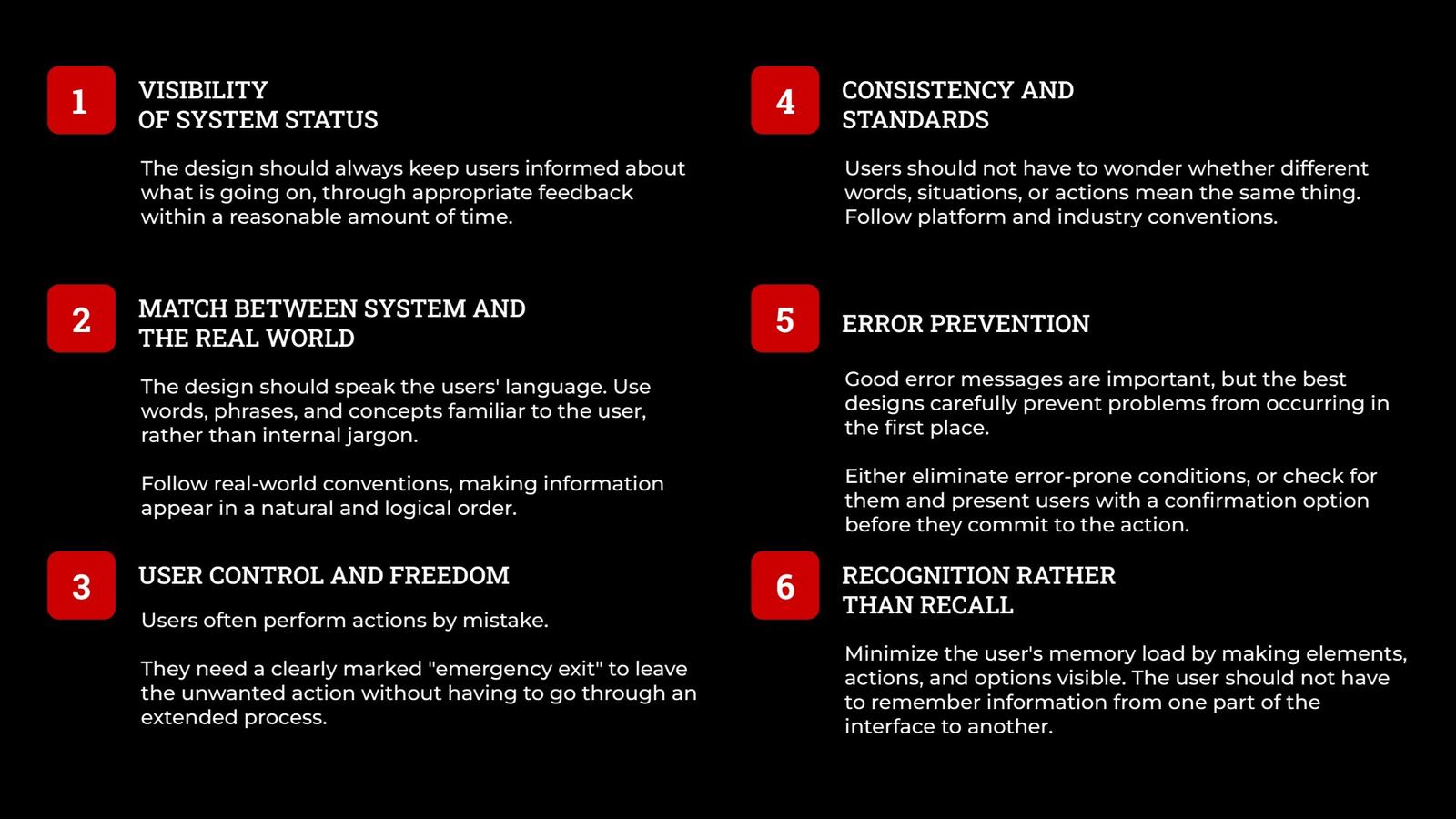
Heuristics 1 to 6 explained
HE deckHeuristics 1–6 as briefed to evaluators.
Heuristics 7 to 10 explained
HE deckHeuristics 7–10.
Severity scale and UX laws
HE deckSeverity scale S0–S4 and the UX laws.
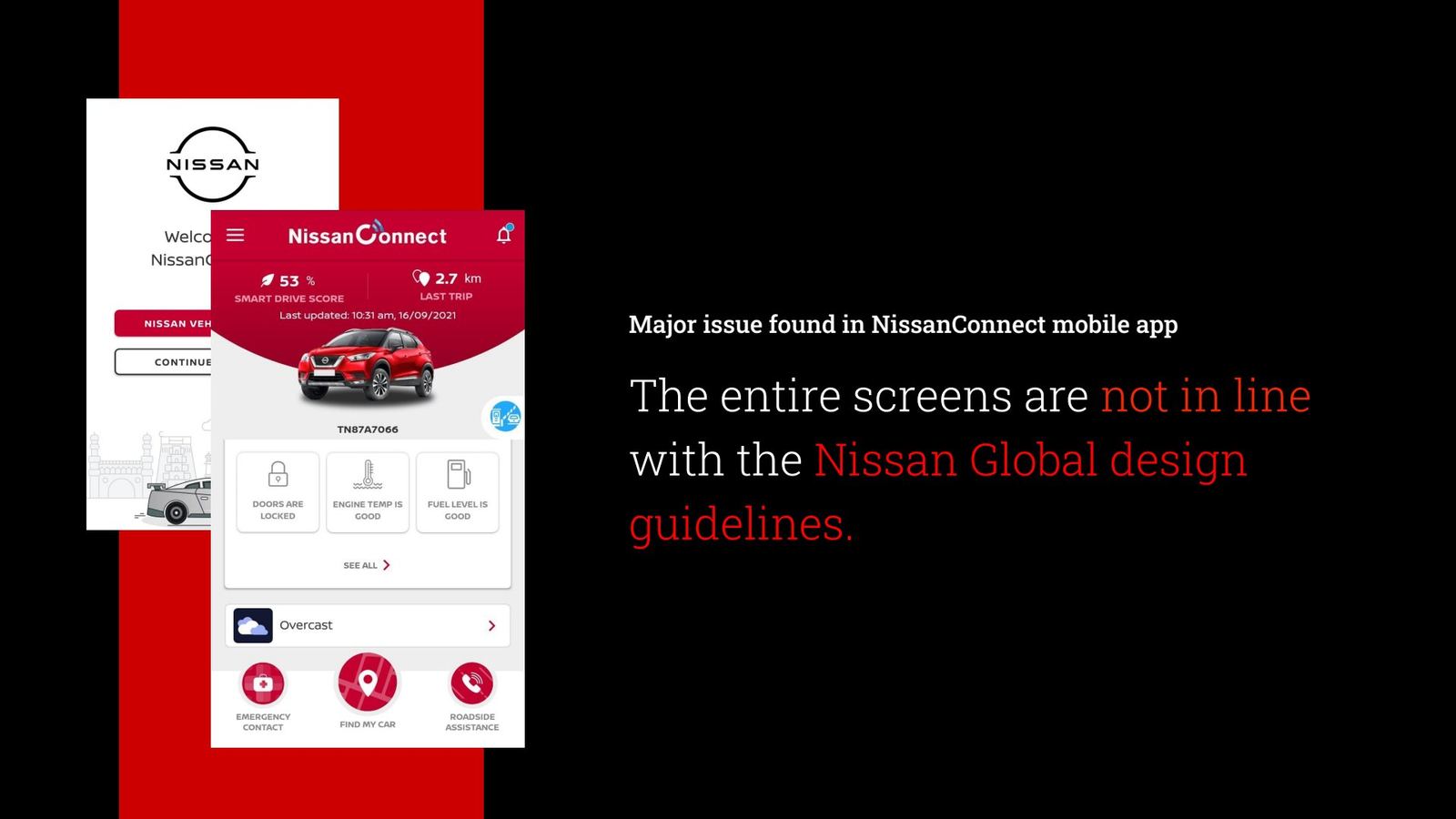
Major issue: screens not in line with Nissan global design guidelines
HE deckThe headline finding: no screen followed Nissan's global guidelines.
Swipe or use the arrows
What we found, screen by screen

Each issue: the violation, the severity, the fix

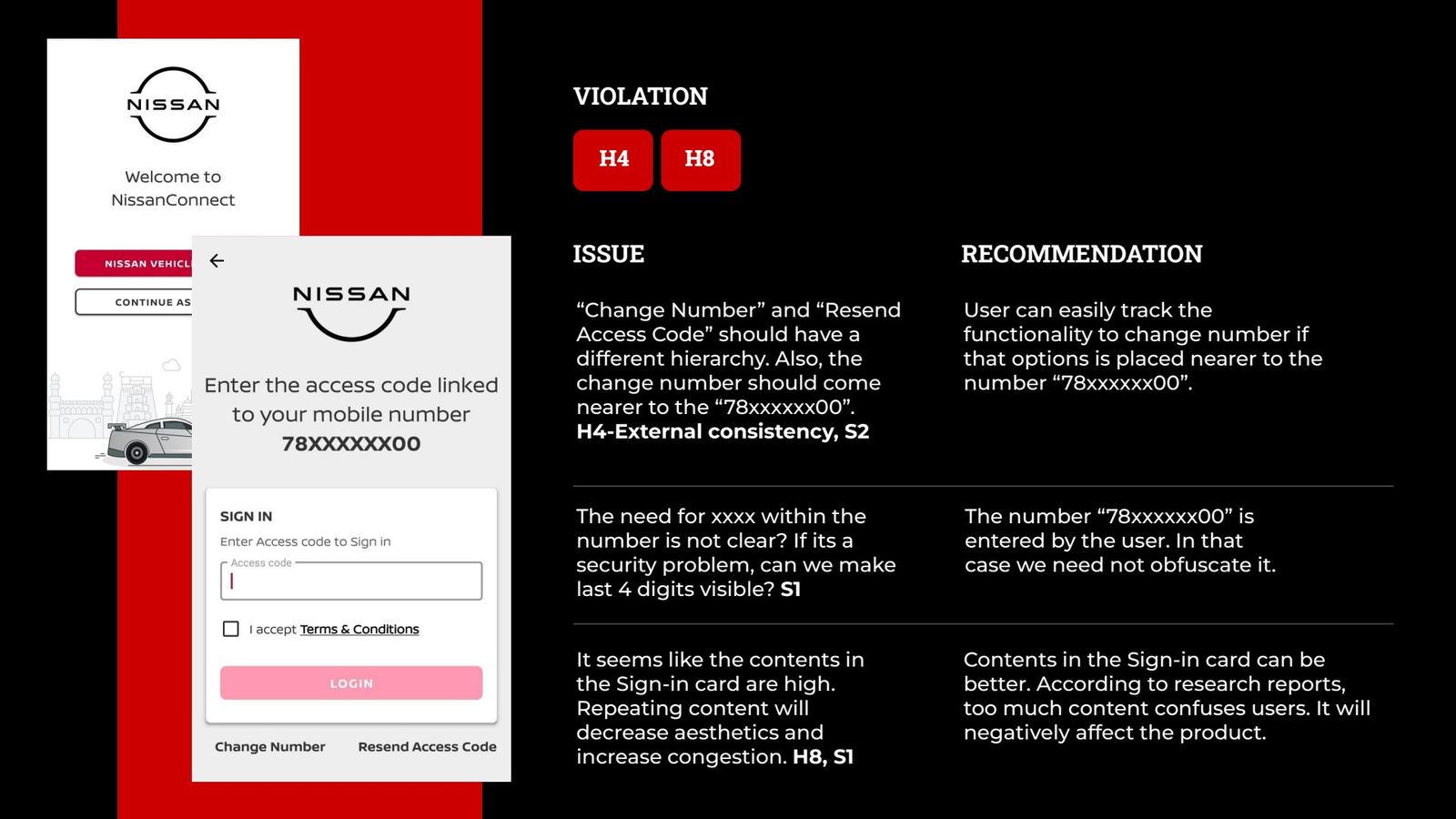
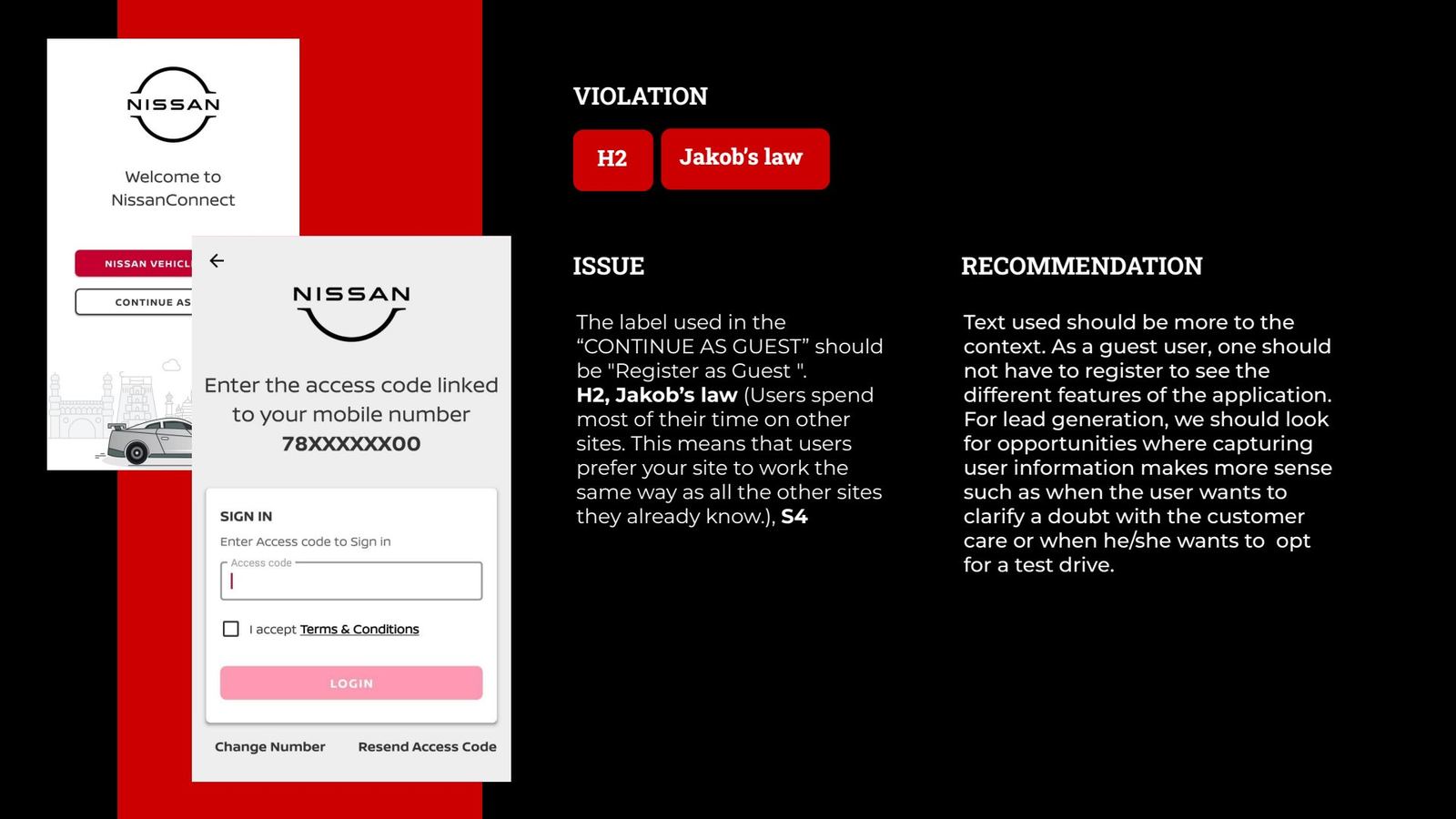
Every slide pairs an annotated screen with the heuristic it breaks, a severity rating and a recommendation. These four show the pattern: sign-in friction, forced registration, a congested home and slow feedback.
Sign-in screen issues
Slide 11Sign-in: masked number, misplaced “Change number”, congested card. H4, H8.
Continue as guest issue
Slide 12“Continue as guest” forces registration. Capture leads at moments of intent instead. H2, Jakob's law, S4.
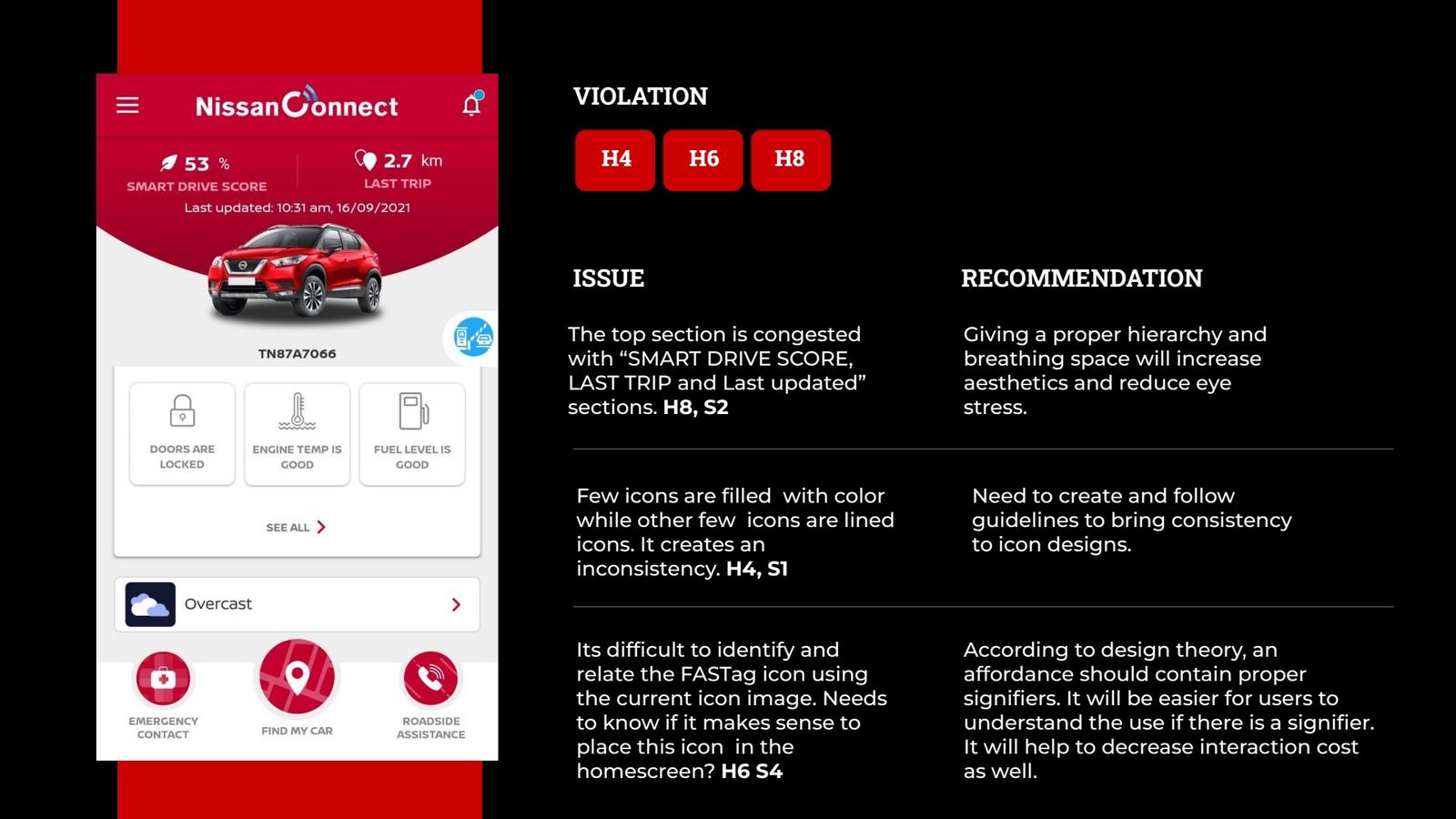
Home screen issues
Slide 13Home: congested header, mixed icon styles, an unclear FASTag icon. H4, H6, H8.
Doherty threshold loading issue
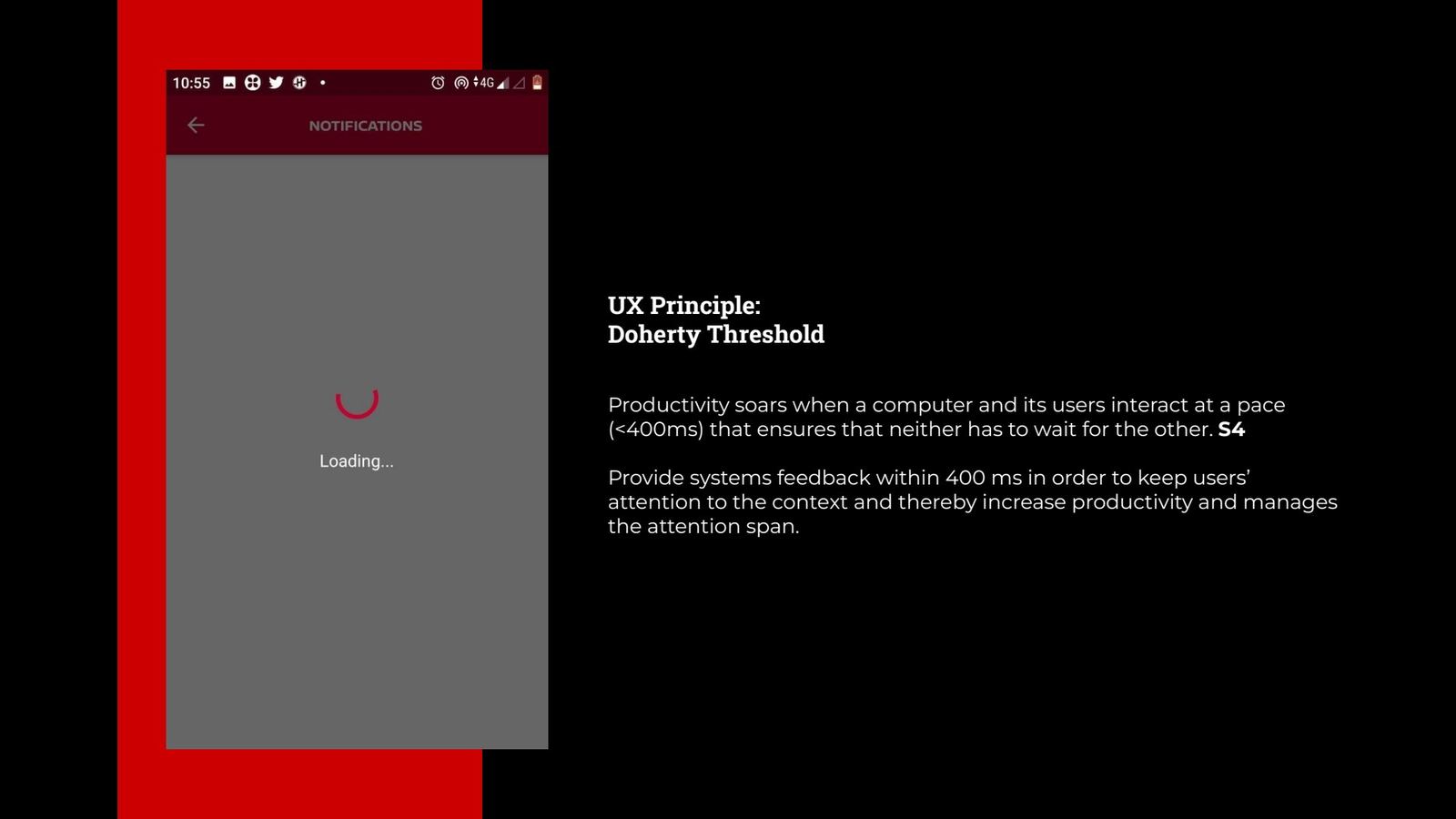
Slide 14Long blank loading. Feedback must come within 400 ms (Doherty threshold). S4.
What we captured

Most problems were about consistency and clutter

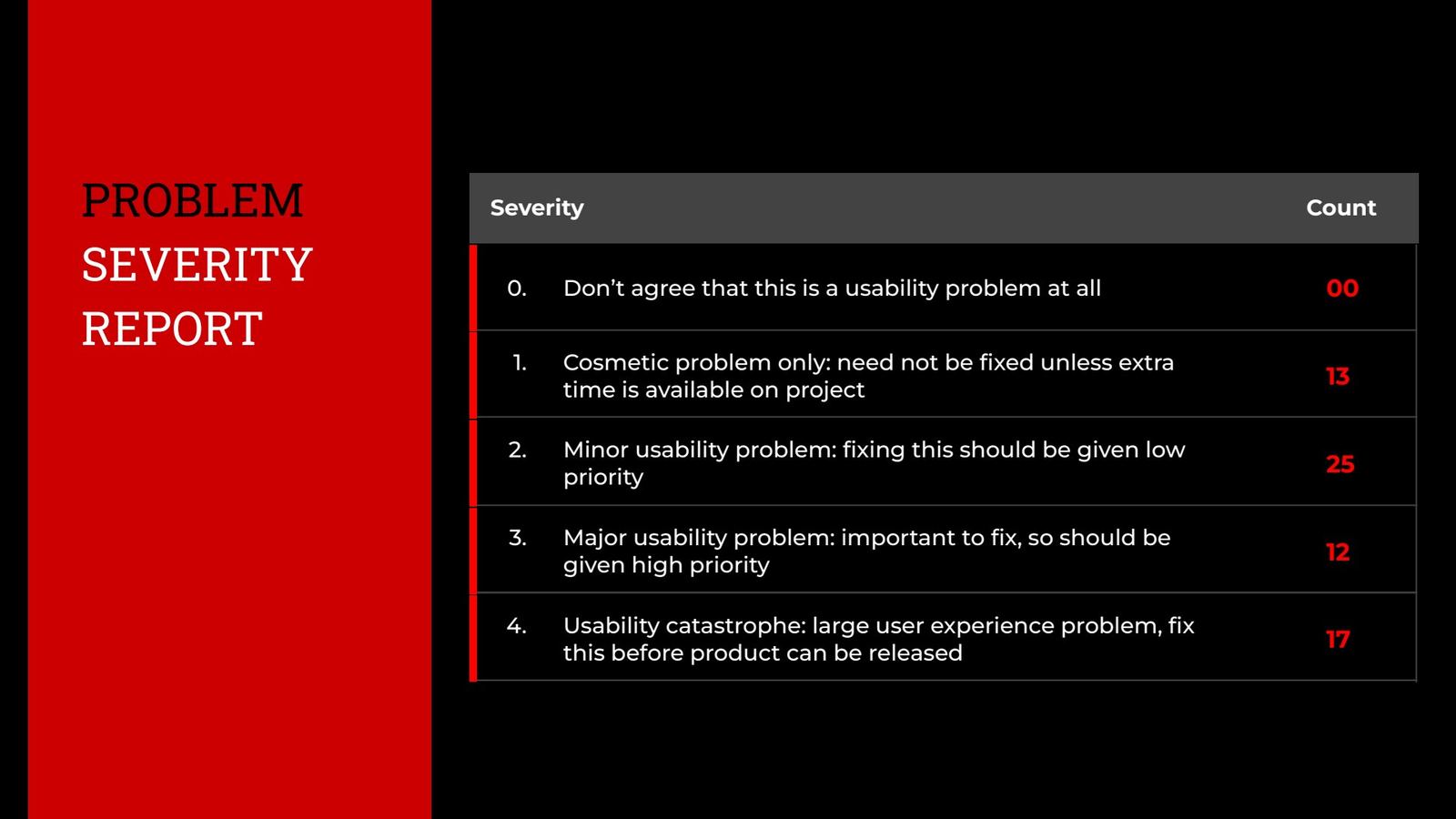
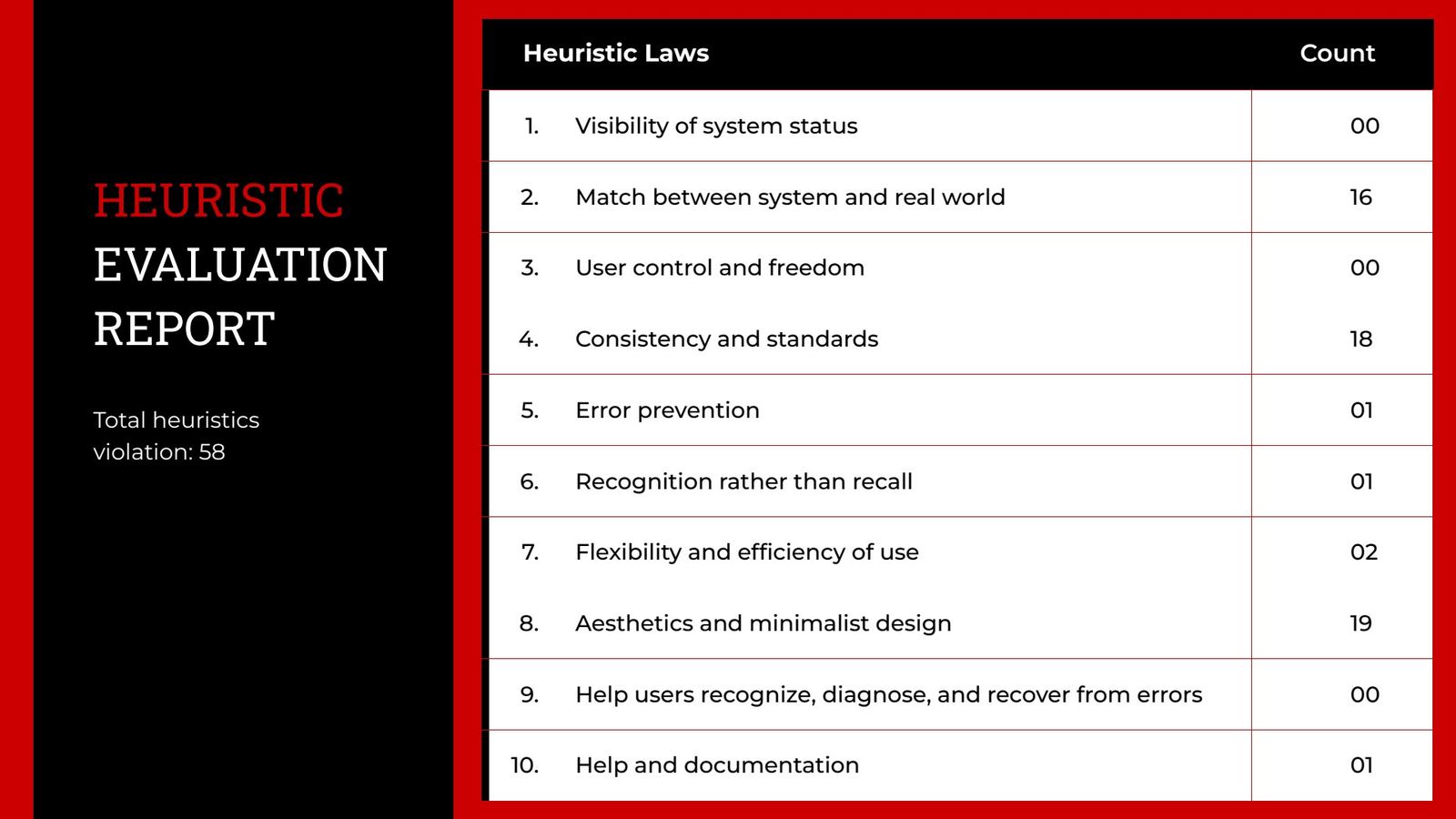
The app had no shared design language, so every screen solved the same problem differently. One in four problems was a release blocker.

Violations by heuristic (total 58)

Aesthetic & minimalist design
19
Consistency & standards
18
Match with the real world
16
Flexibility & efficiency
2
Error prevention
1
Recognition over recall
1
Help & documentation
1

Problems by severity

S1 · CosmeticS2 · MinorS3 · MajorS4 · Catastrophe

The 17 catastrophes broke core tasks: signing up, reading the car's status and finding the car.
Heuristic evaluation report slide
Slide 15The heuristic report as presented to Nissan.
Problem severity report slide
Slide 16The severity report.
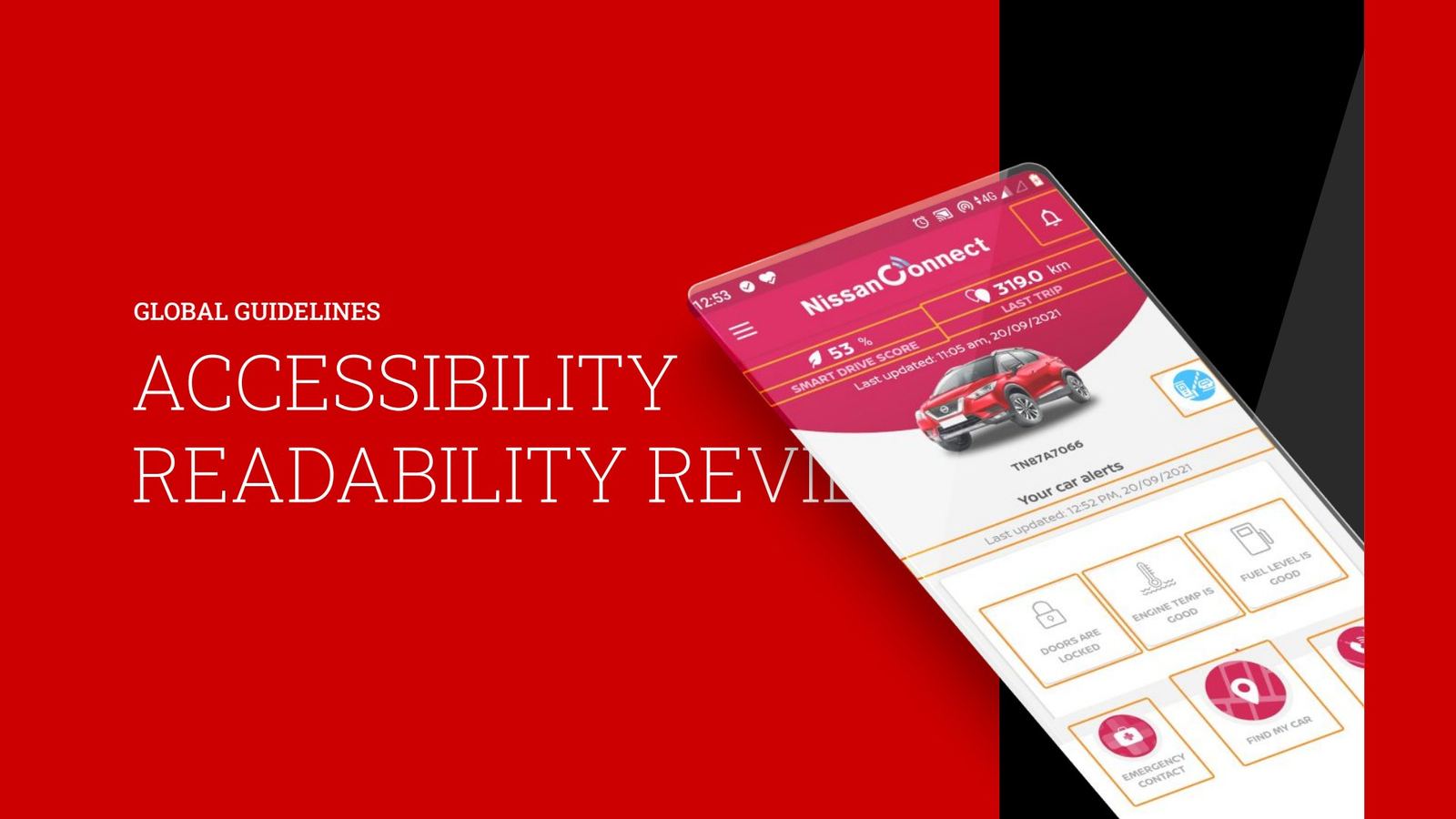
Accessibility & readability review

Readable for every owner, at every age

We audited every screen against WCAG 2.1 and the iOS and Android guidelines. Our research flagged that vision changes start from around age 40, and that colour blindness affects millions of drivers. So accessibility became a core requirement of the redesign, not a polish item.
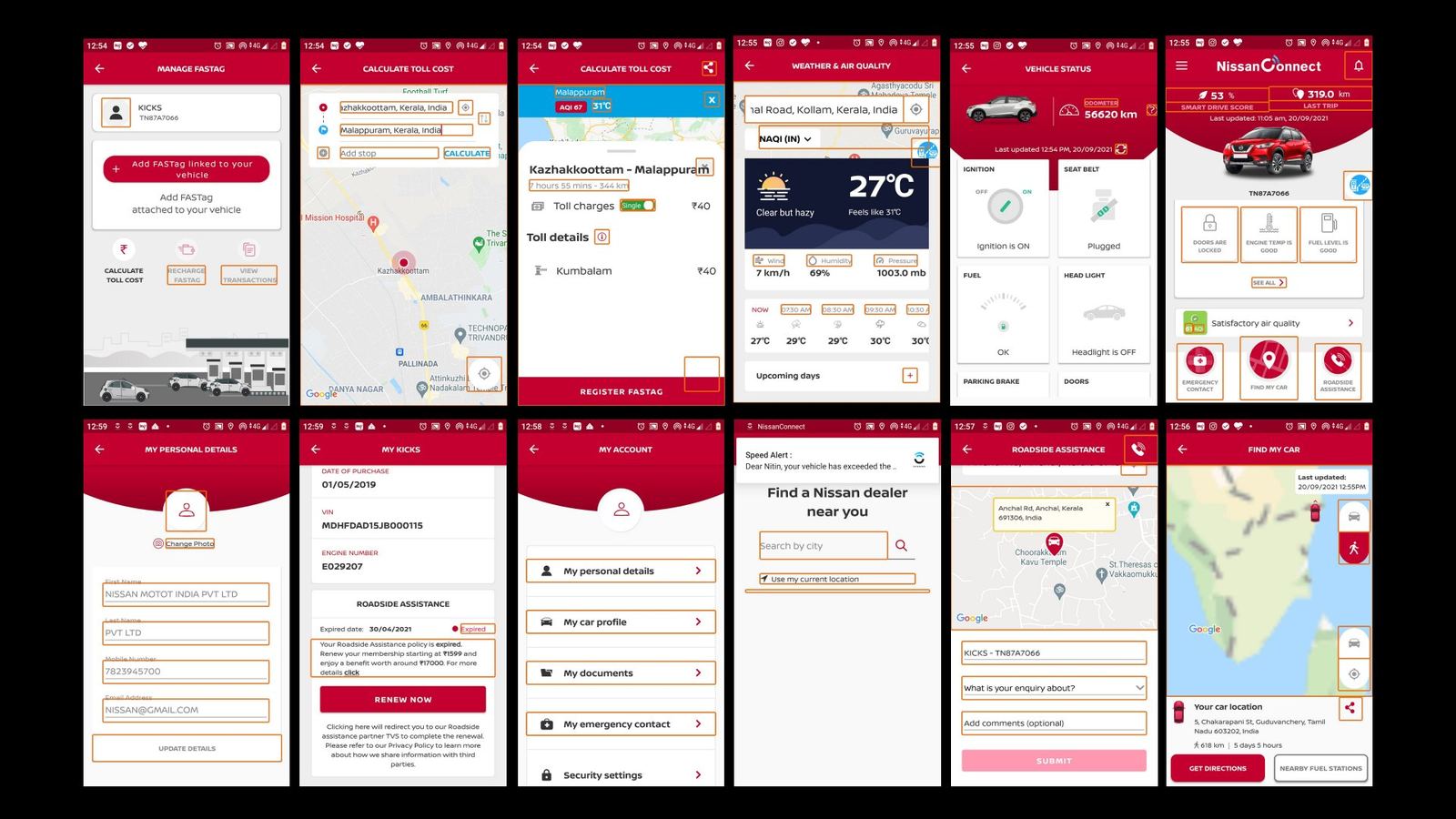
Twelve existing app screens with accessibility and consistency issues boxed in orange
Slide 24Every screen of the existing app scanned, with problem areas boxed in orange: touch targets, contrast, labels and spacing.
Accessibility and readability review title slide
Slide 17Reviewed against global guidelines.
Touch target and contrast findings
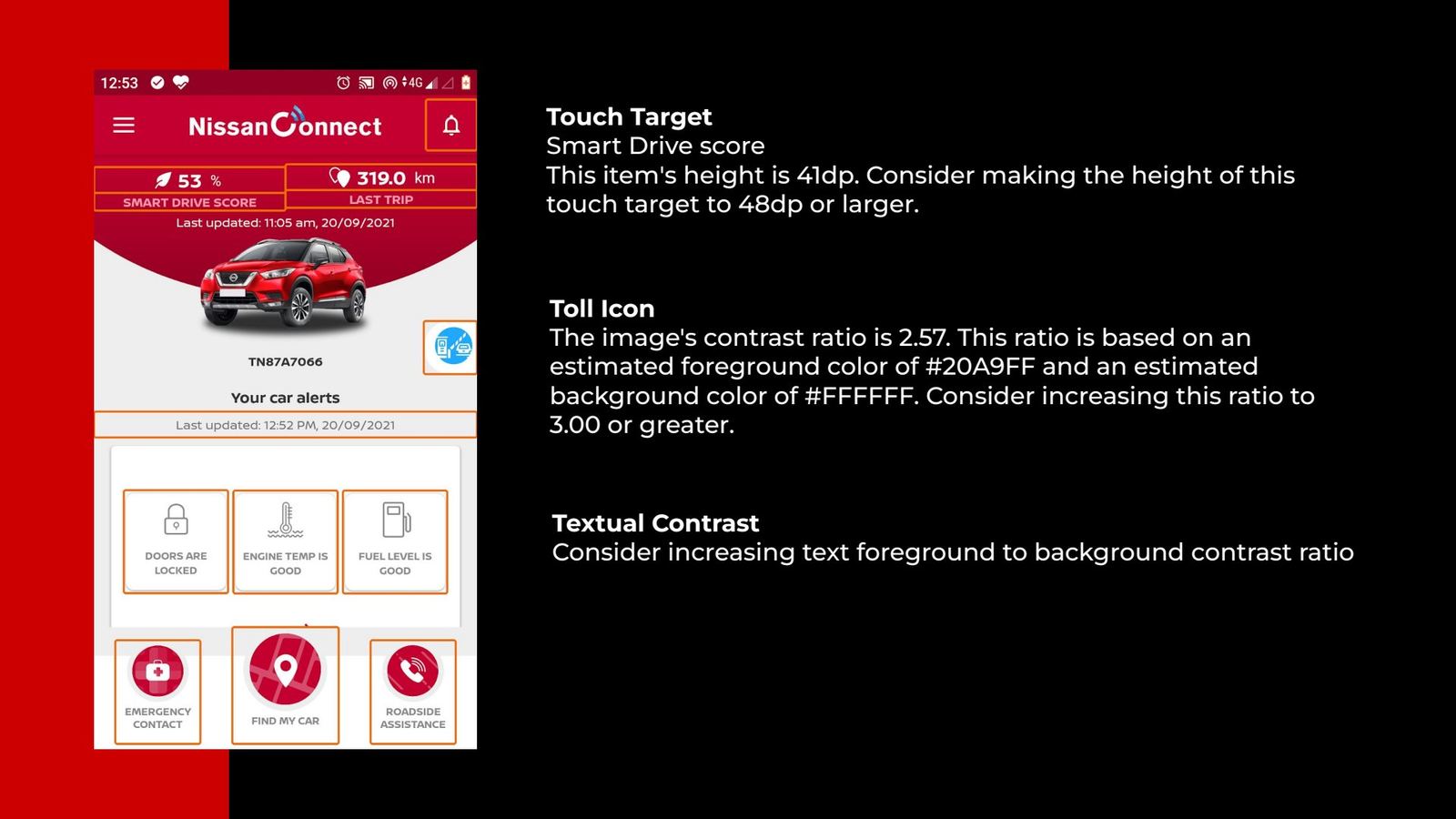
Slide 18Smart Drive Score touch target is 41dp (target 48dp). Toll icon contrast is 2.57:1 (target 3:1).
Colour contrast ratio findings
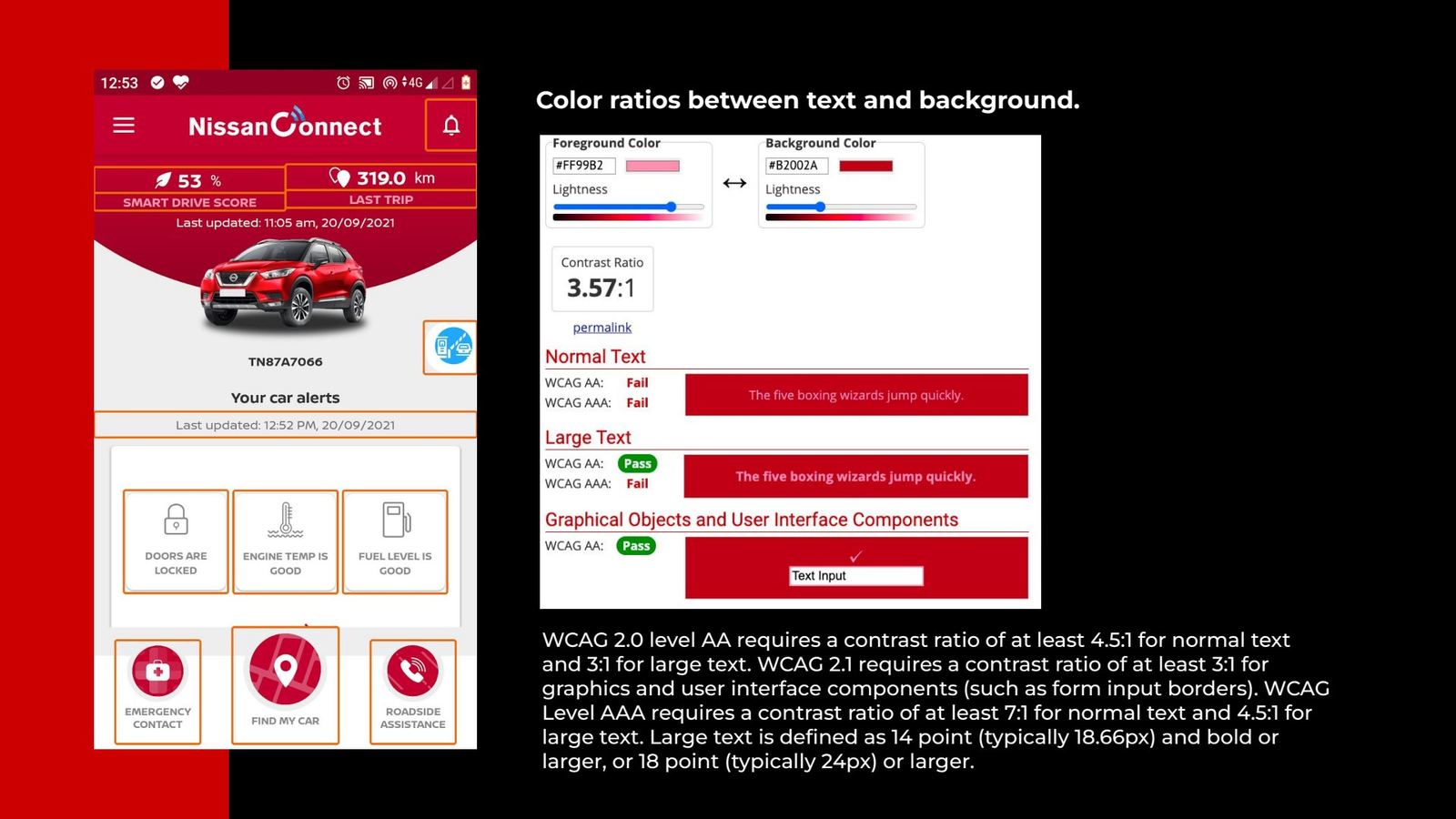
Slide 19Brand red on white at 3.57:1 fails WCAG AA for normal text.
Dynamic font size test
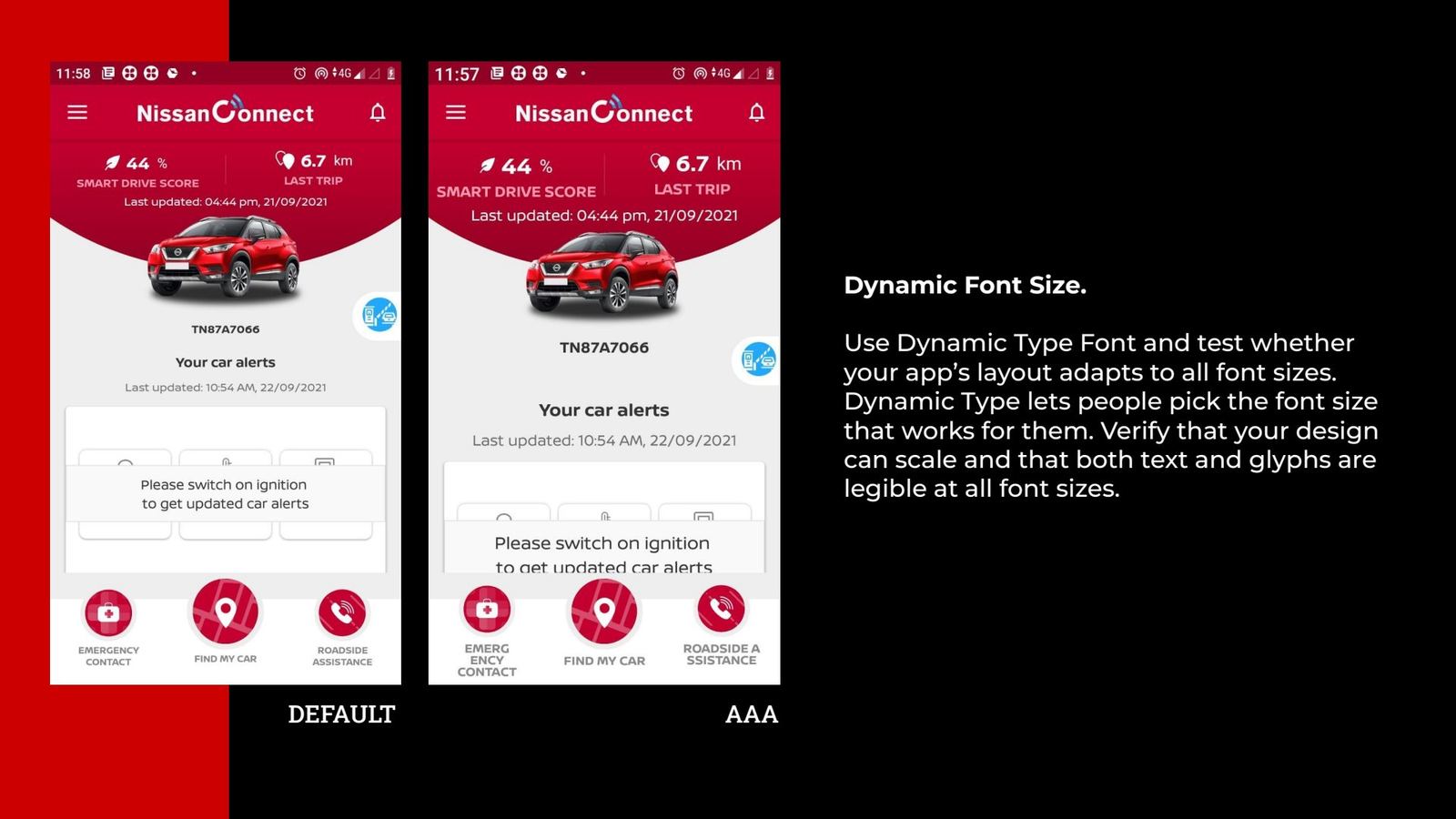
Slide 20Dynamic type: the layout breaks at larger sizes.
Readability test
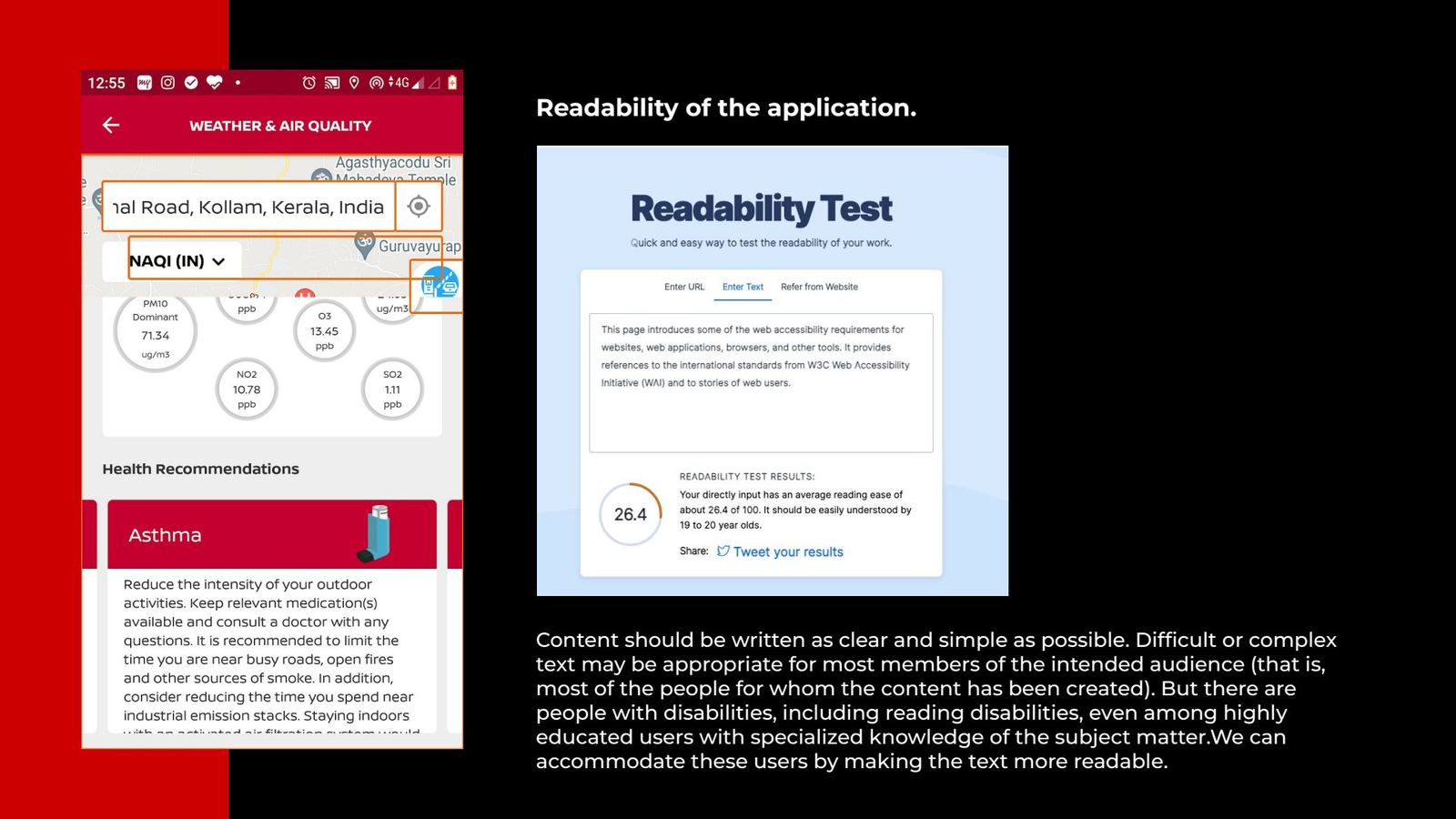
Slide 21Readability scoring of the in-app copy.
UI hierarchy findings
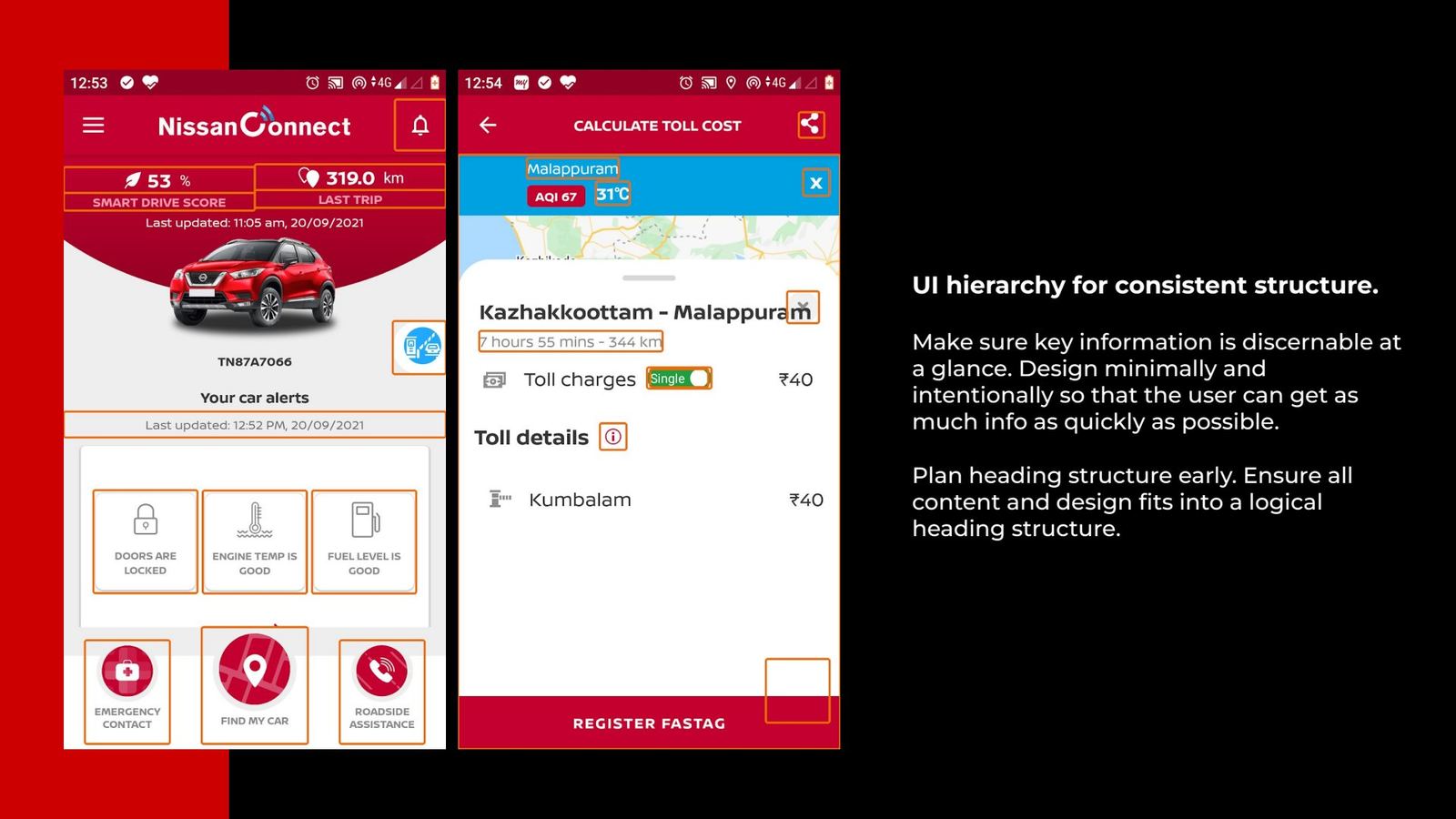
Slide 22No consistent heading structure, so key information is hard to scan.
Assistive technology labels
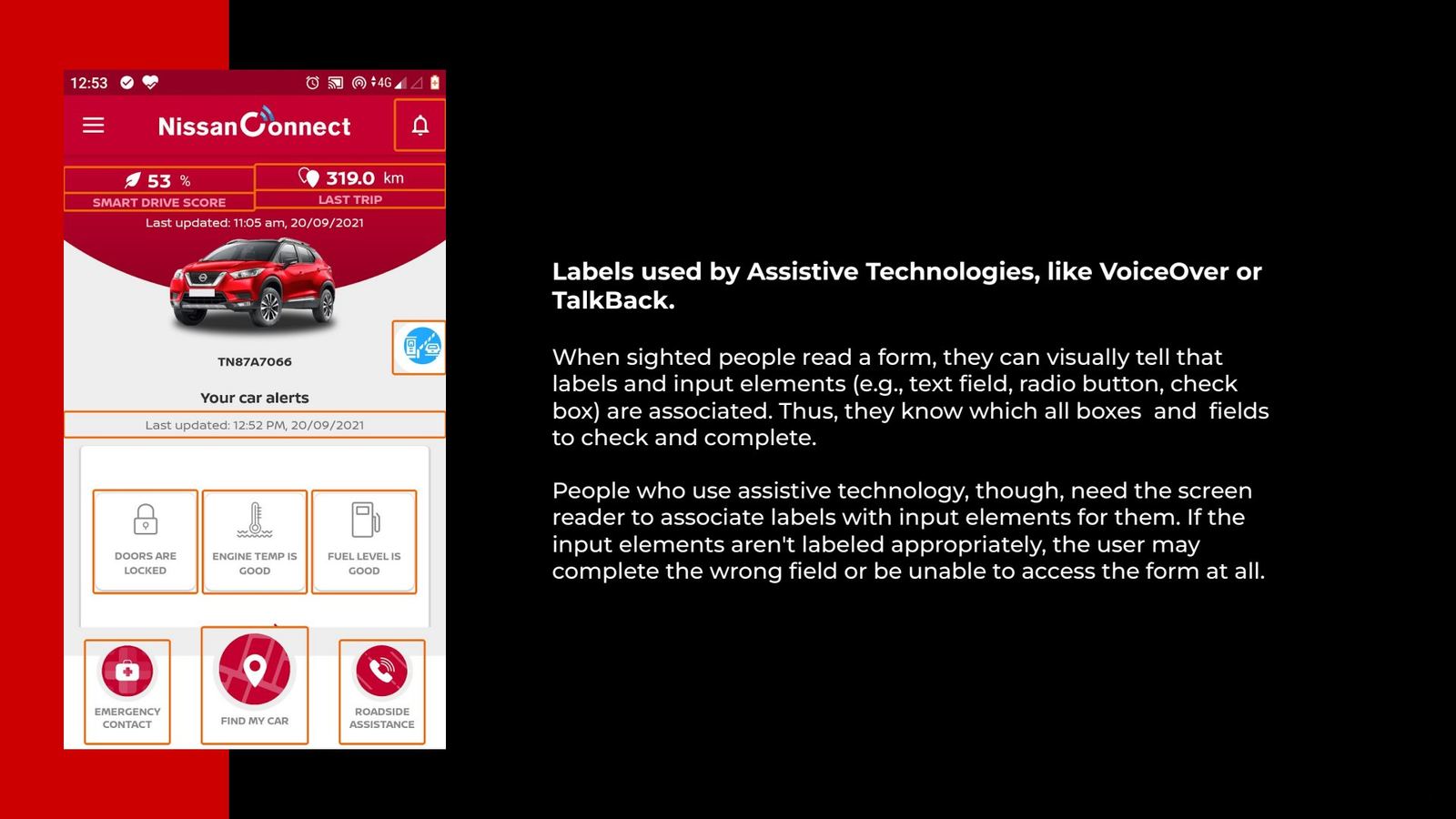
Slide 23Form inputs without labels for VoiceOver and TalkBack.
CheckFoundTargetFix in the redesign
Touch target, Smart Drive Score41dp≥ 48dpScore becomes a large hero element
Toll icon contrast (#20A9FF on white)2.57 : 1≥ 3 : 1New icon set and palette checked for contrast
Text on brand red3.57 : 1≥ 4.5 : 1Red reserved for alerts. Text on navy or white.
Dynamic typeLayouts breakScalesComponents built to reflow
Screen-reader labelsMissingAll inputsLabels specified in the design system
Chapter 03Listening

Riding along with real owners

The audit told us what was broken. Only owners could tell us what mattered. We ran an ethnographic field study with nine owners in their own cars, then structured interviews, and set both against Nissan's data.

9ethnographic field studies
13semi-structured user interviews
2.5 yrsof analytics from Nissan
1.8Mmonthly page views analysed
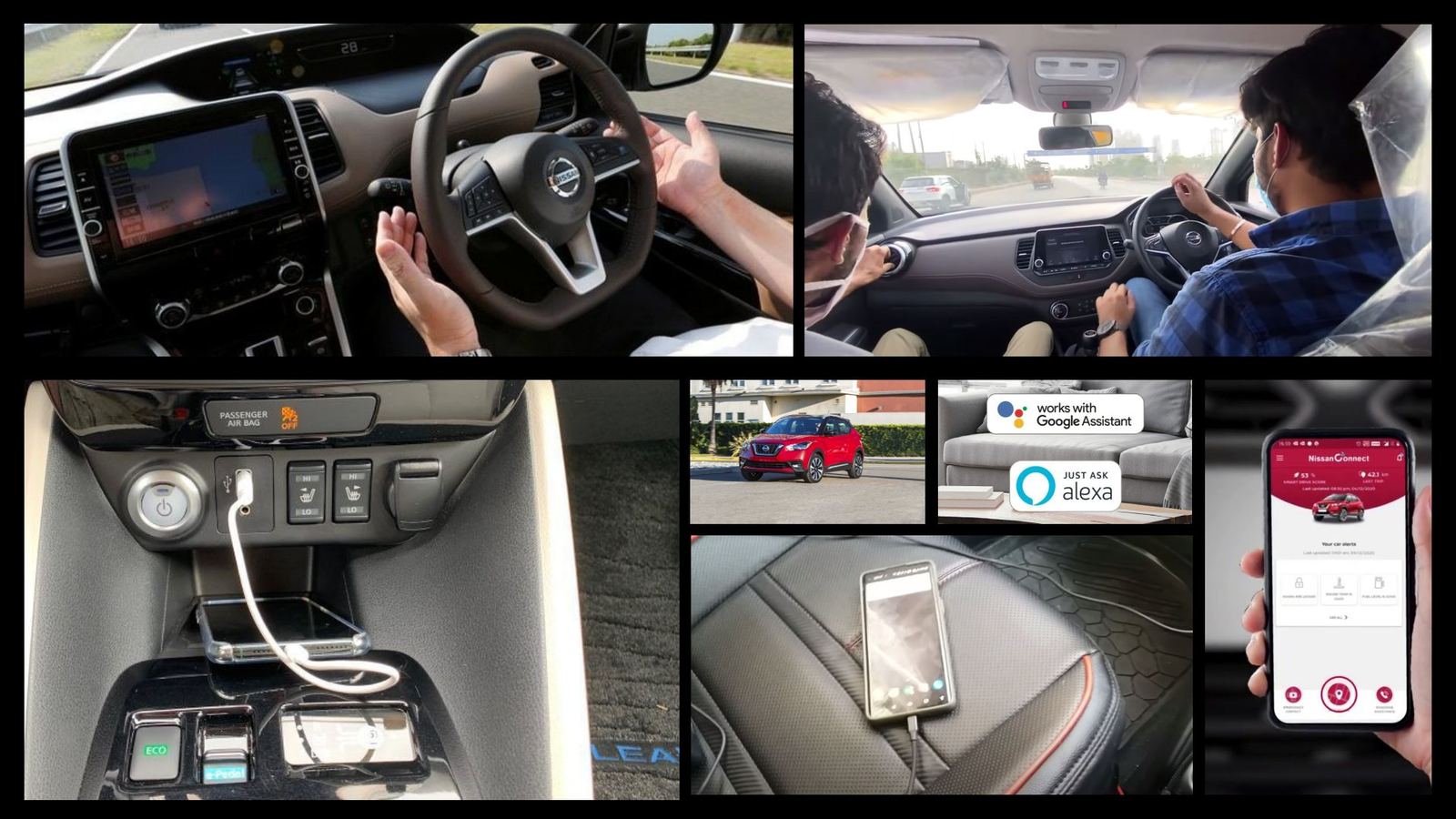
Ethnographic field study

How the app lives in a real car

We watched owners in traffic, in car parks and at home. Phones sat on seats and in holders and were checked in quick glances. That is why the redesign is built for a three-second look, not a long browse.
Real time experience and user interview title slide
Slide 25Nine owners, studied in context.
Field study photos inside cars
Slide 26Field study moments: driving, parking, phone on the seat.
How we structured the interviews

Three audiences, one structure

We interviewed owners for pain points, bliss points and expectations. We interviewed Nissan's director board for business goals, and every stakeholder for constraints. Each owner interview followed the same three-part structure so answers could be compared.

Owners
13

User interviews

Semi-structured. Pain points, bliss points and expectations of a connected-car app.

Leadership
Board

Nissan director board

Business expectations: service revenue, lead generation, brand perception.

Delivery
All

Project stakeholders

Designers, PM, and backend, Android and iOS developers: constraints and data realities.
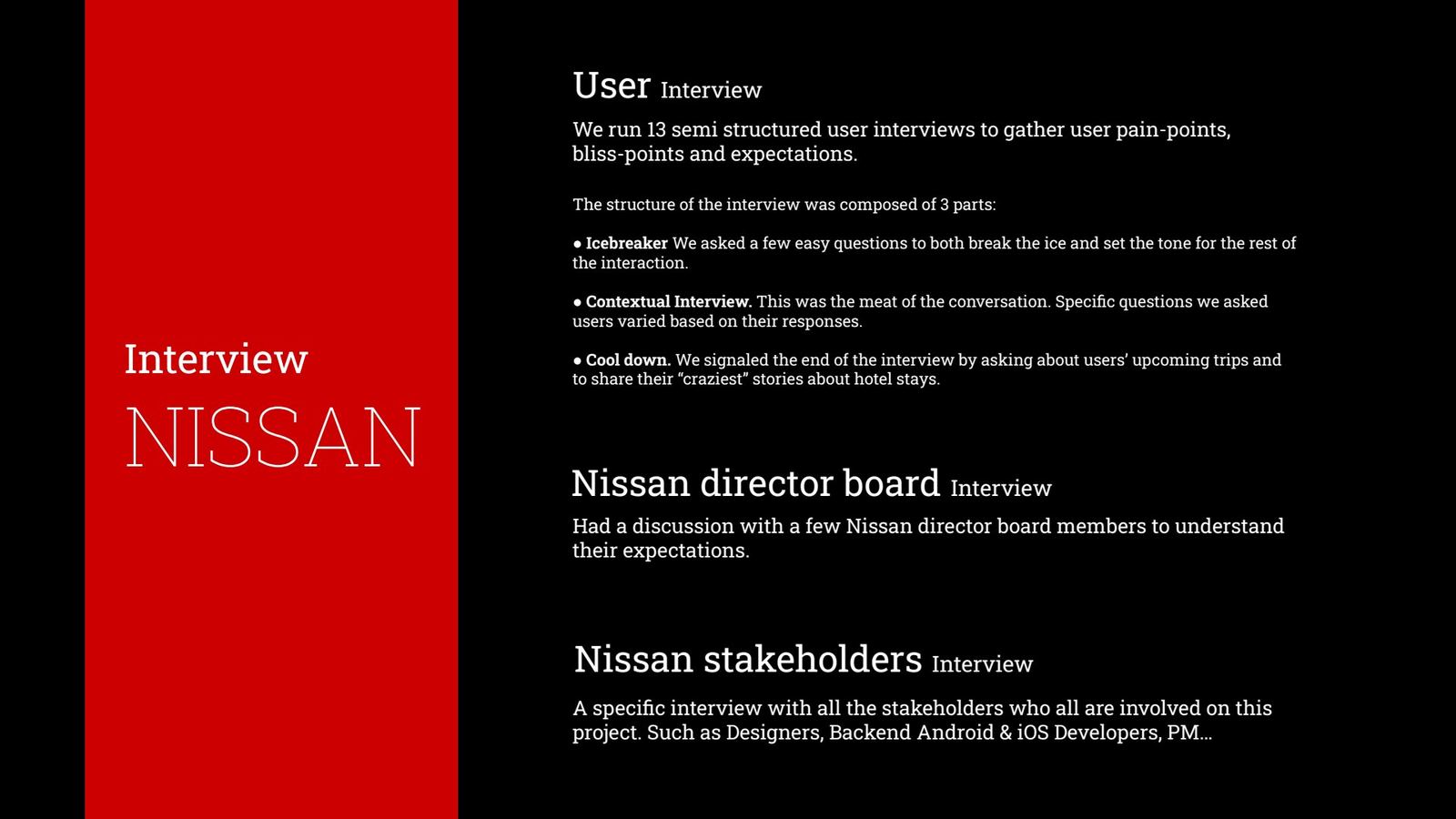
1 · IcebreakerEasy questions to set the tone and build comfort.
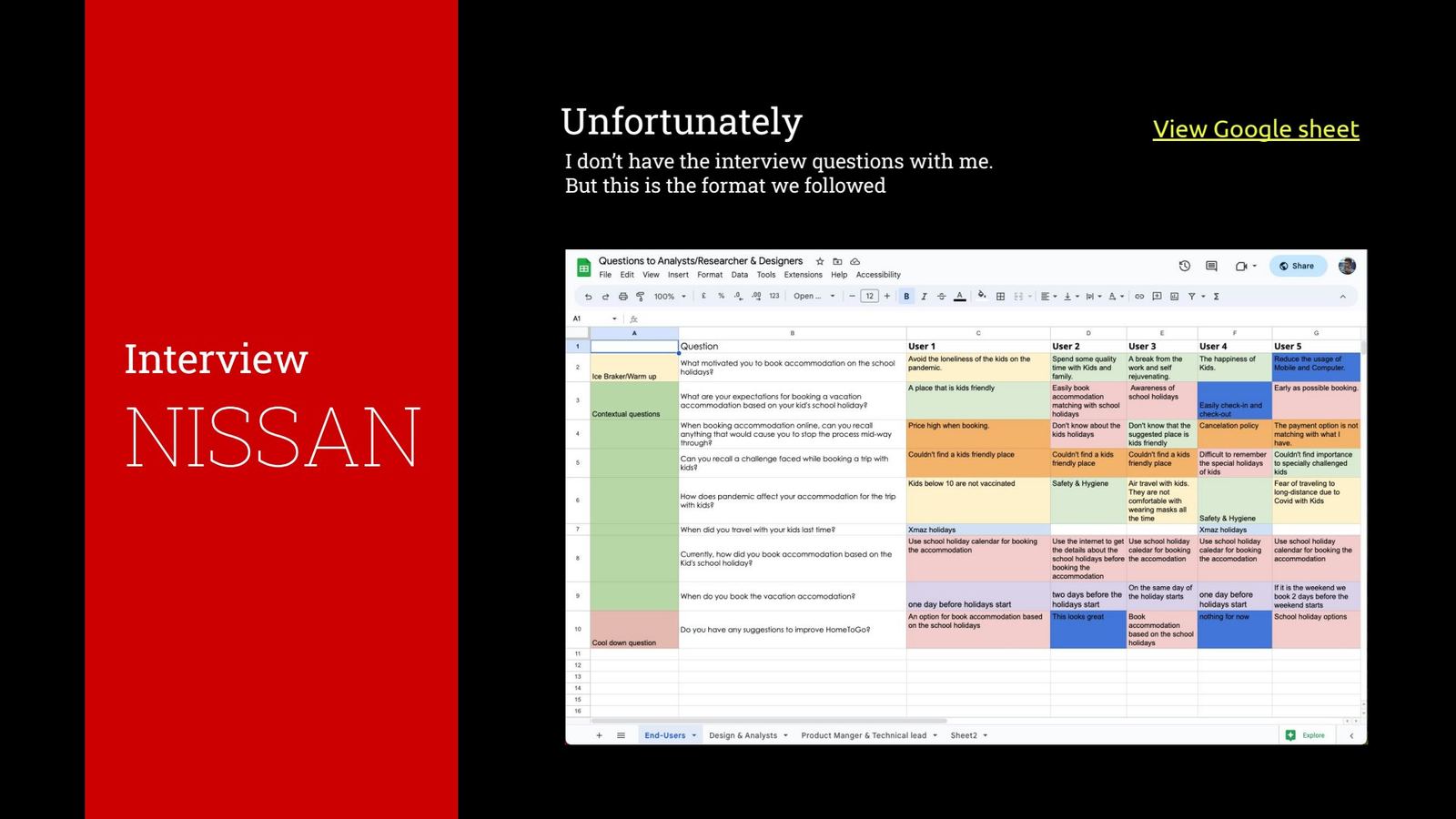
2 · Contextual interviewThe core. Questions adapted to each owner's answers: how they use the car and the app, and where it lets them down.
3 · Cool-downUpcoming trips and memorable stories, to close on a positive note.
Interview structure slide
Slide 27Interview plan: users, director board, stakeholders.
Interview question sheet
Slide 28The interview sheet format used by the researchers.
Interview mapping

Almost every note was about reliability

We clustered interview notes in Miro. Five themes emerged: vehicle status, location, service booking, alerts and the fuel expense log. Nearly all of them were about the app being wrong or late, not about missing features.
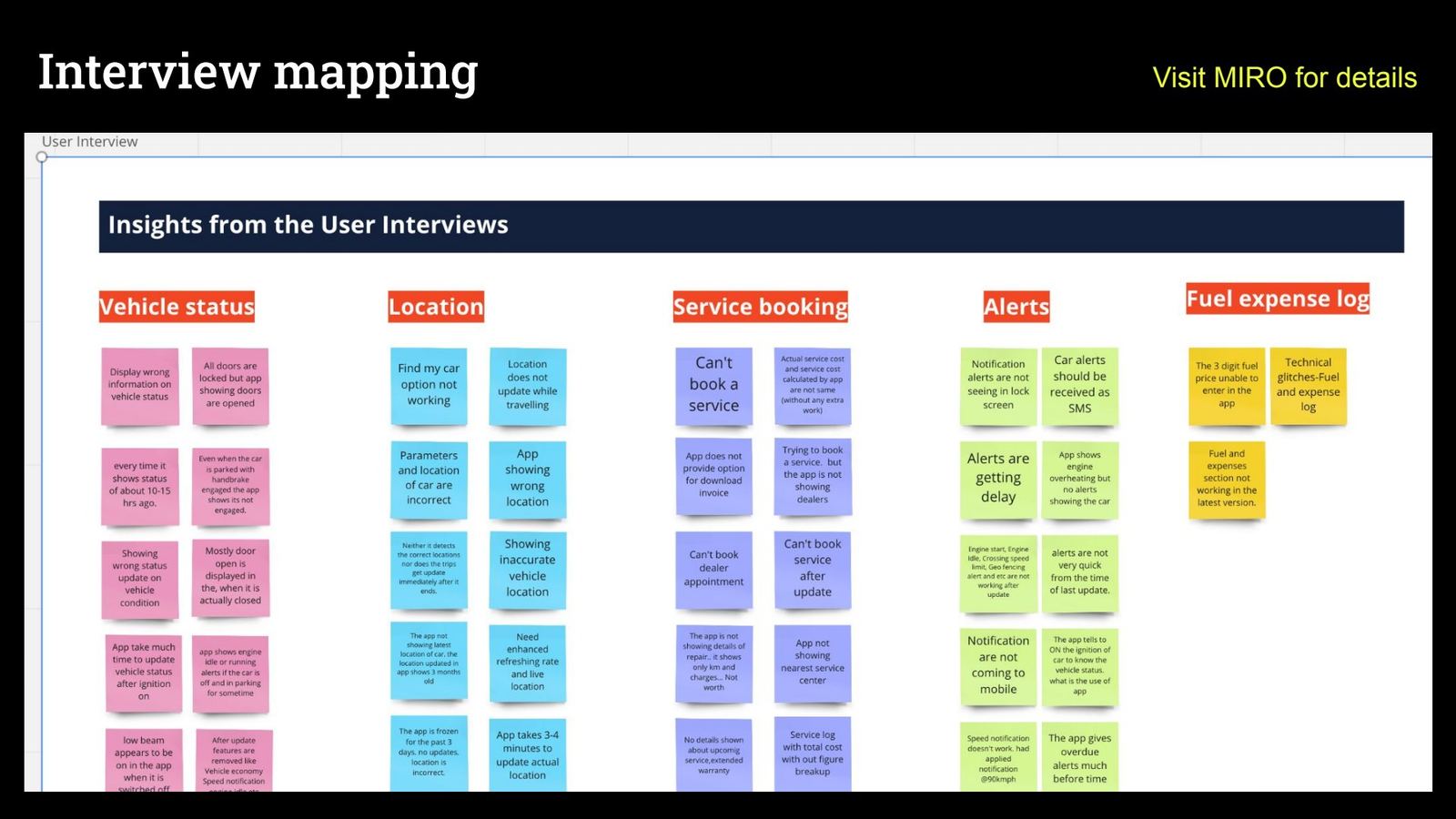
Interview mapping affinity board
Slide 29Affinity map of the interviews.
Behaviour data

Two screens carry the whole app

Nissan's analytics team shared 2.5 years of data. In one month of 1.83 million page views, Home and Find My Car took two thirds of all traffic. Yet the old app gave them no more weight than a dozen rarely used features.

Share of monthly page views

Home
37.3%
Find My Car
28.5%
Smart Drive Score
11.9%
Vehicle status
9.5%
Weather & air quality
4.7%
Vehicle health
2.4%
Car alerts
1.4%
Add FASTag
1.4%

Top 8 of 14 tracked pages, one month, 1,828,133 views.
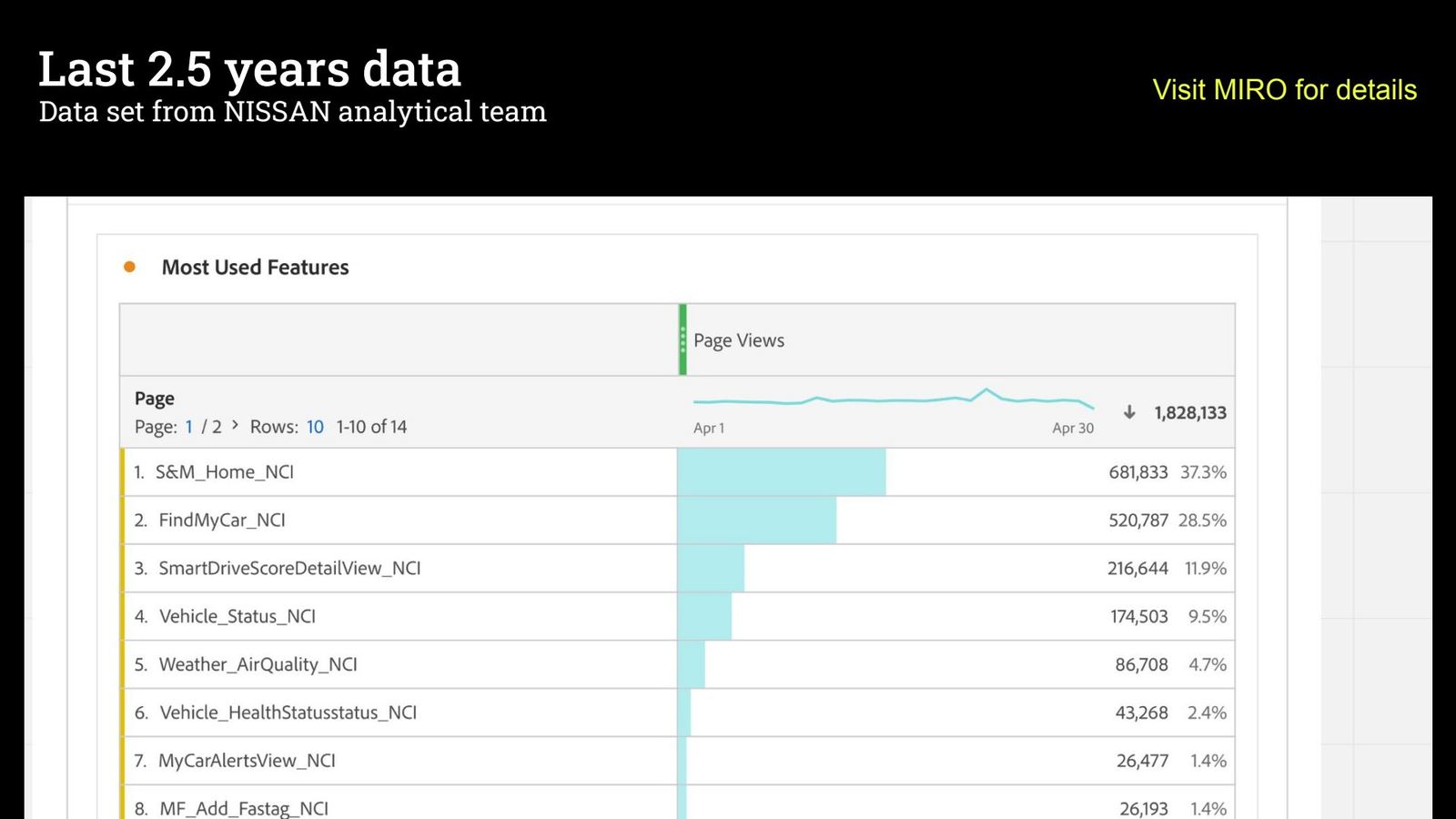
Last 2.5 years data slide
Slide 30The data set from Nissan's analytics team.
Competitor benchmarking

Premium apps lead with the car, not the menu

We compared features and patterns across Indian and international connected-car apps. The best ones open on a live picture of the car and push secondary tools one level down.
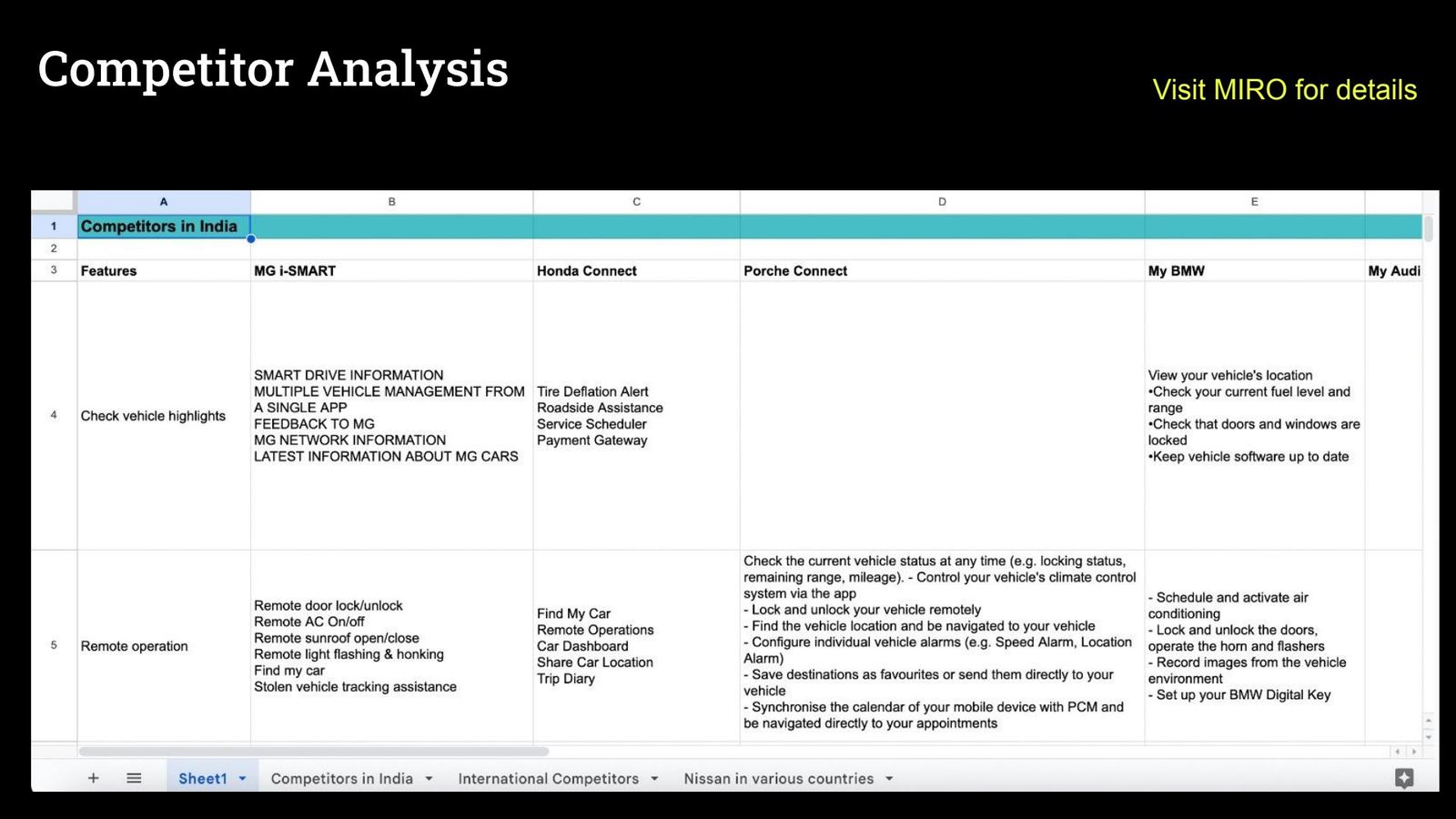
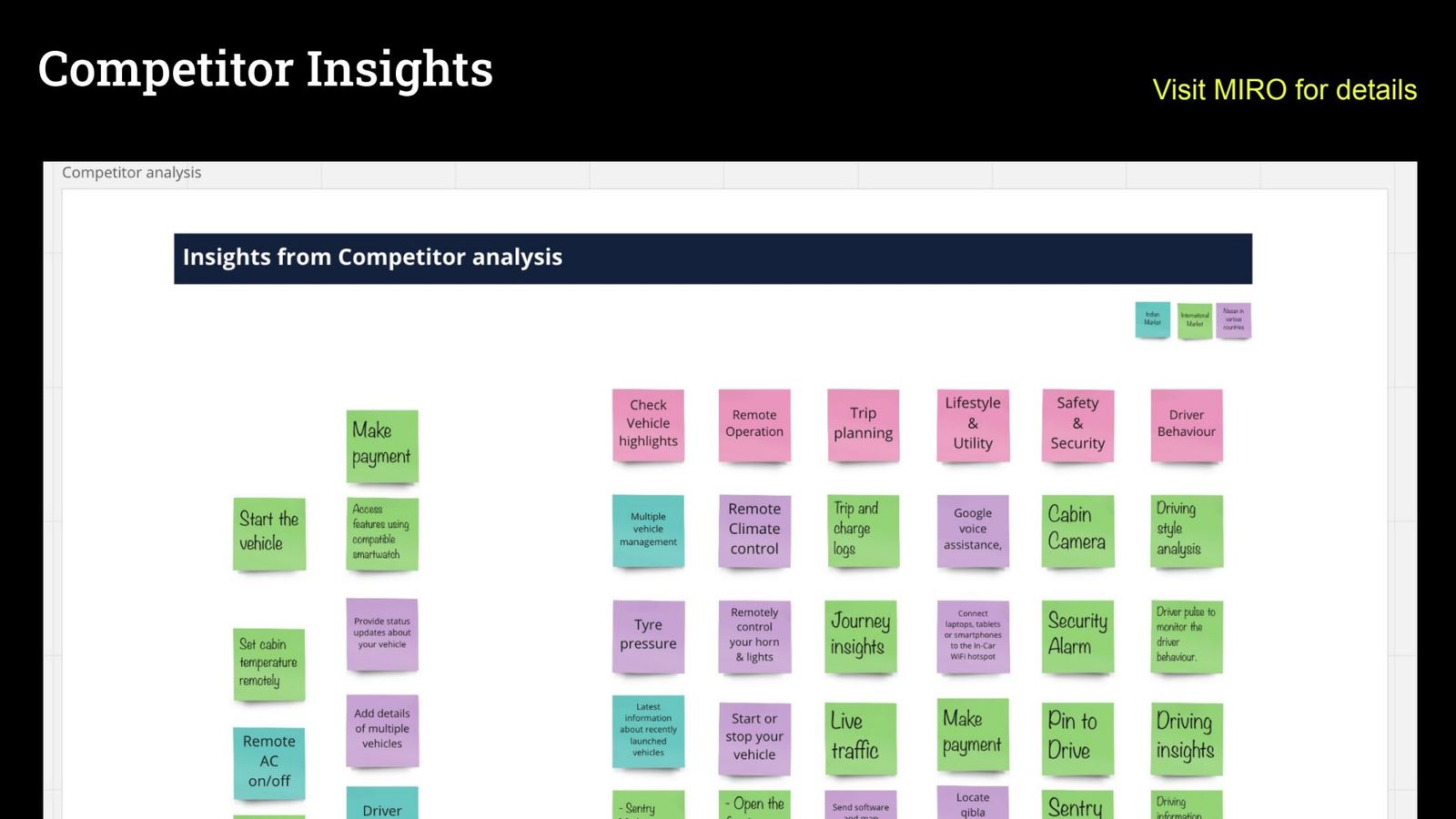
Competitor analysis table
Slide 31Feature comparison across competitors.
Competitor insights board
Slide 32Insights from the benchmark.
App Store & Play Store reviews

The voice of the owner

User feedback from the app stores
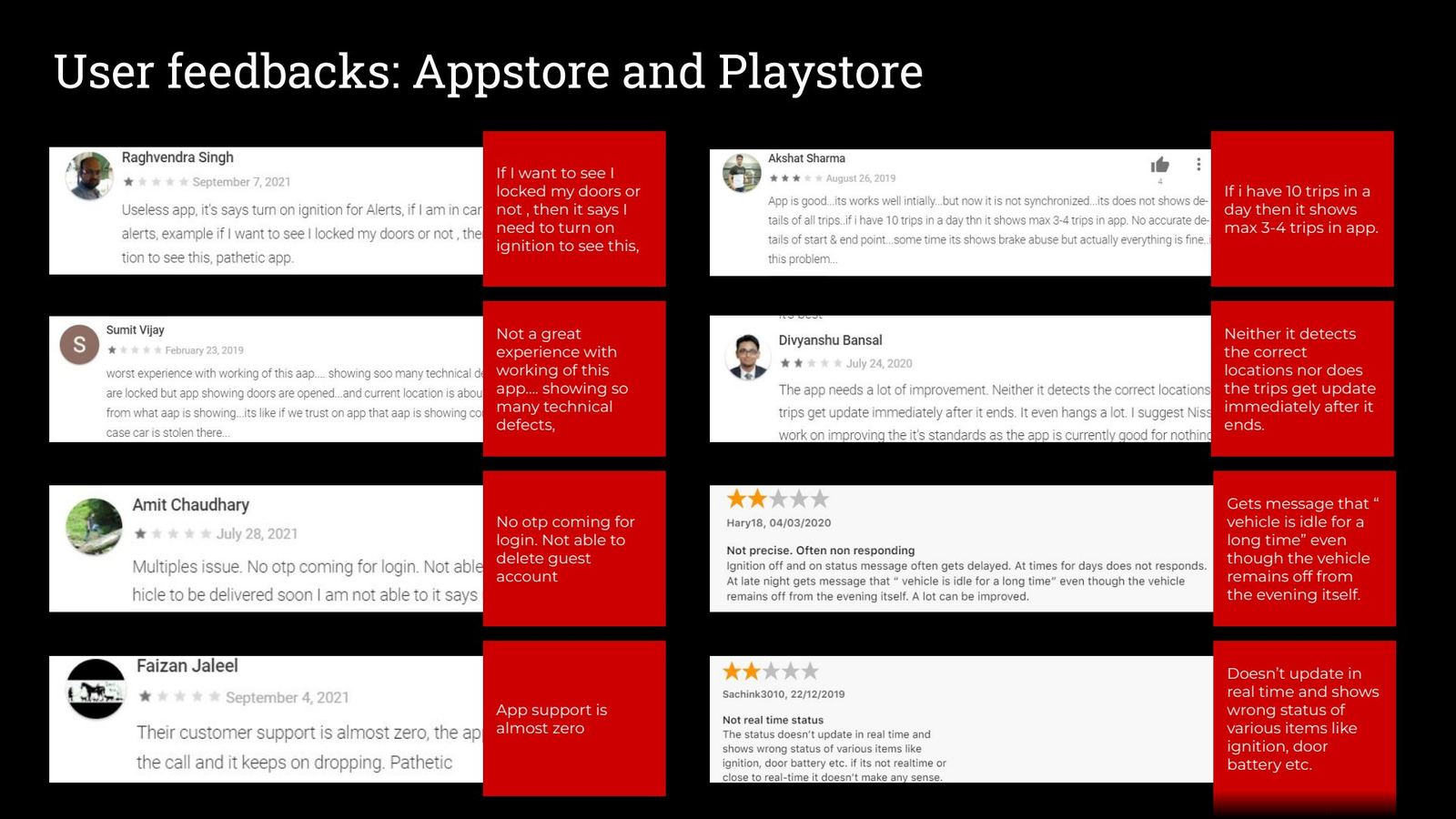
Slide 33Store reviews, mapped to the underlying problem.
If I want to see whether I locked my doors, it says I need to turn on the ignition.
Doesn't update in real time and shows the wrong status for ignition, doors, battery.
No OTP coming for login. Not able to delete the guest account.
Rebuilt for this case study from the research
Personas

Three people we designed for

These personas pull together the field-study and interview findings into the three needs the design had to balance.

RM

Ram, the family road-tripper

Owner · 38 · Kochi · Kicks
I want to know the car is fine without having to start it.
Goals
Plan long family trips, check fuel and doors at a glance, find the car in big car parks.
Frustrations
Status that is hours old. Alerts that come late. Too many menus.
Design answer
Car-on-map hero, exception-first status chips, Find My Car one tap away.
AN

Ananya, the curious buyer

Guest · 29 · Bangalore · considering a Kicks
Let me look around first. I'll sign up when I'm ready.
Goals
Explore models and features, ask a question, book a test drive from home.
Frustrations
Asked to register before seeing anything.
Design answer
Real guest mode. Lead capture only at moments of intent, like a test drive.
JT

Joseph, the two-car household

Owner · 54 · Chennai · two Nissans
Both cars look the same in the app. And the text is so small.
Goals
Keep both cars serviced on time at an authorised centre, with clear costs.
Frustrations
Can't book after updates. Can't tell same-model cars apart. Low-contrast text.
Design answer
Plate-number car switcher, service-due card, accessible type and contrast.
SynthesisInsights

A trust problem, not a feature problem

When the app shows the wrong door status once, owners stop believing every other screen. More features would not fix that. Fewer, more reliable and better-prioritised ones would.

01 · Trust

Stale data breaks the promise of “connected”

Status showed data 10 to 15 hours old, doors “open” when locked, and idle alerts for parked cars.

How might we make freshness visible and honest?

Interviews · Reviews · Field study
02 · Priority

Two features do two thirds of the work

Home and Find My Car made up 65.8% of views but competed with 30+ features.

How might we put location and condition in one glance?

Analytics · Heuristic review
03 · Safety

Critical alerts get lost in a list

Engine, speed and geofence alerts arrived late or sat unseen in notifications.

How might we surface the exception the moment it matters?

Interviews · Reviews
04 · Revenue

The service journey leaked money

Owners couldn't book after an update, couldn't find dealers, and saw costs that didn't match.

How might we make authorised service the easiest option?

Interviews · Stakeholders
05 · Consistency

Inconsistency reads as unreliability

58 violations, mostly consistency and clutter. Sloppy UI suggests sloppy data.

How might we give every screen one language that scales to new markets?

Heuristic review · Accessibility
06 · Leads

Guests were asked to commit too early

Prospective buyers had to register before seeing anything.

How might we capture leads at moments of real intent?

Heuristic review · Director board
Chapter 04The journey

One family trip, from Kochi to Bangalore

We turned the field study into one realistic journey. Ram and his family drive from Kochi to Bangalore: a weather check, tolls and FASTag, a low-fuel warning, a lunch stop, a lost car in a huge car park, a breakdown and a late arrival. Each moment shows where the app must help, and which features have to sit on Home.
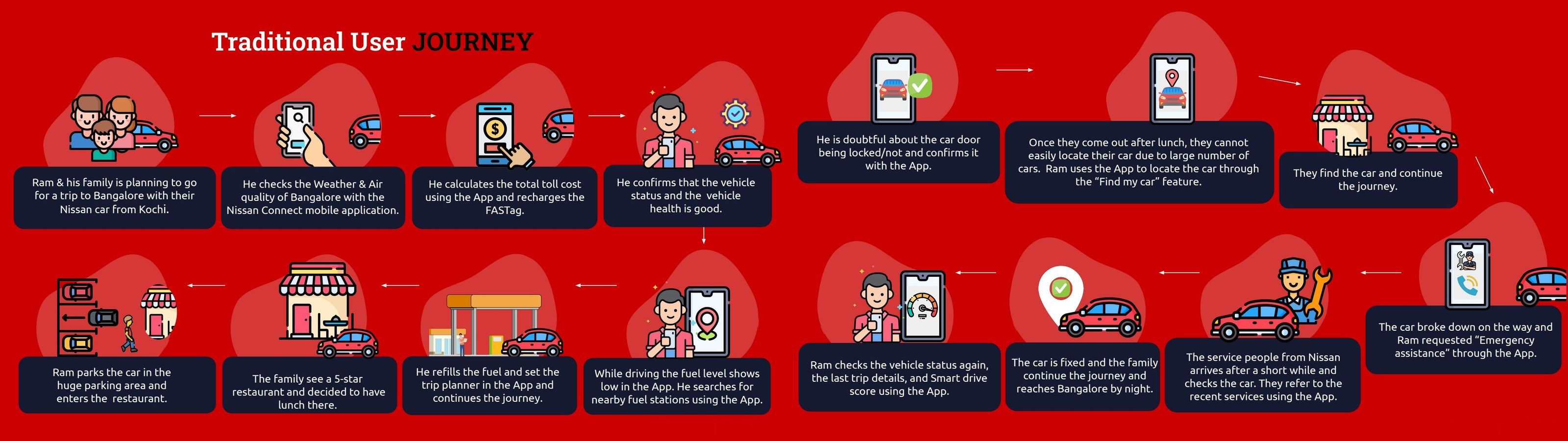
Traditional user journey across two slides: Ram's trip from Kochi to Bangalore with every app touchpoint

Slides 35 and 36, stitched into one journey. Scroll sideways, or click to enlarge.

Customer journey map

Emotions, touchpoints and opportunities across the trip

The journey map added the emotional curve and pain points to each step, split into before, during and after the journey.
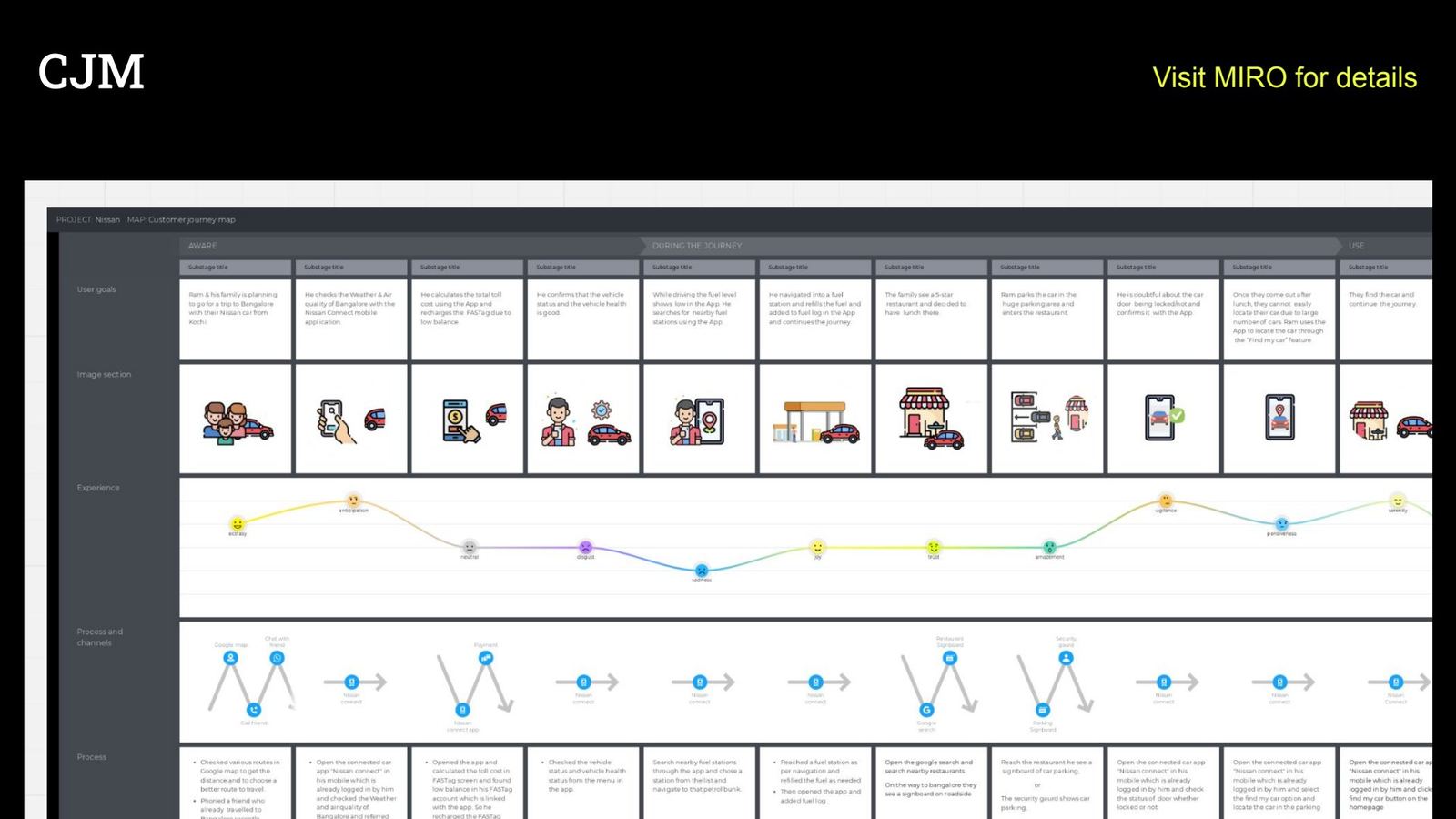
Customer journey map in Miro
Slide 37The customer journey map.
Rebuilt for this case study from the research
Service blueprint · Book a service

Where the service journey broke, and what we changed

Service booking was the biggest revenue opportunity and the most broken journey. This blueprint lines up what the owner does, what the app shows, and what Nissan does behind the scenes.

Service due
Choose centre
Pick a slot
Confirm
Service day
Pay & review
Owner actions
Notices the car is due, often too late
Looks for a nearby authorised centre
Chooses a date and time
Submits the booking
Drops the car, waits for updates
Pays and checks the bill
Line of interaction
App (front stage)
Before: no reminder on Home
After: “Service due · Book now” card
Before: dealers not shown
After: nearest authorised centres first
Before: booking fails after update
After: 6-step booking flow
After: confirmation and progress on Home
Before: no status
After: task progress card
Before: cost differs from bill
After: clear cost breakdown
Line of visibility
Nissan (back stage)
Mileage and service history
Dealer network data
Workshop capacity
Dealer receives booking
Service advisor updates job
Invoice issued
Systems
Telematics
Dealer locator
Booking service
CRM
Dealer management system
Payments
Chapter 05From insight to idea

Every idea carried its reason with it

We agreed four design principles first, then moved from insights to solutions to wireframes. Each step kept a visible link back to the research, which made reviews with Nissan fast and objective.
Glance, then goCar state, location and score readable in under three seconds.
Surface the exceptionNormal is quiet. Low fuel, open doors and engine alerts rise to the top.
Every screen earns its placeEach surface helps the owner and the business: service, accessories, test drives.
One system, every marketComponents and tokens other countries can adopt without a redesign.
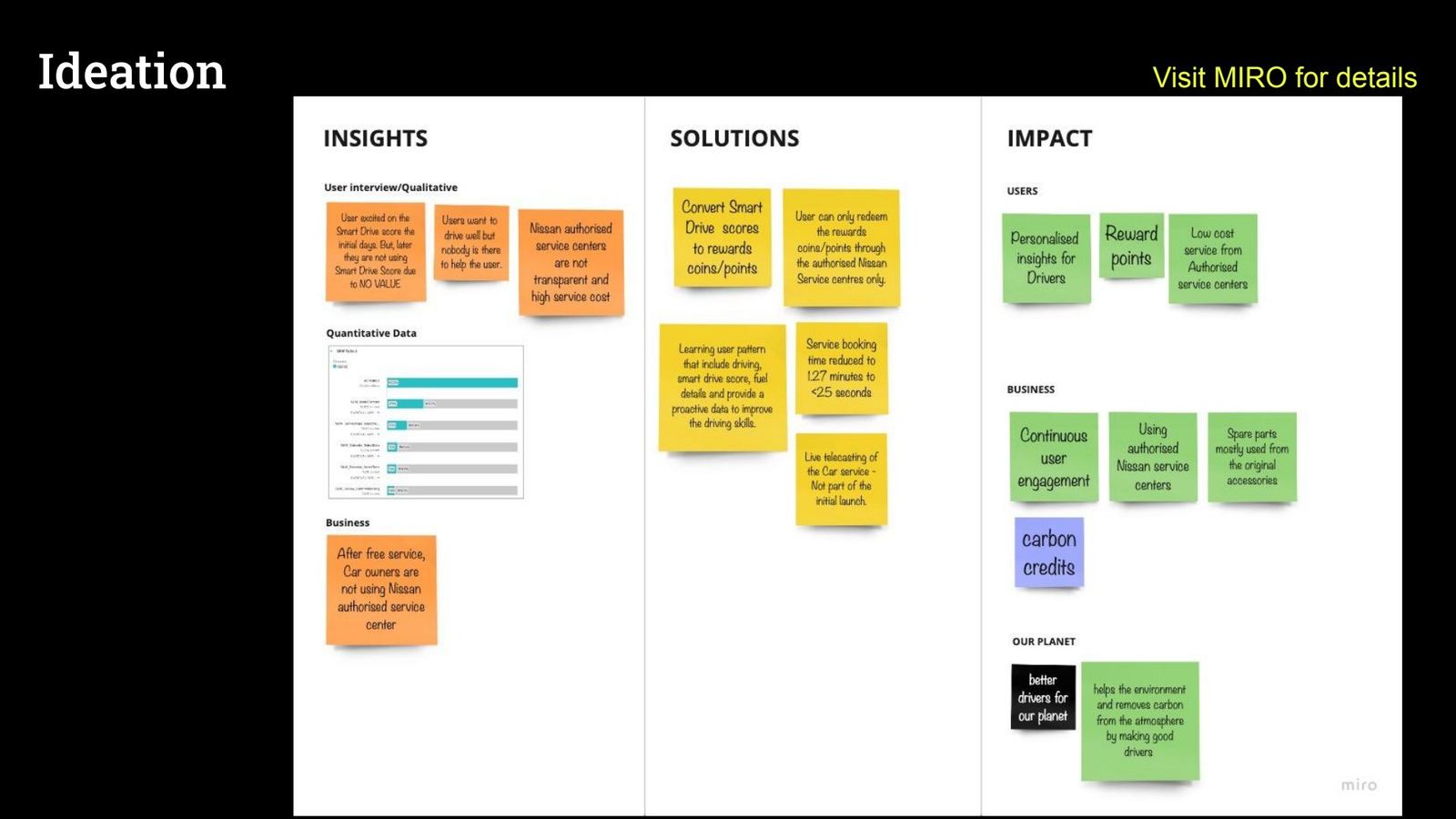
Original Miro ideation board with insights, solutions and impact
Slide 38The original ideation board from the brainstorming session.
Step 1 · Ideation

One small insight, three kinds of impact

In the brainstorming sessions, every idea had to travel the same path on one Miro board: from a real insight, to a solution, to its impact on users, on the business and on the planet. The Smart Drive Score shows how far one small insight can go.

InsightWhat we heard, saw and measured
SolutionWhat the brainstorm produced
ImpactWho wins, and how
i
User interviews

Owners loved the Smart Drive Score in the first days, then stopped checking it. It gave them nothing back.

Turn the score into reward points. Good driving earns points.

Users

Personal driving insights, and a reason to keep driving well.

ii
User interviews

Owners want to drive well, but nothing helps them get better.

Learn each owner's pattern (driving, score, fuel) and coach them: when to shift gear, how to use the clutch, how to accelerate.

PlanetUsers

Better drivers, less fuel burned, fewer risky moments.

iii
Business · Interviews

Once free services end, owners leave authorised centres. They find them opaque and expensive.

Make reward points redeemable only at authorised Nissan service centres.

BusinessUsers

Owners come back for service and original parts, and pay less for it.

iv
Analytics

11.9% of all views went to the Smart Drive Score detail, the third most-used screen. The interest was already there.

Make the score the hero of Home, so the reward loop lives where owners already look.

Business

Owners open the app more often, every day they drive.

v
Flow audit

Booking a service took 1 min 27 s, and often failed after app updates.

A rebuilt booking flow that takes under 25 seconds.

Business

More service bookings through the app.

vi
Brainstorm

Smoother driving across the fleet means measurably less CO₂.

Convert the emissions saved into carbon credits.

BusinessPlanet

Credits Nissan earns instead of buying, and cleaner air.

Parked for a later release: live video of the car being serviced.
Chain reaction 1

Reward points that make roads safer

Chain reaction 2

Better driving that pays for itself in carbon credits

The good-driver flywheel Drive smartercoaching on gears, clutch, speed Earn reward pointsfrom the Smart Drive Score Redeem at Nissanauthorised service centres only Business growsservice, original parts, loyalty Planet benefitsless CO₂, fewer accidents
Why it works

Every turn of the loop helps all three

The owner gets rewarded for something they already wanted to do. The rewards can only be spent at authorised centres, which brings owners back to Nissan service and original parts. Better driving lowers emissions and risk, and those savings feed the next turn.

  • +60%use of Nissan authorised service centres
  • +82%service bookings through the app
  • +80%accessory purchases through the app

The two chains are the impact model we used to prioritise this idea. The full results are in Chapter 06.

Step 2 · Solutions from the journey

Solutions placed on the trip

We mapped every solution onto the before, during and after stages of Ram's journey. Features that came up at many moments, like status, Find My Car and fuel, earned a place on Home.
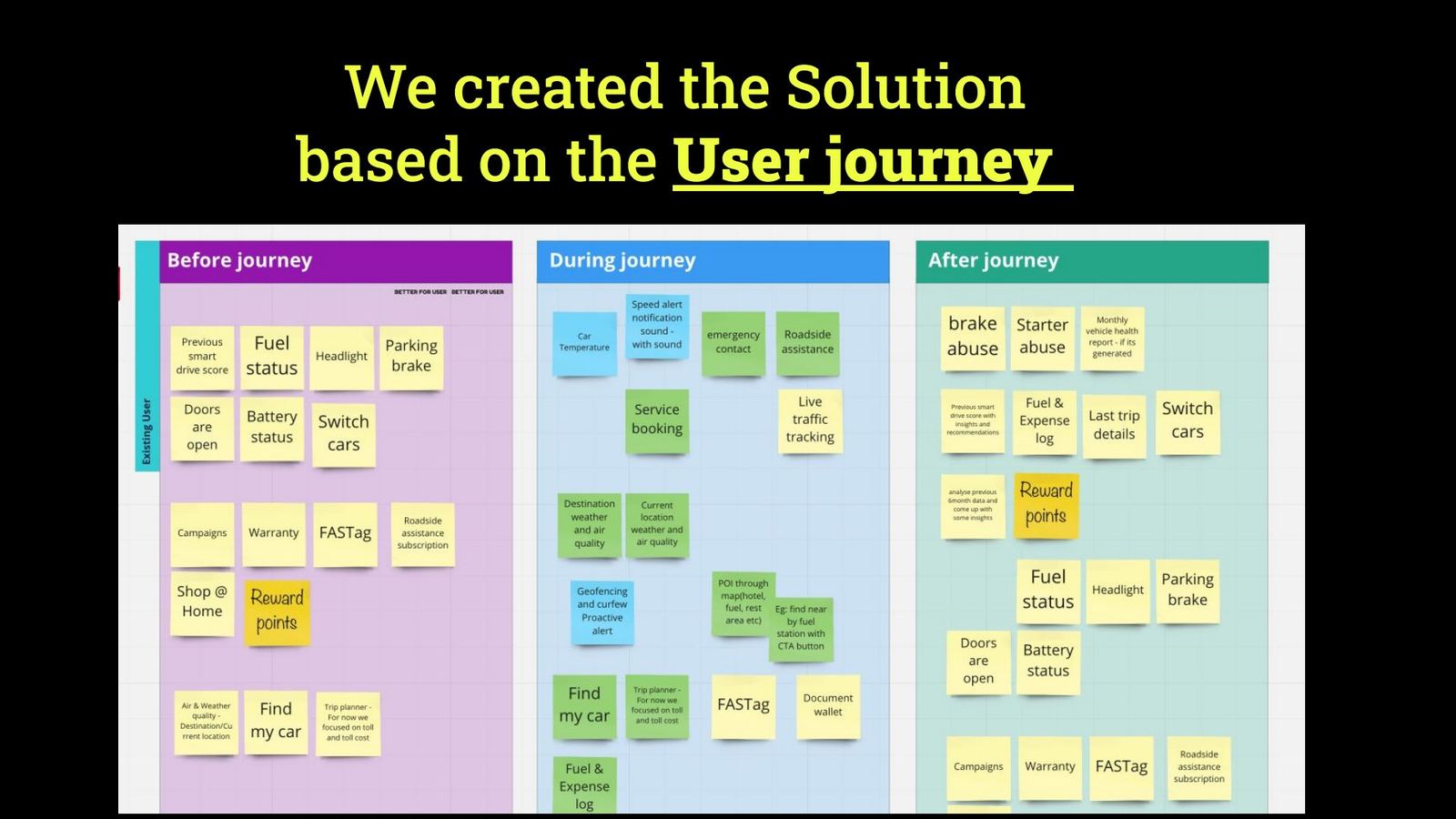
Solutions mapped to the user journey
Slide 39Solutions mapped to the user journey.
Step 3 · Wireframe exercise

Home screen v1.0, on paper

The team sketched many home-screen layouts and compared them against the principles before any pixels were drawn.
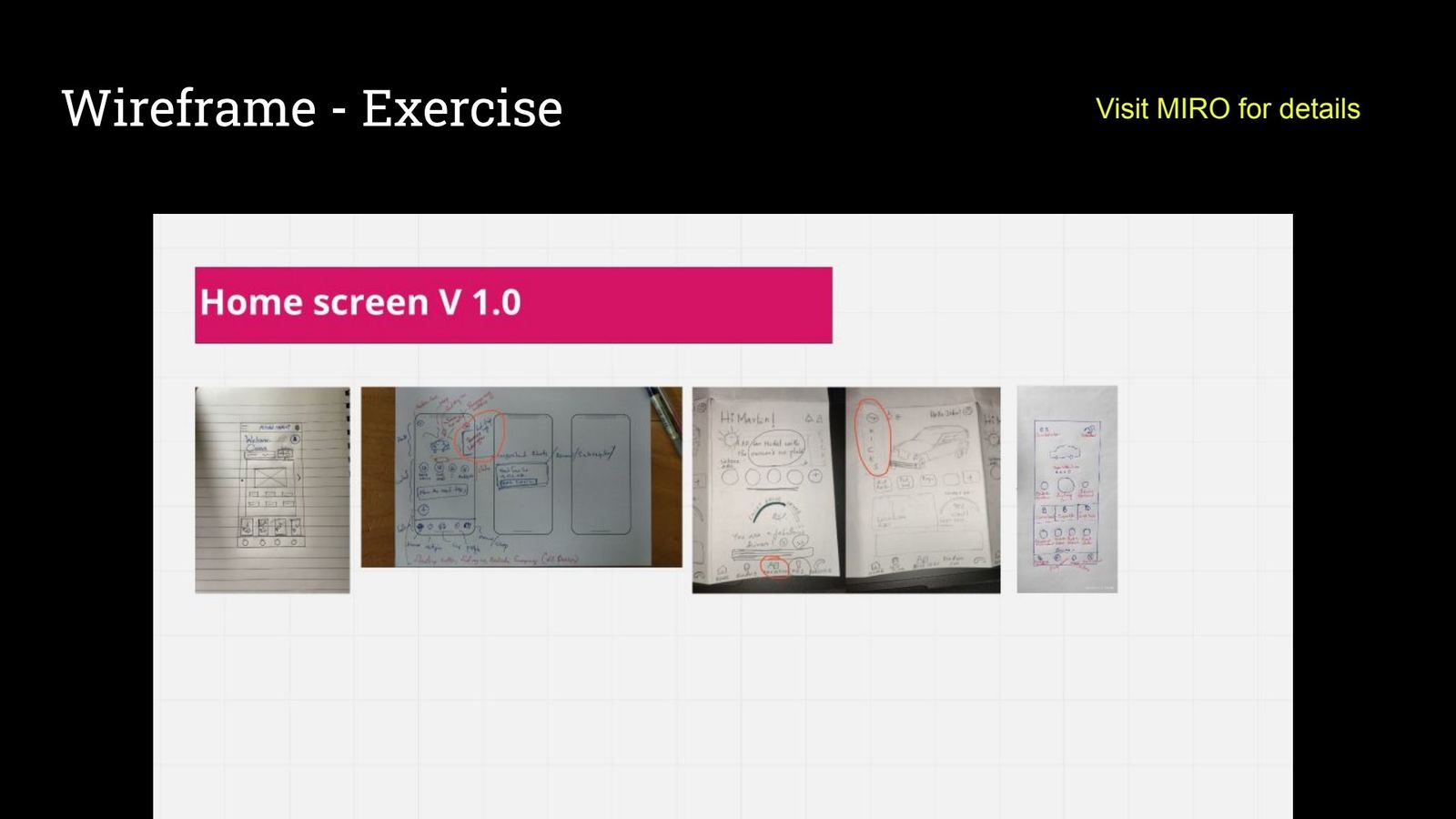
Wireframe exercise, home screen v1.0
Slide 40Wireframe exercise.
Step 4 · Sketching

Dozens of screens, by hand

Paper kept the cost of throwing ideas away close to zero, which kept critiques honest.
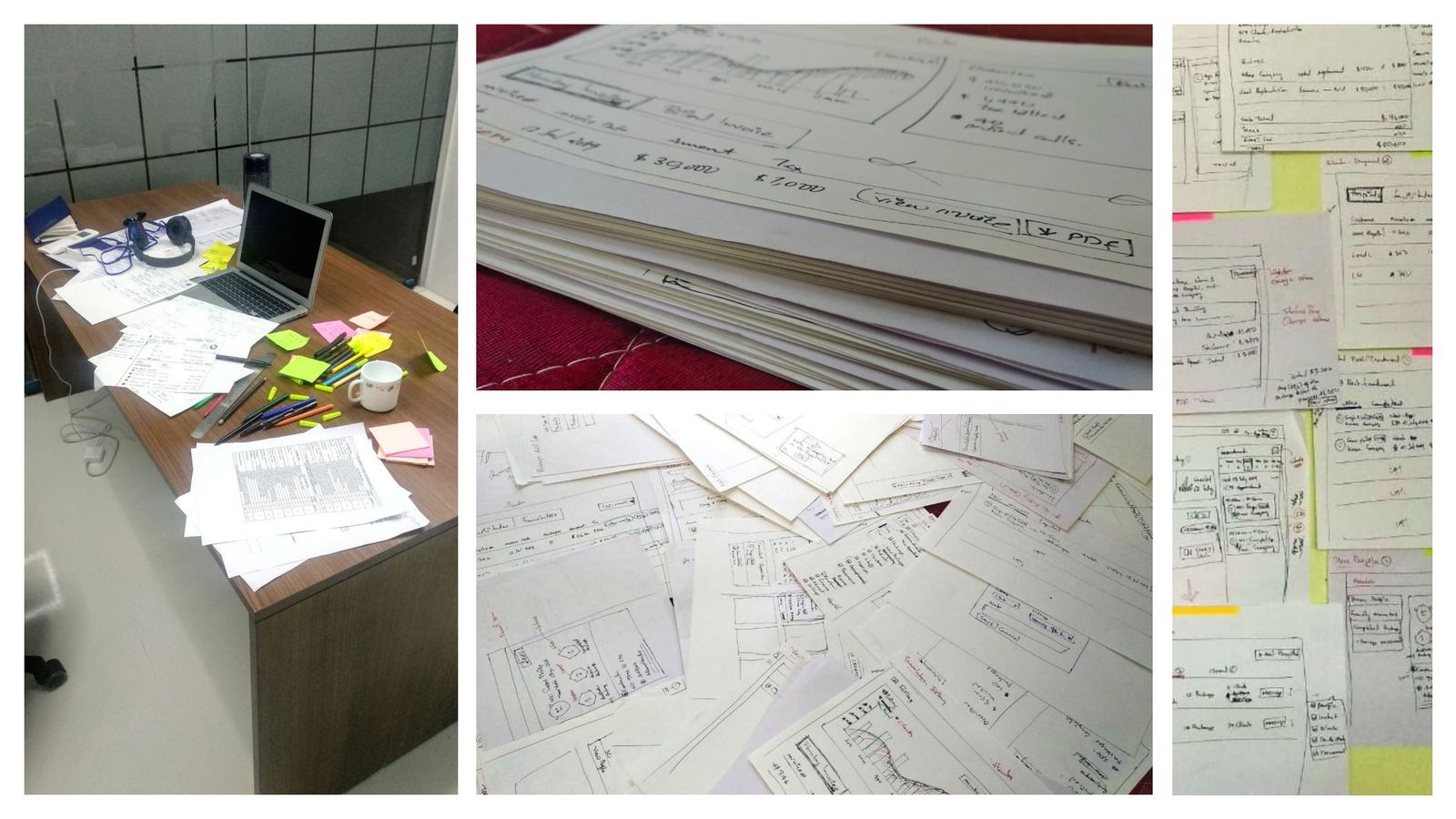
Sketches and workshop desk
Slide 41Sketches and working sessions.
Step 5 · Clickable wireframes

Feedback before visual design

We built a clickable wireframe prototype in Framer and Figma and put it in front of users and Nissan, to validate structure and flow early.
Clickable wireframe prototype slide
Slide 42Clickable wireframe prototype.
Information architecture

From a 14-item drawer to five clear destinations

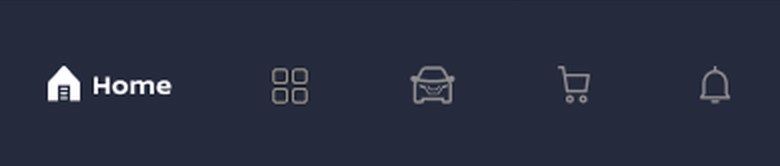
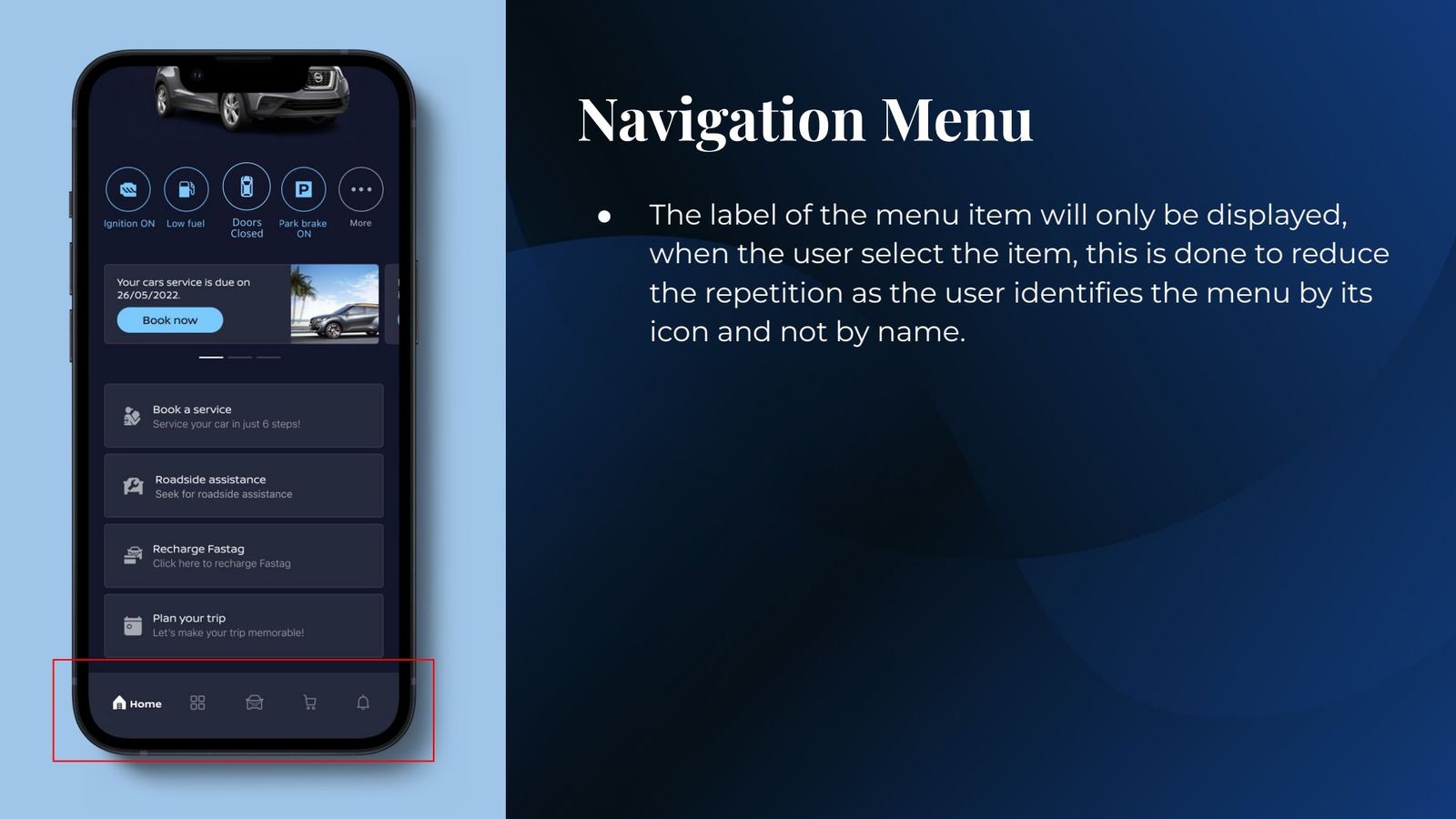
We grouped every feature by the owner's mental model and moved to a tab bar. Labels show only on the selected tab, because users recognise these icons by shape.

Before · side menu
  1. Home
  2. Shop@Home
  3. Service & maintenance
  4. Smart drive score
  5. Vehicle status
  6. Vehicle health status
  7. Manage car alerts
  8. Campaigns
  9. Weather & air quality
  10. Fuel & expense log
  11. Ambient lamp
  12. Manage FASTag
  13. My account
  14. Contact us
After · tab bar
Home
  • Car status
  • Smart drive score
  • Find my car
  • Alerts & offers
Utilities
  • Service & maintenance
  • Fuel & expense log
  • FASTag
  • Places of interest
  • Trip planner
My Kicks
  • Car profile
  • Car alerts
  • Vehicle status
  • Ambient lamp
  • Digital manual
Shop at Home
  • Accessories
  • New cars
  • Test drive
Notifications
  • Alerts history
  • Service updates
  • Campaigns
How we got there

The card-sort whiteboard

We wrote every feature of the old app on a sticky note and sorted them as a team, asking one question each time: where would an owner expect to find this? The analytics settled the arguments about what earns a place on Home.

Redrawn for this case study to show how we grouped the features.Scroll sideways on a phone.
Chapter 05 · continuedInitial concepts

Exploring directions with the director board

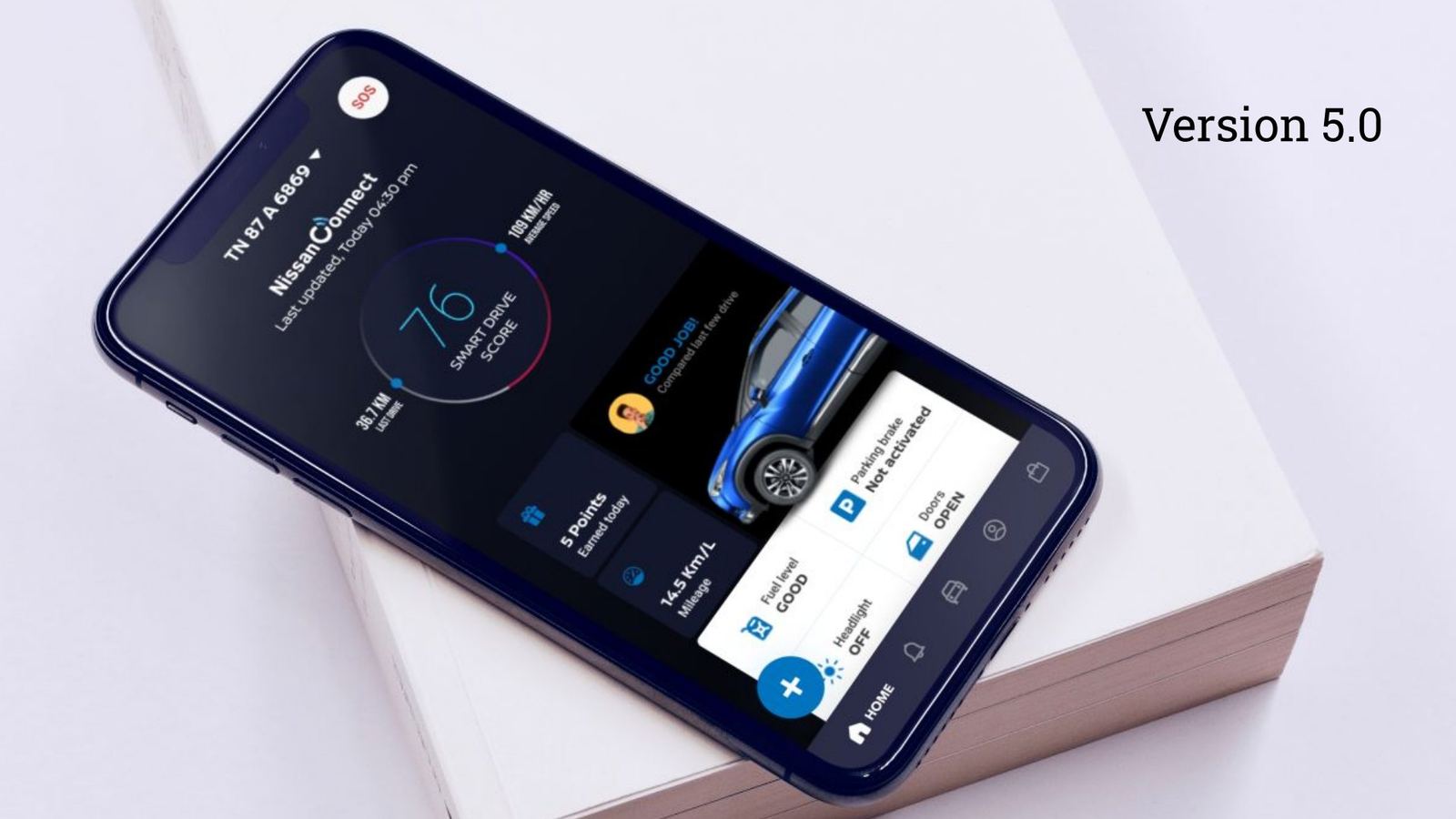
The director board asked to see several versions of the home page. We ran brainstorming sessions and iterated from version 1.0 to 5.0, in light and dark. I presented each version against the principles and the research, so the discussion stayed on evidence rather than taste.
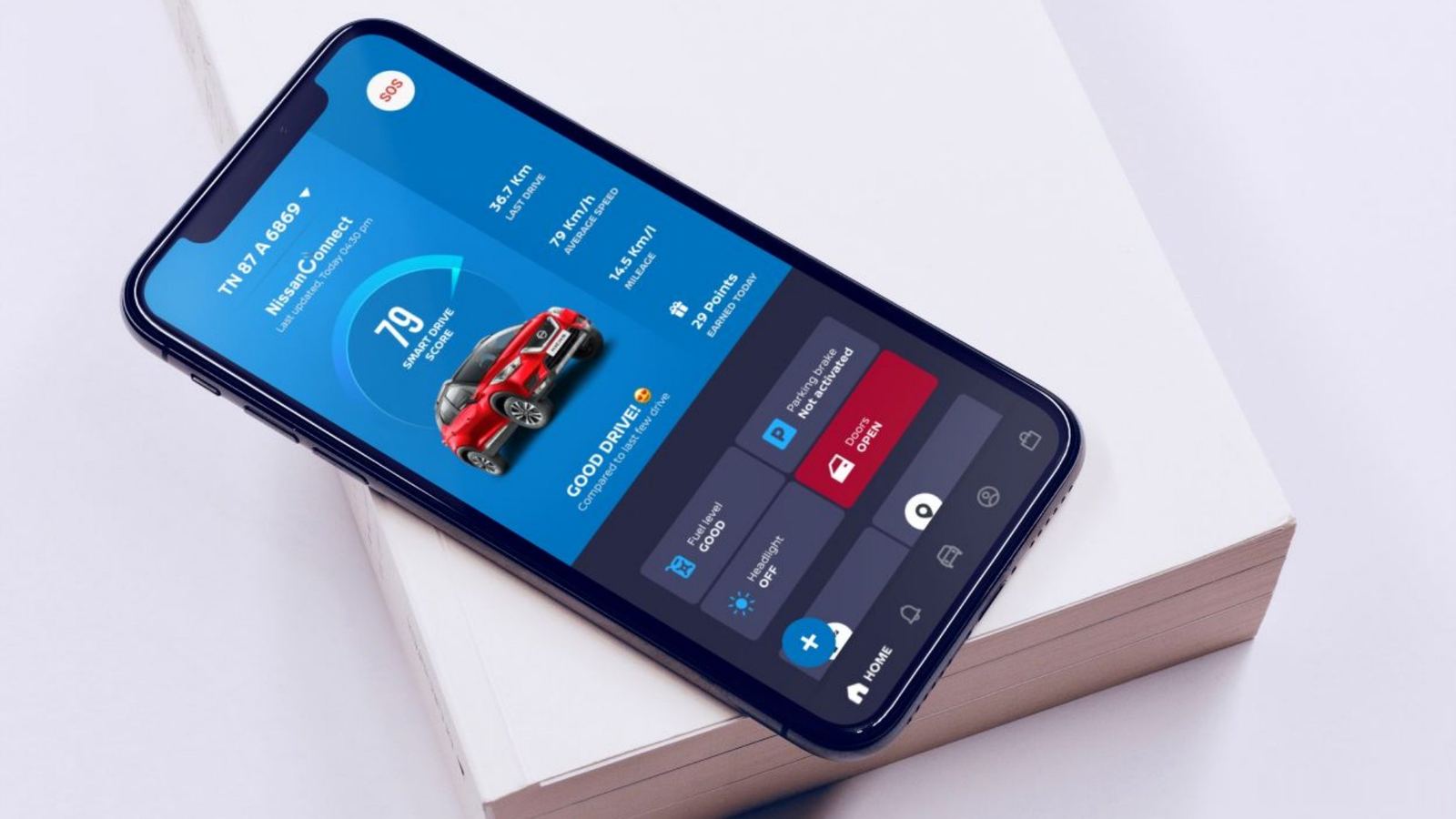
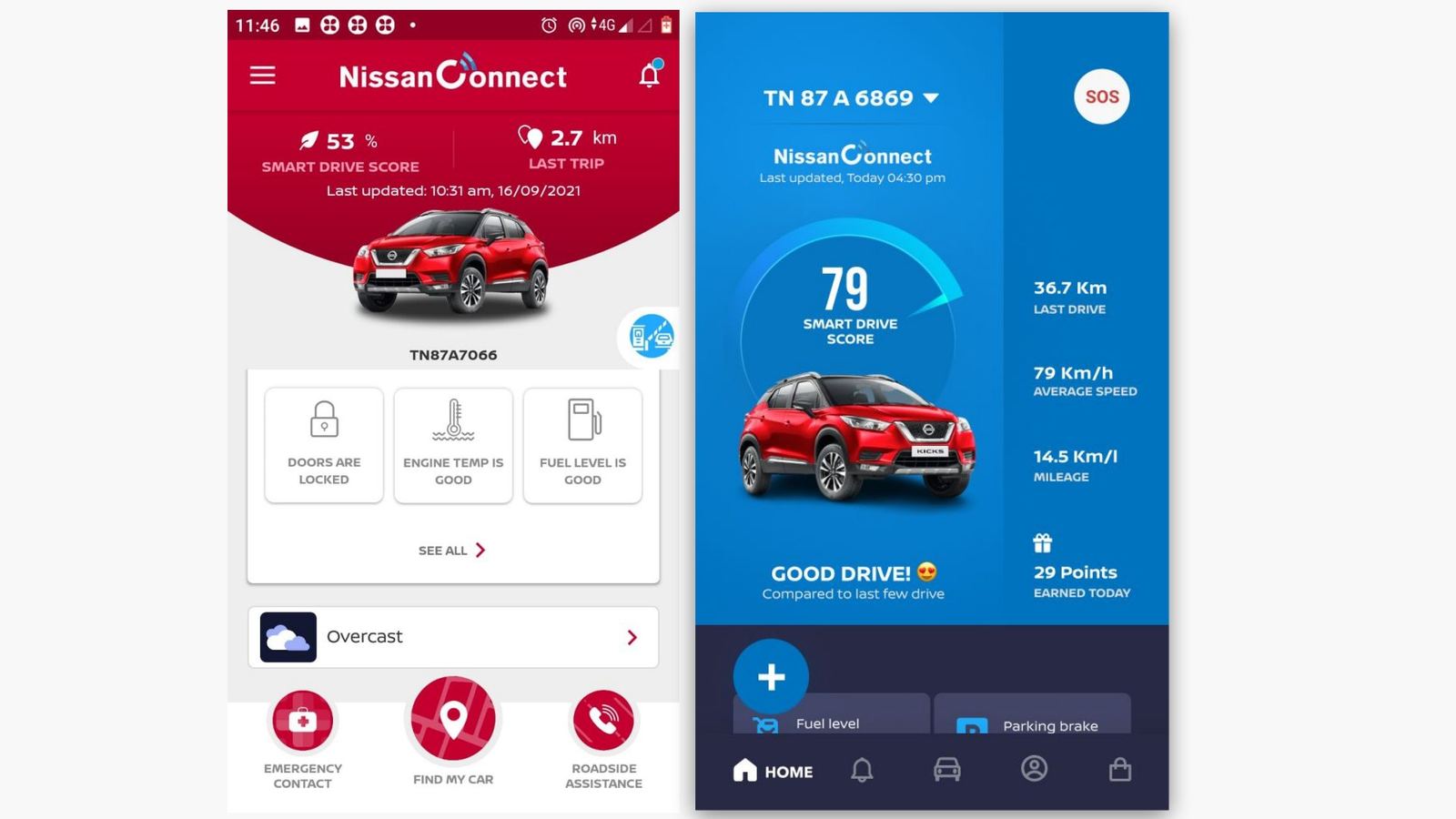
These are early concepts, not the final design. They show how the thinking evolved. The final design follows below.
Early concept on phone
Slide 44First visual concept: a score-led blue home.
Old app next to first concept
Slide 45Existing app vs. first concept.
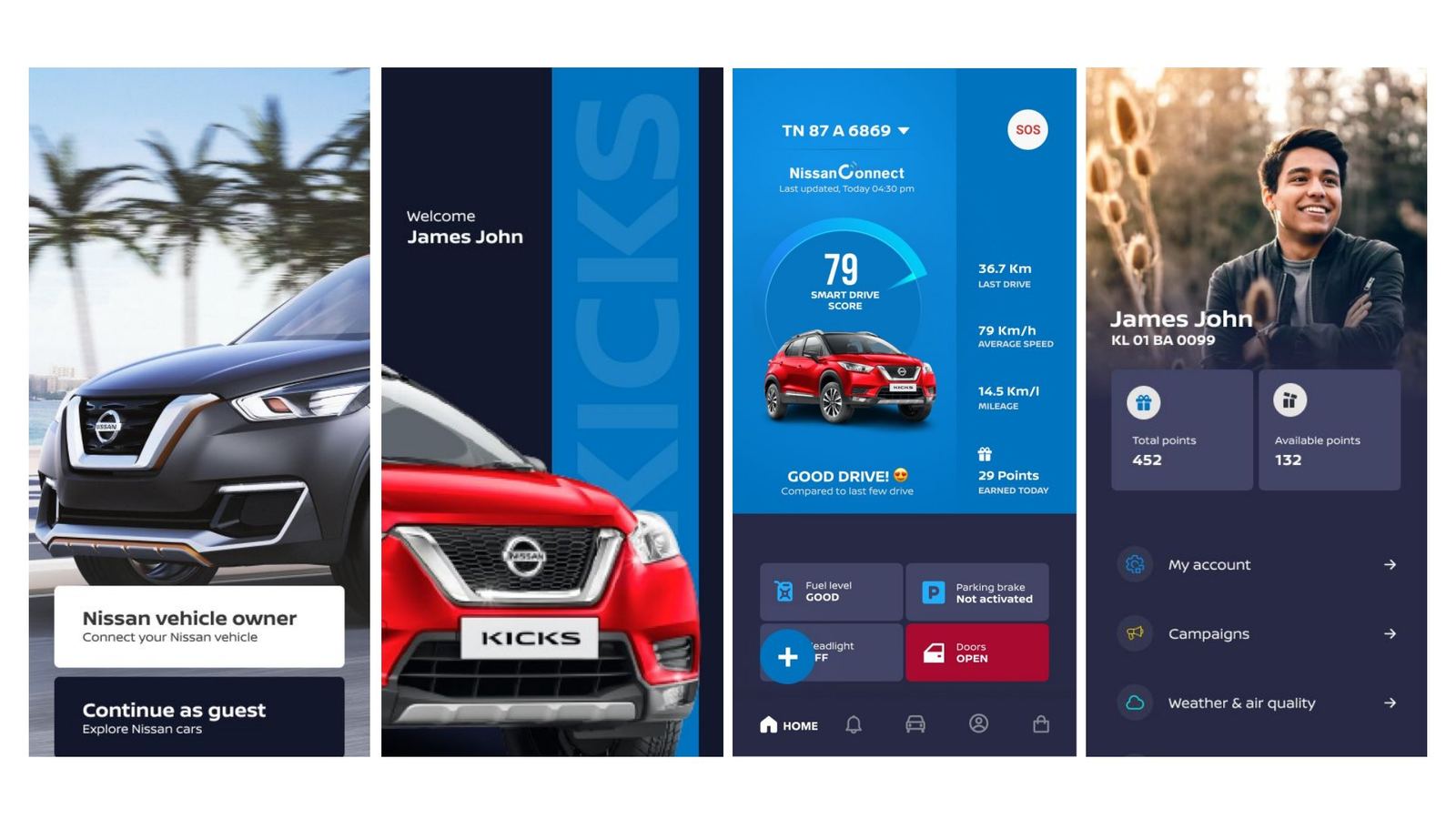
Onboarding, welcome and profile concepts
Slide 46Onboarding, welcome and profile concepts.
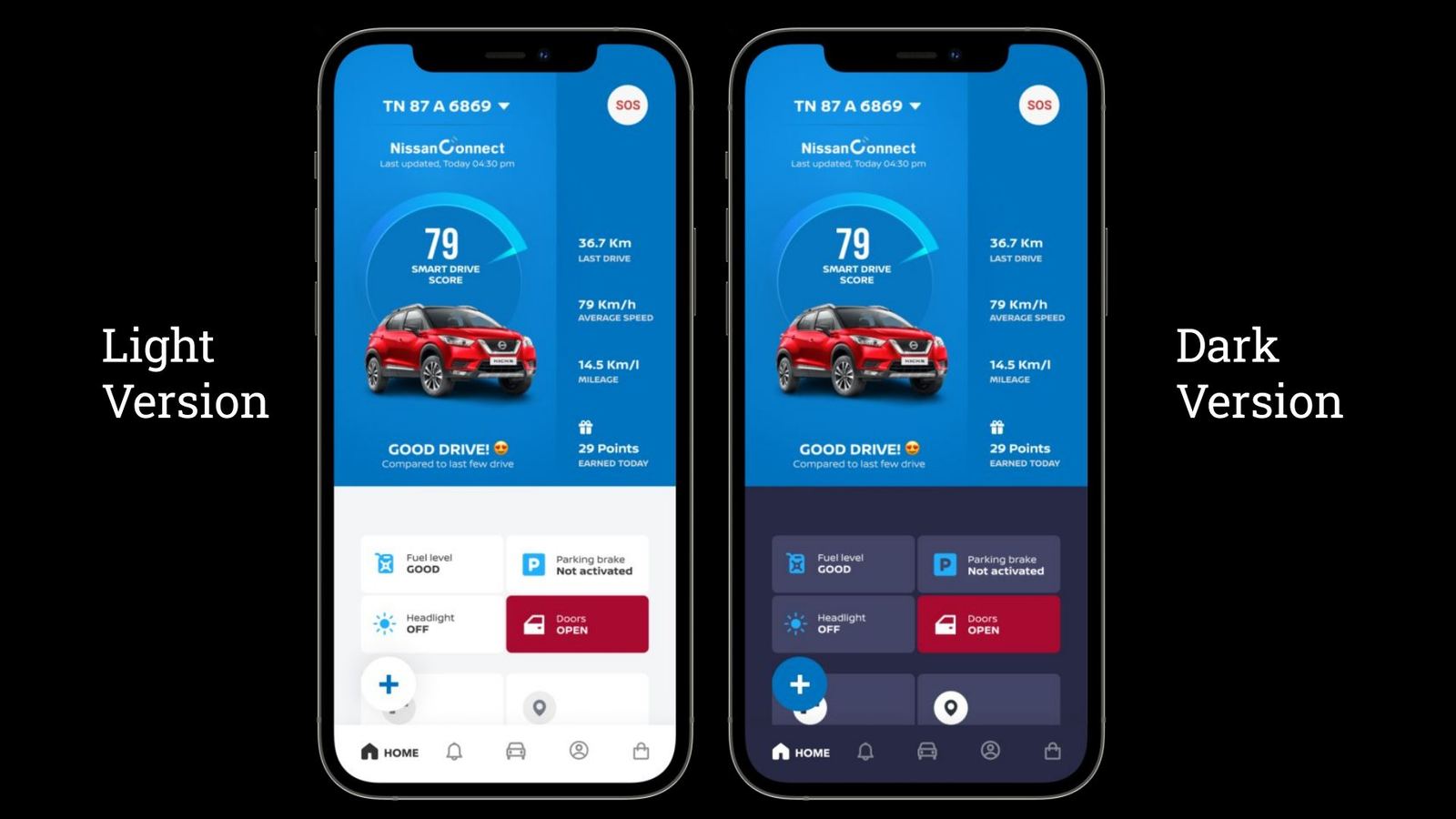
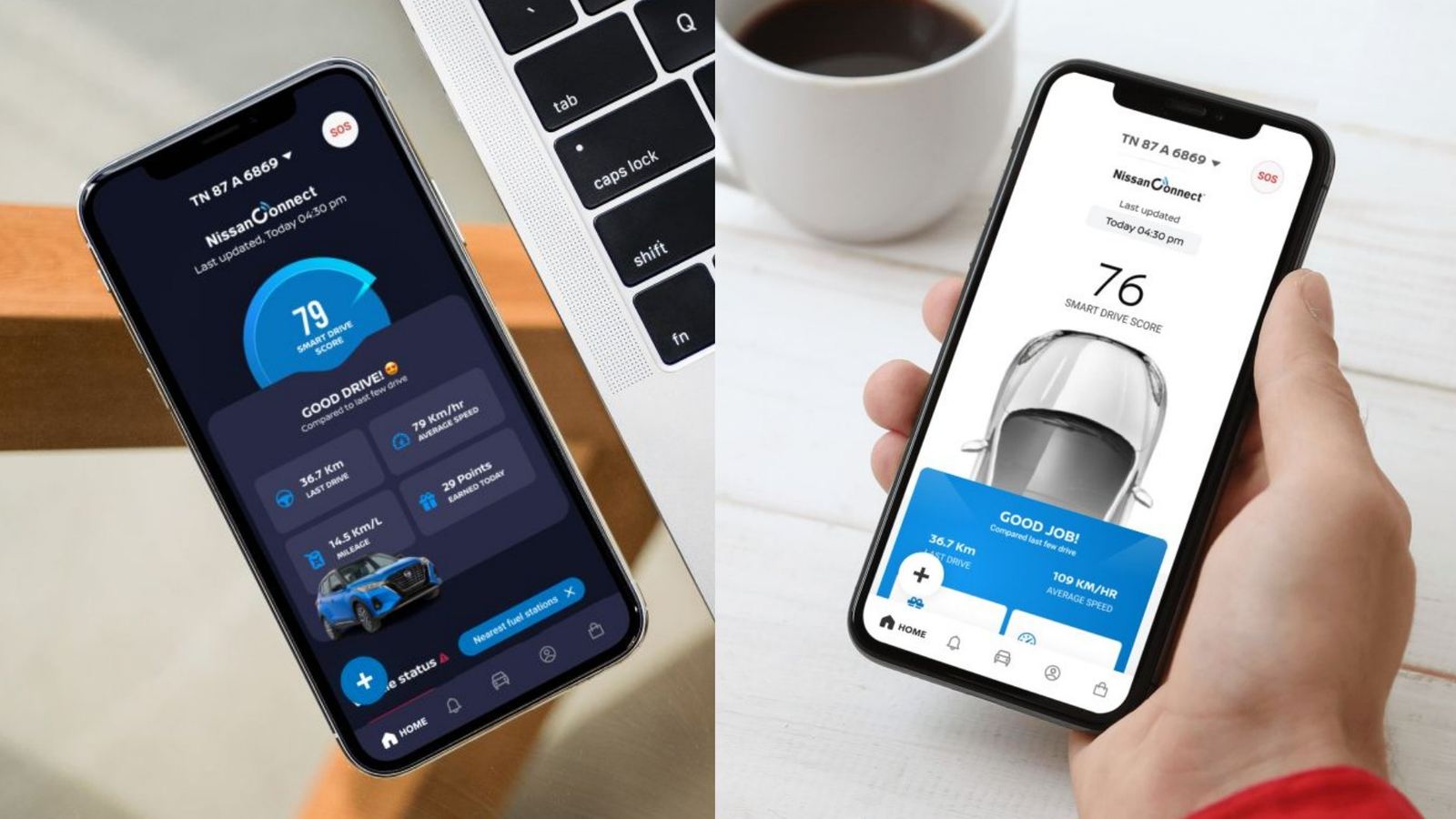
Light and dark versions of the concept
Slide 48Light and dark versions.
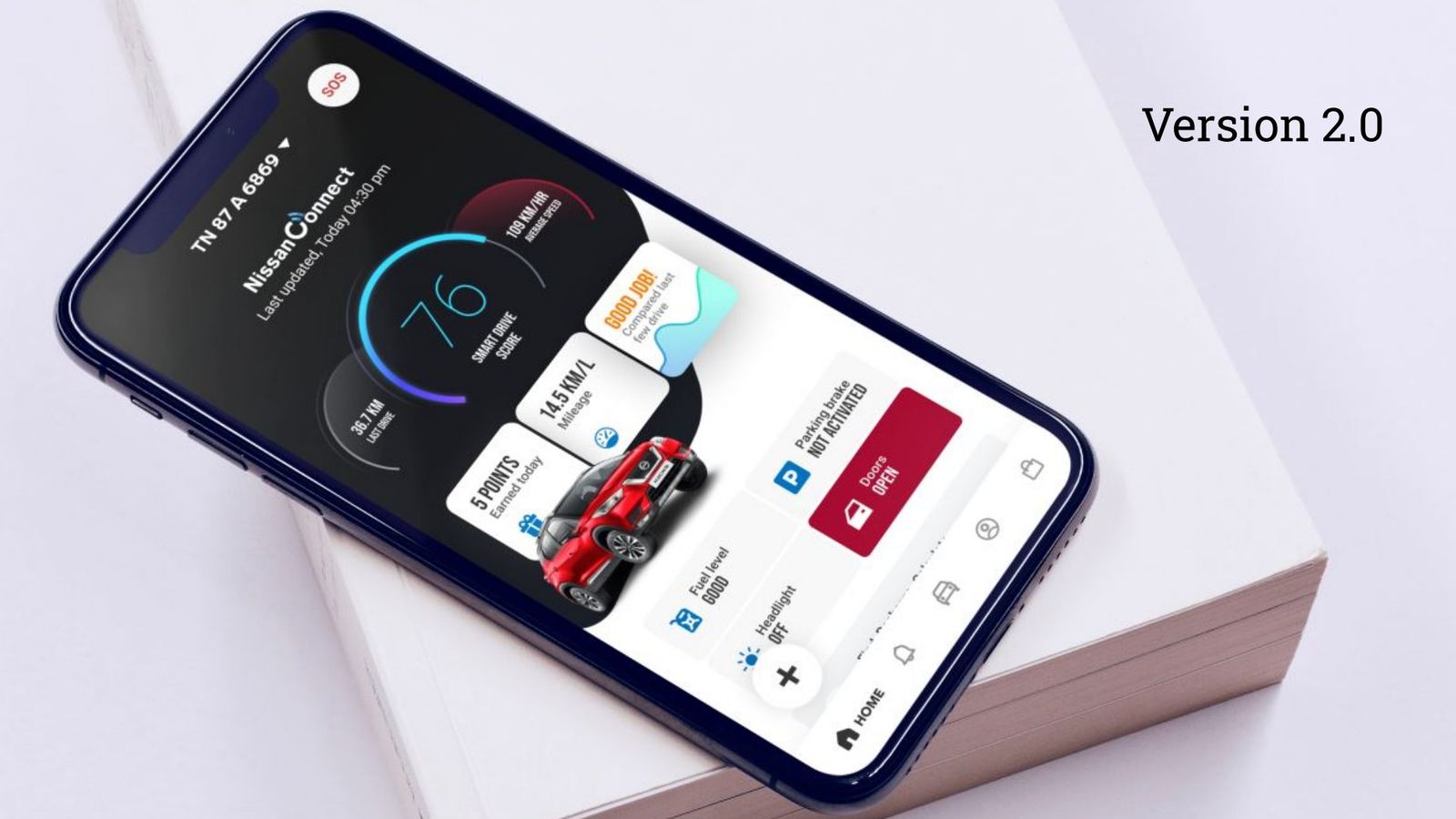
Version 2.0 concept
Slide 50Version 2.0.
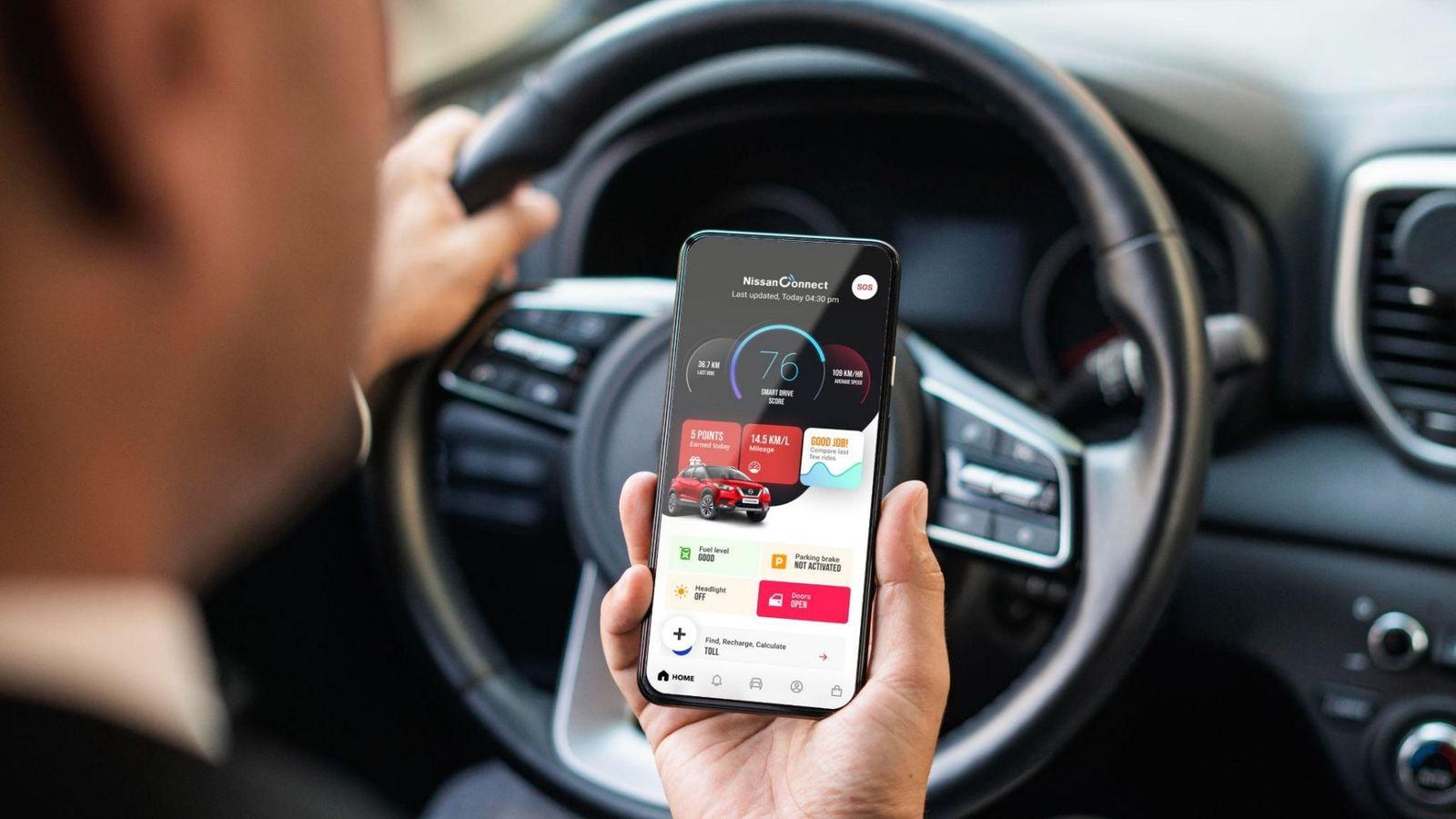
Concept in use in the car
Slide 51A concept seen in context.
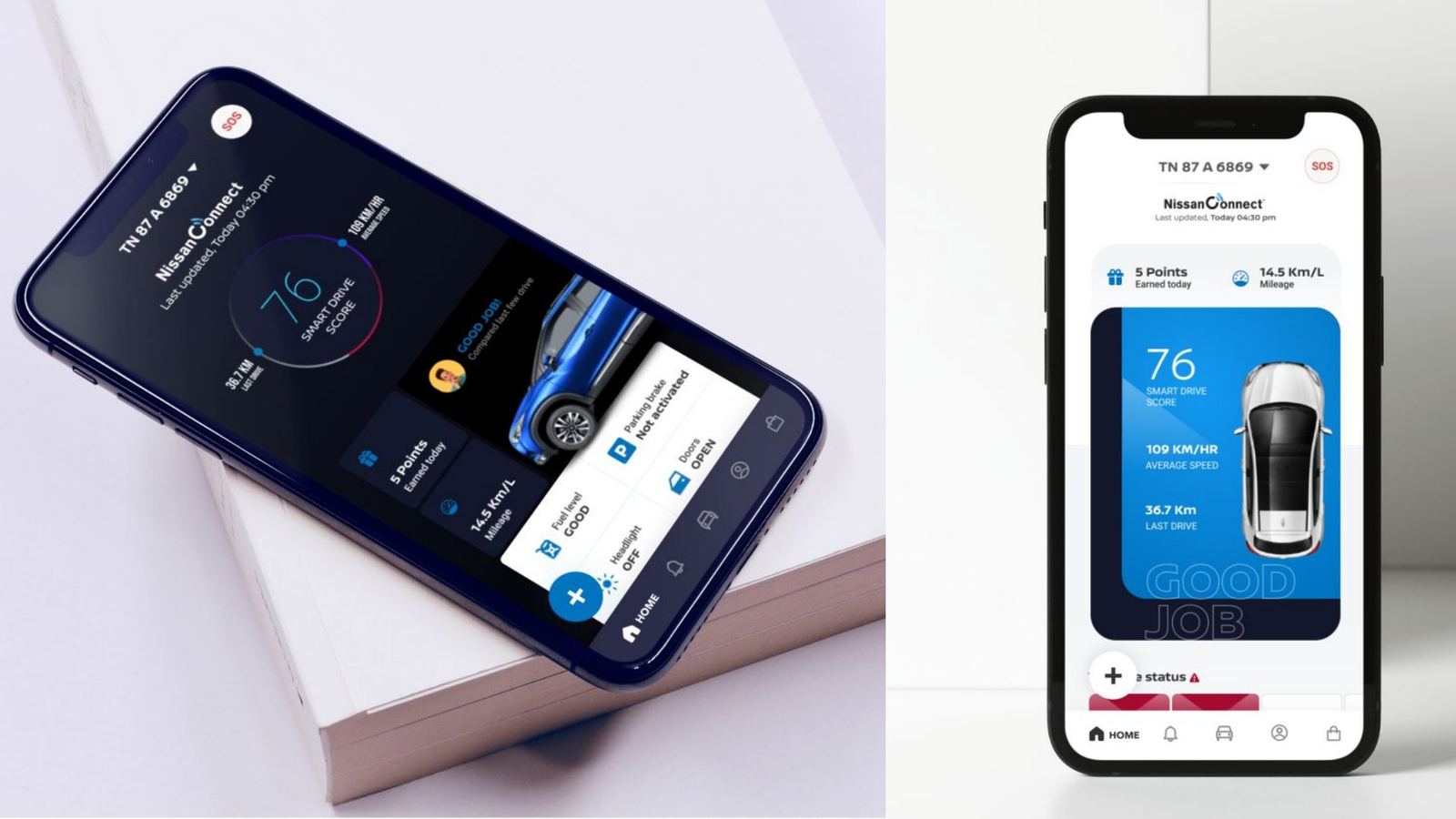
Further concept versions
Slide 52Exploring a top-down car view.
Concept iterations
Slide 53Iterations side by side.
Version 5.0 concept
Slide 54Version 5.0, the last concept before the final direction.
Swipe or use the arrows
Chapter 05 · resultThe final design

Same car, same data, different confidence

The final design keeps everything owners used and removes everything that competed with it. On the left is the app we inherited. On the right is the shipped design in dark and light themes.
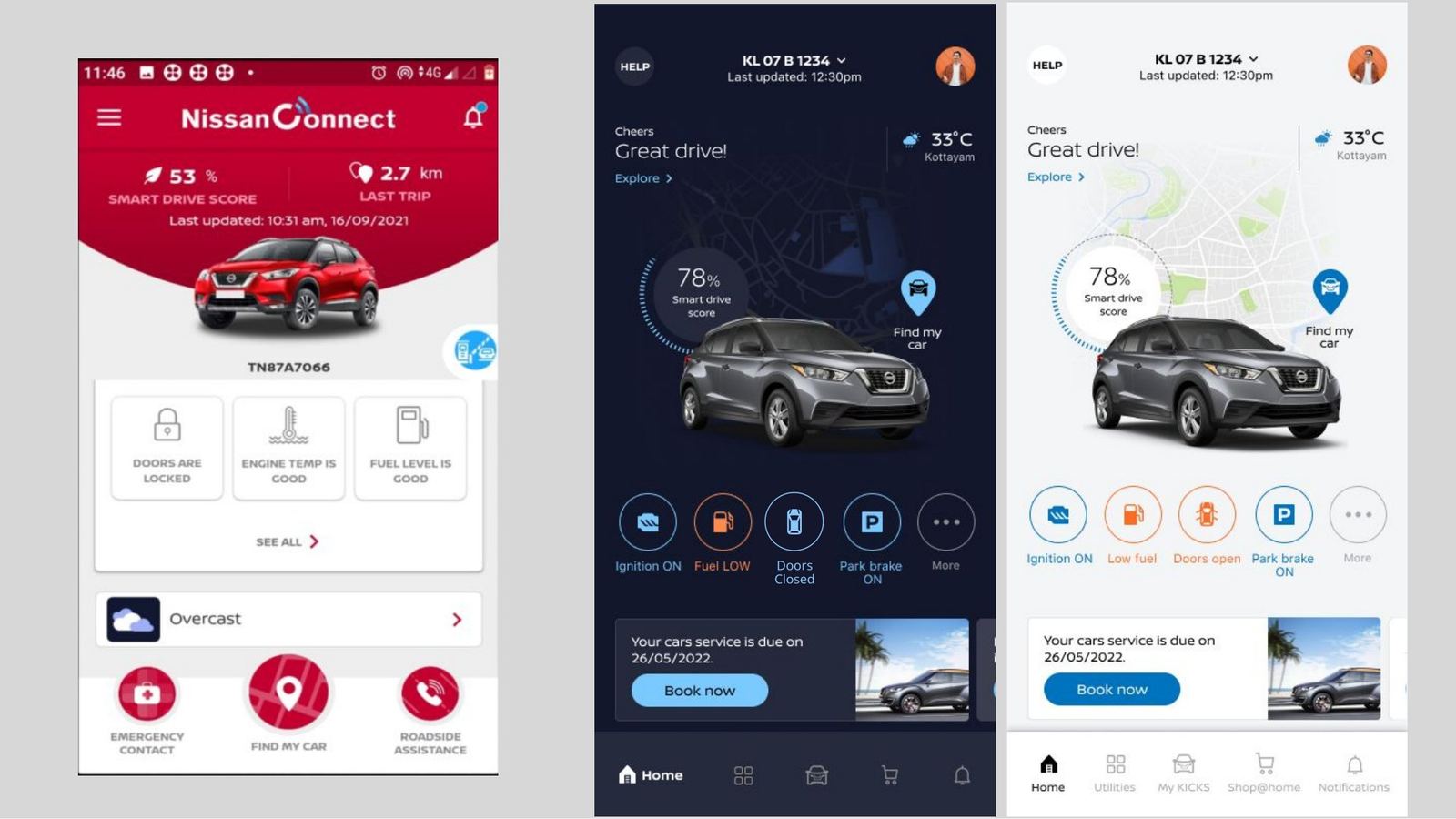
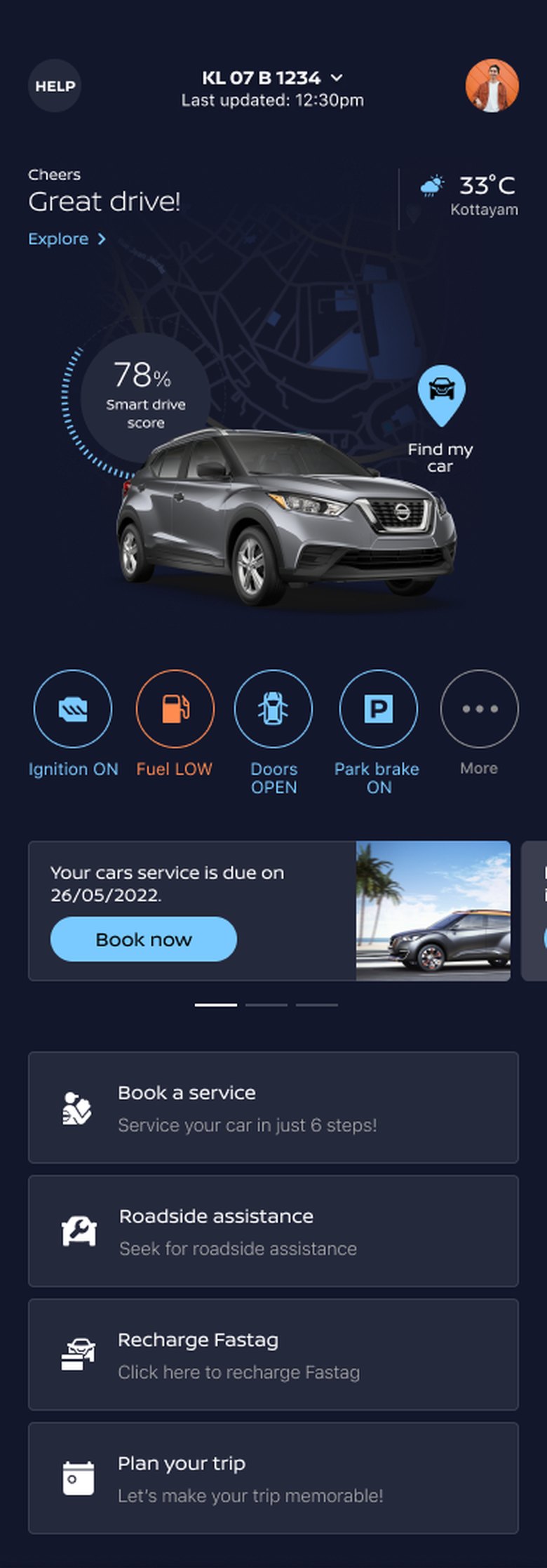
Old app home on the left, new dark and light home screens on the right
Slide 60Before (left), and after in dark and light themes.
Anatomy of the new home

Every element traces back to a finding

Final NissanConnect home screen, dark theme 1 2 3 4 5 6
Tab bar: Home, Utilities, My Kicks, Shop at Home, Notifications7
Scroll inside the phone, or tap a note to jump to it.
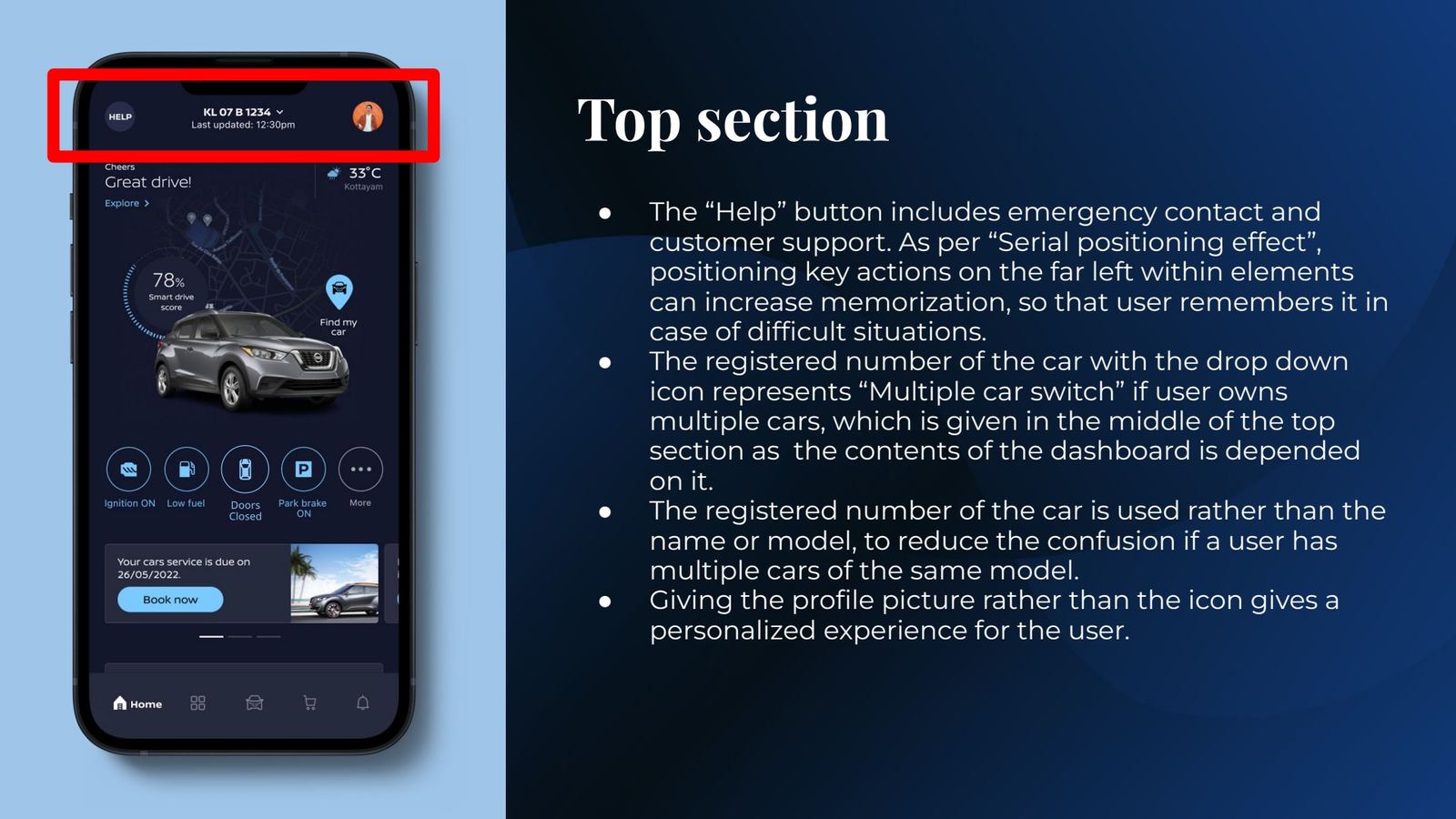
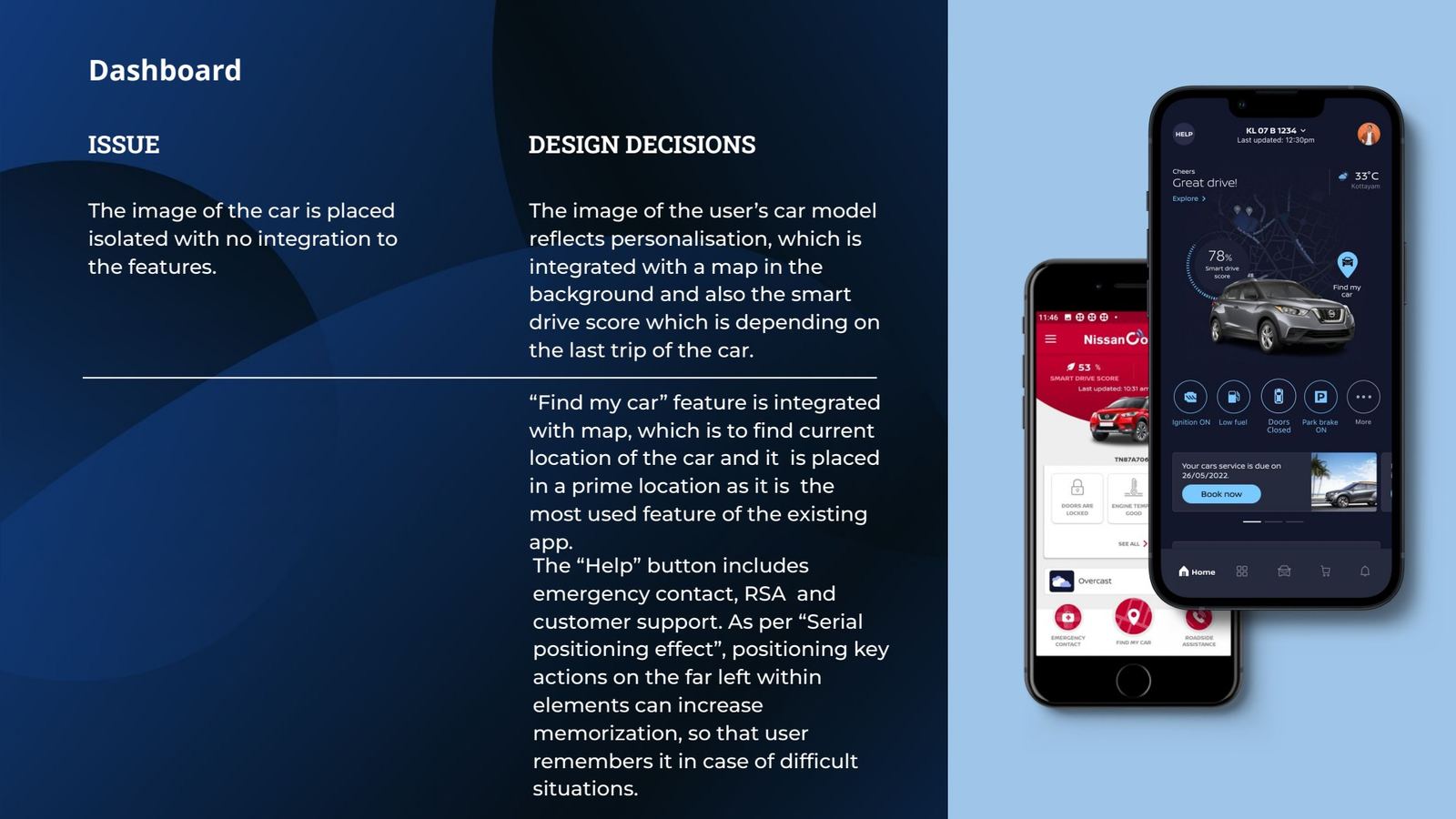
  1. Help, always top-left Serial positionEmergency contact, roadside assistance and support in one place. Owners remember first positions, which matters most in a stressful moment.
  2. Car switcher by registration numberFamilies often own two cars of the same model, so the plate is the clear identifier. It sits centre-top because the whole dashboard depends on it.
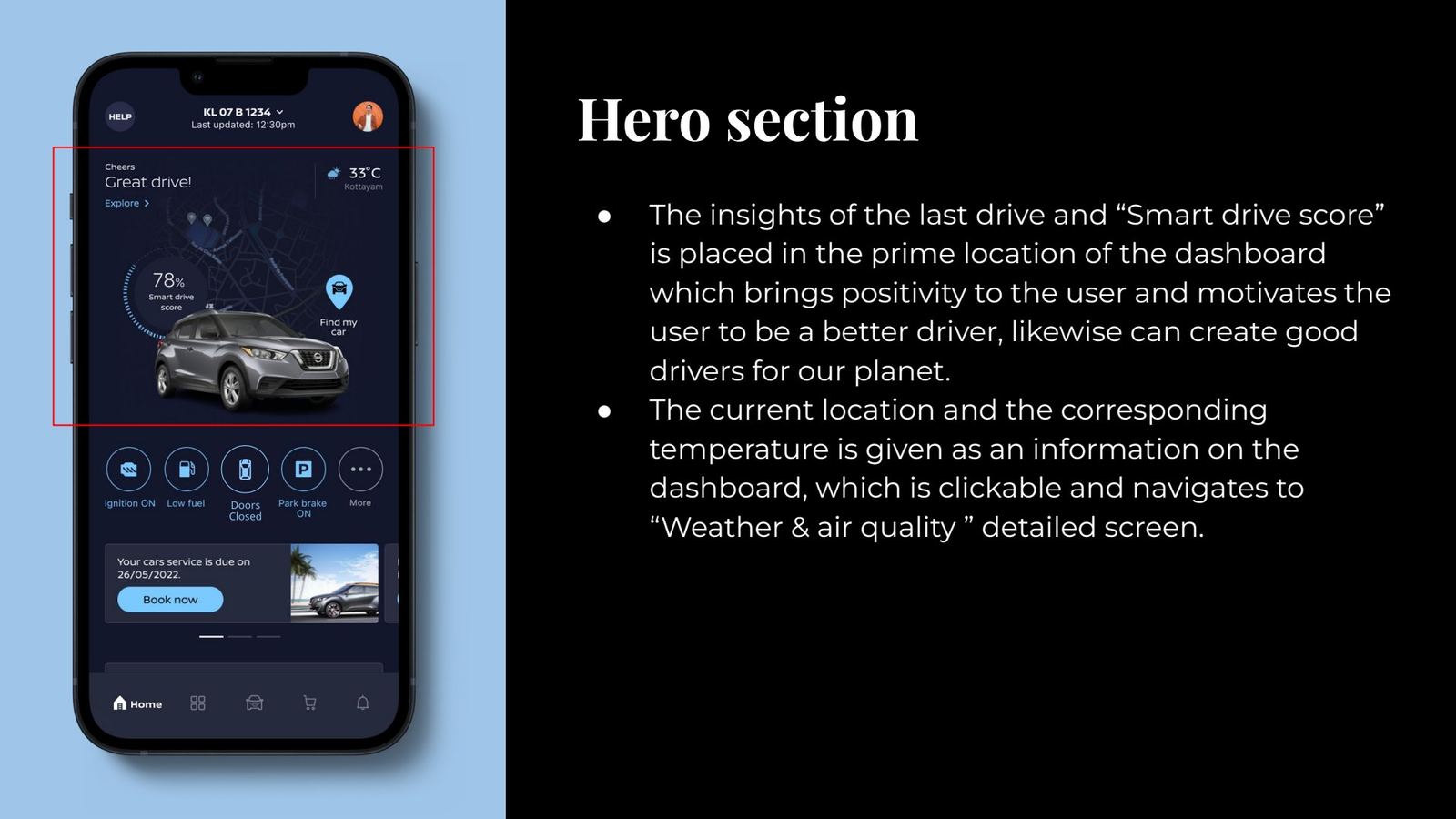
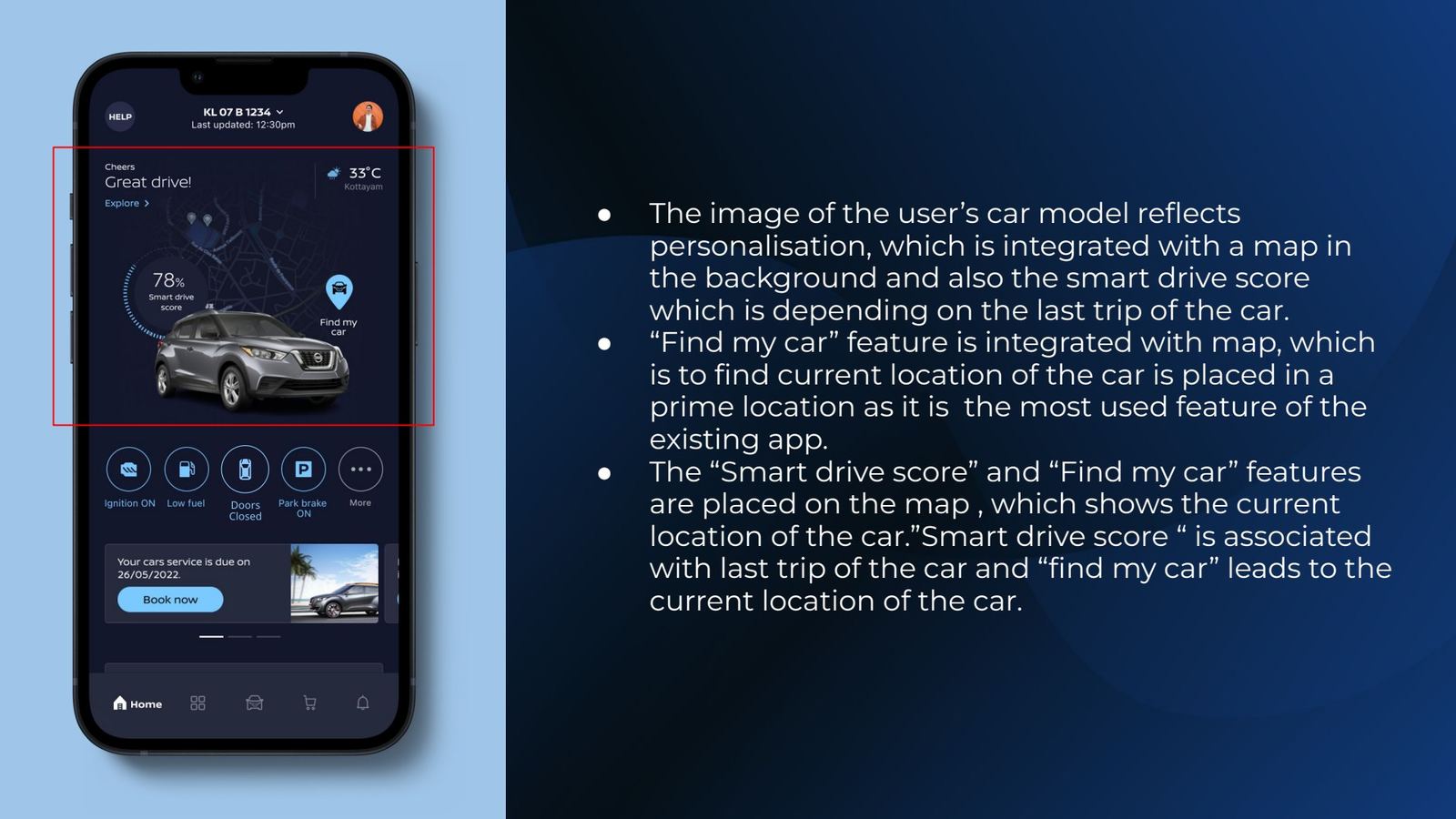
  3. The car, on a live map 65.8% of trafficThe owner's model, Smart Drive Score and Find My Car in one hero over the car's location. Two of the most-used screens became one glance.
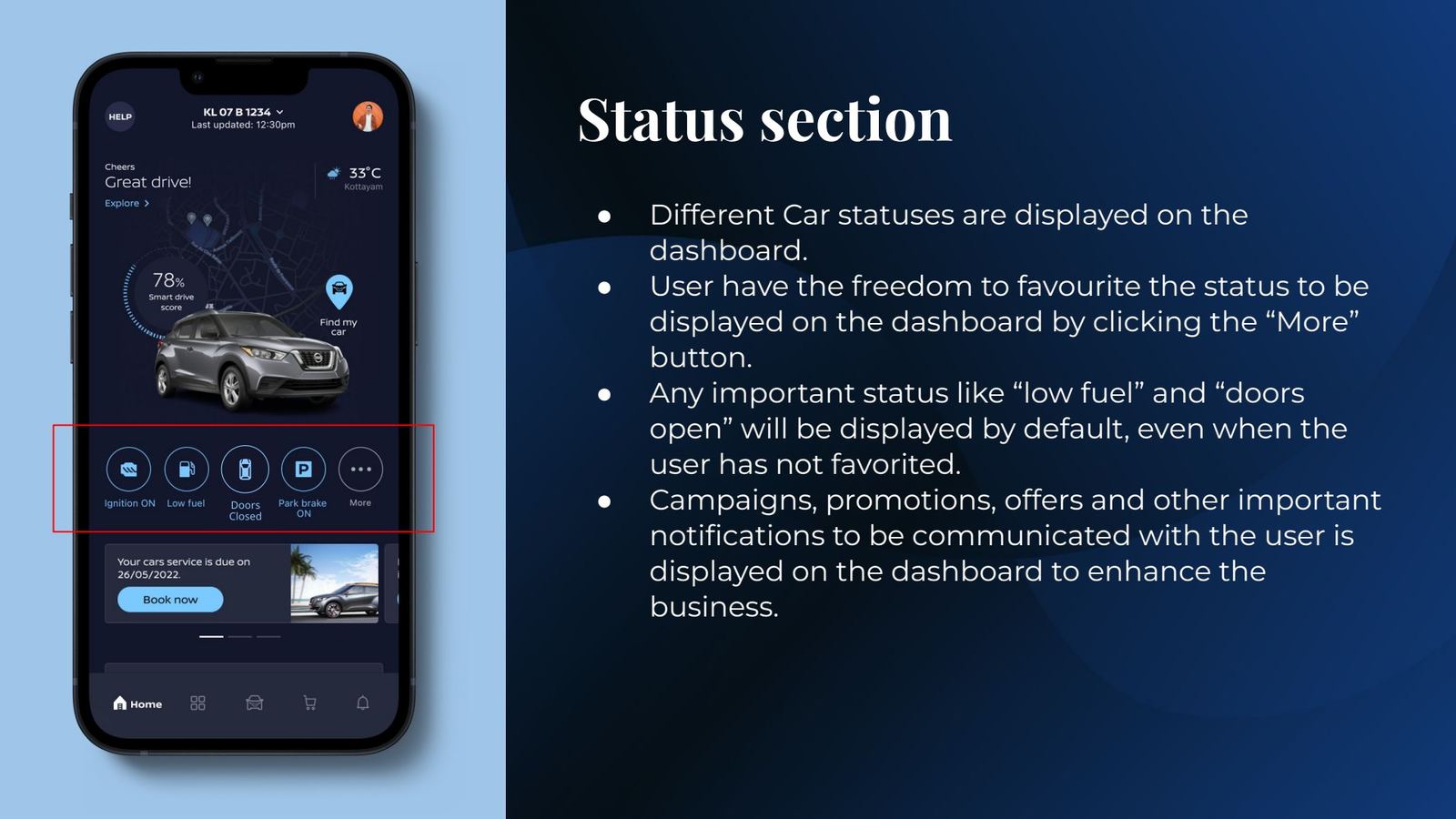
  4. Status chips that surface exceptionsOwners choose which statuses to pin. Critical ones like low fuel or doors open always appear, highlighted.
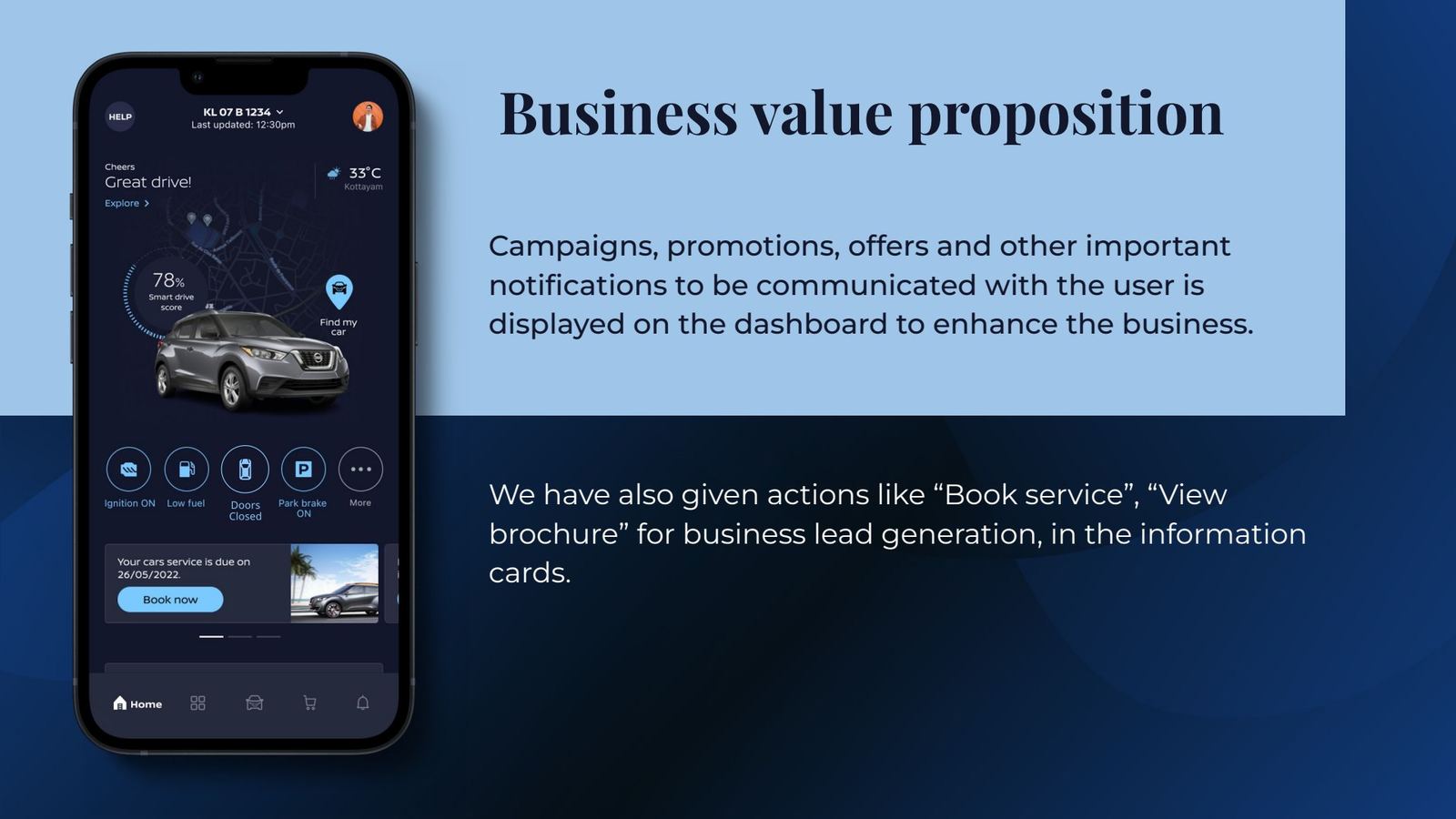
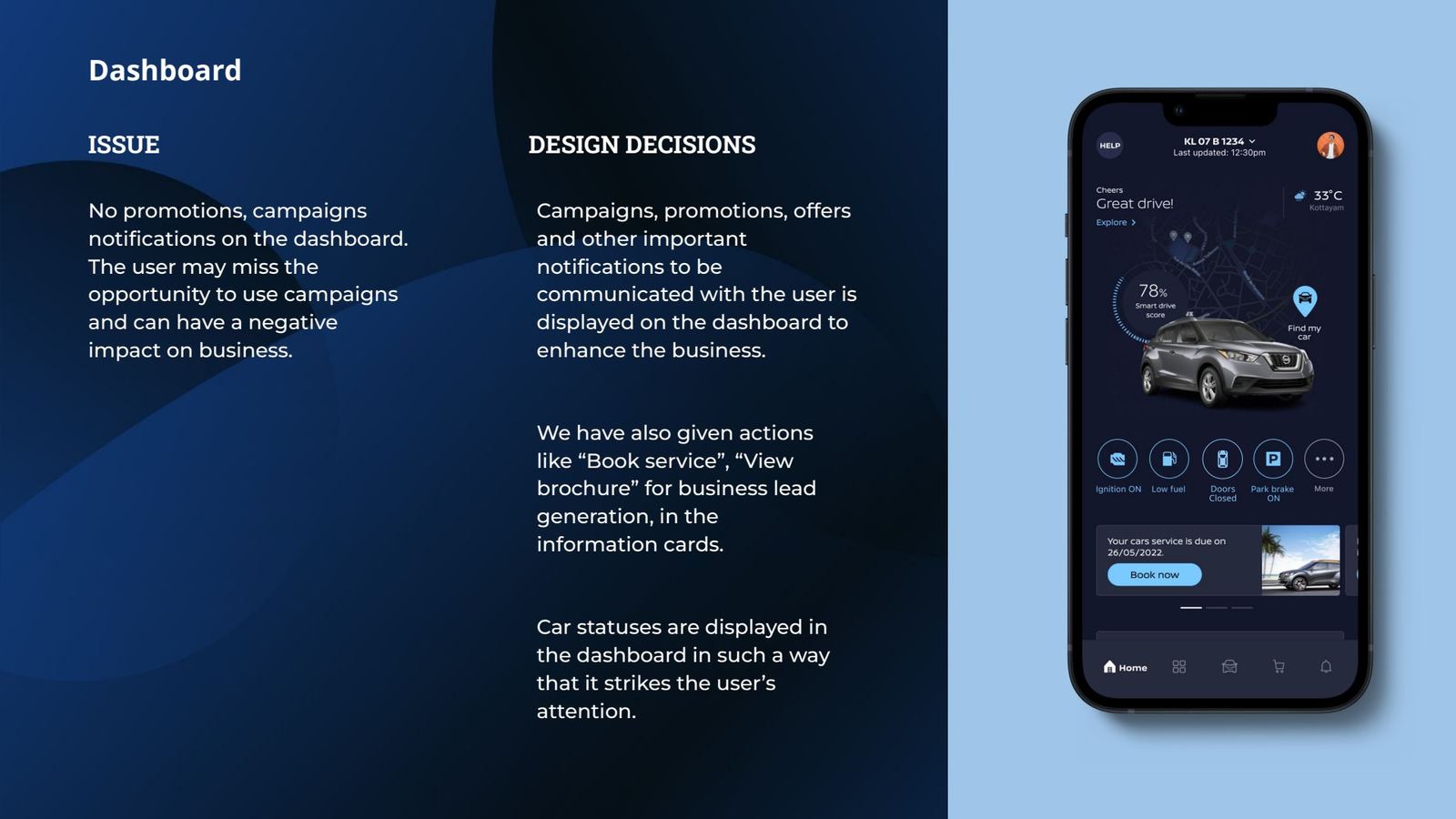
  5. Service and offers in context Business value“Your service is due · Book now” and campaign cards give the business a channel that doesn't feel like an ad.
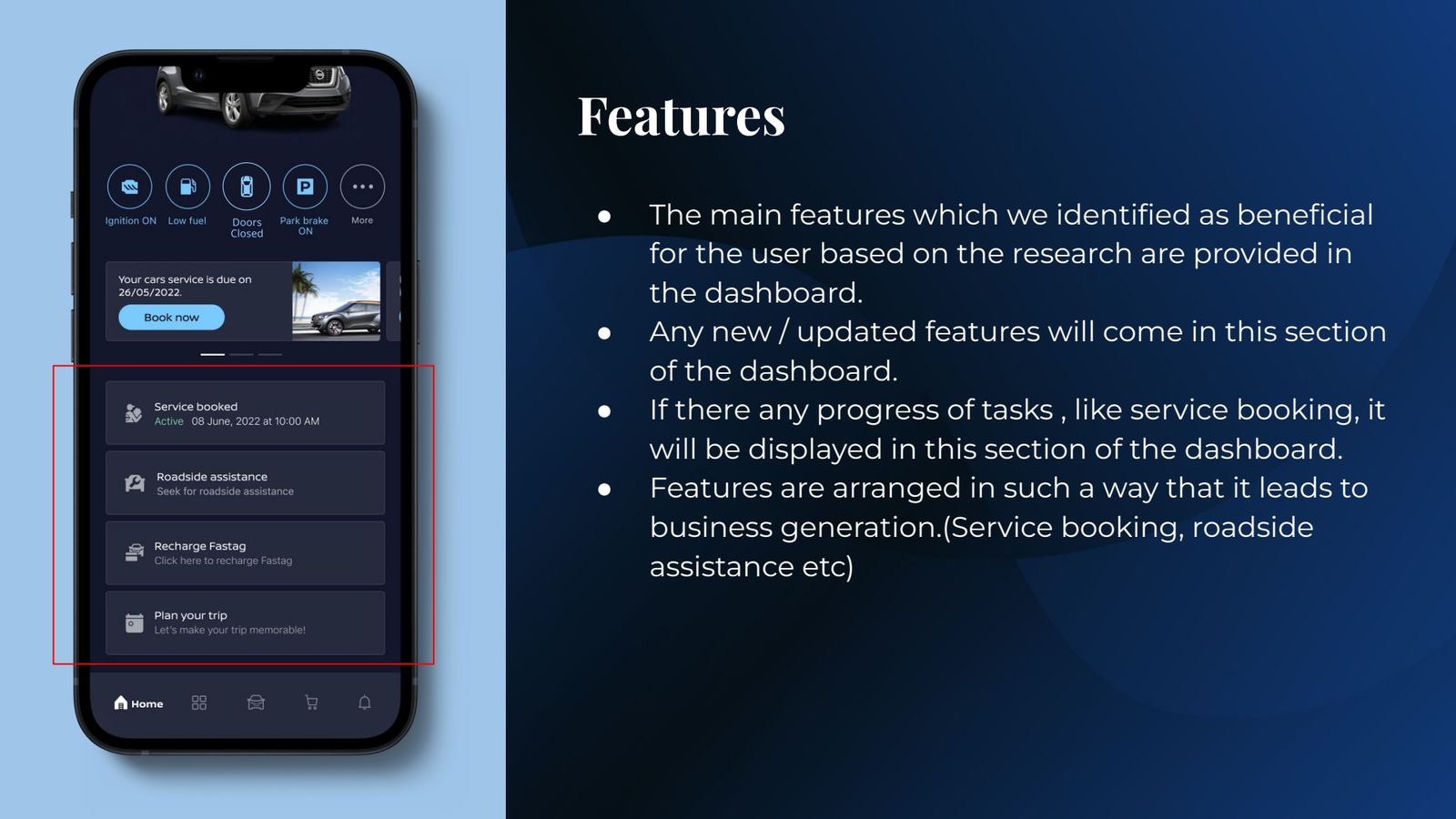
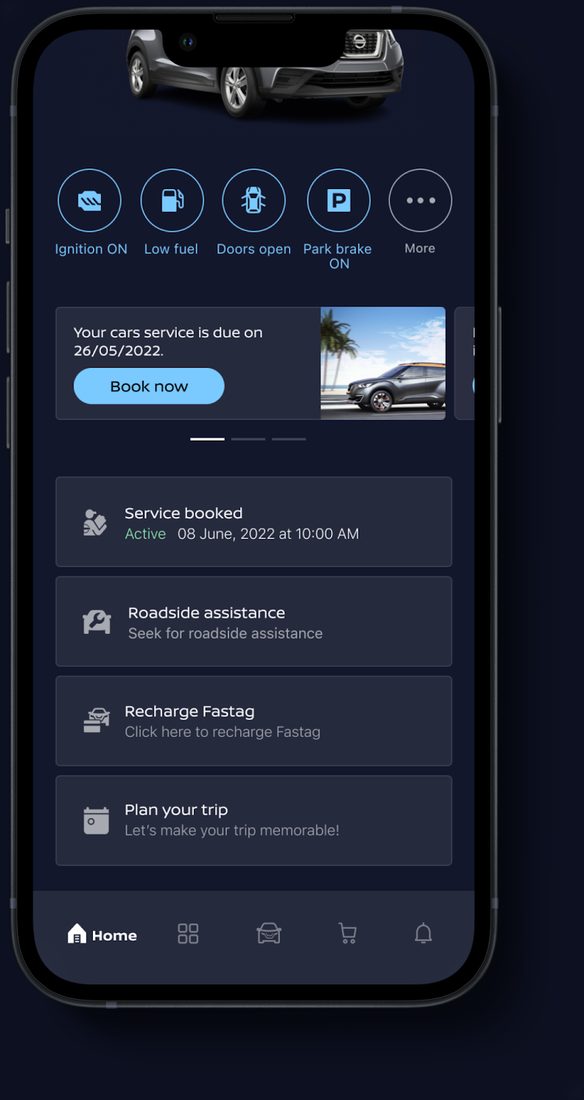
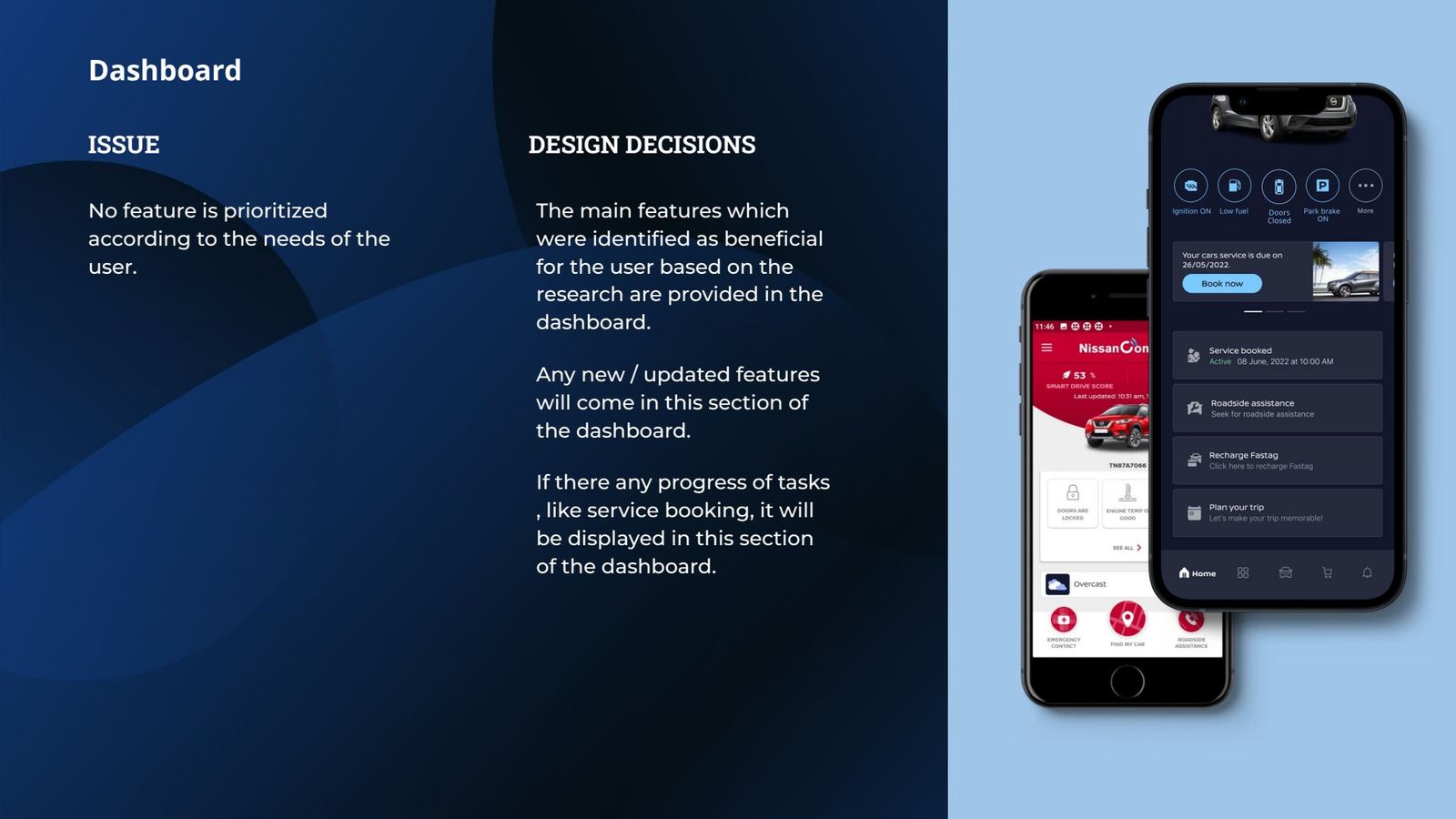
  6. Features ranked by researchBook a service, roadside assistance, FASTag and trip planning, ordered by need and value. Task progress appears here too.
  7. Five-tab navigationReplaces the 14-item drawer. A label shows only on the active tab.
Design rationale, as presented to Nissan

Section by section

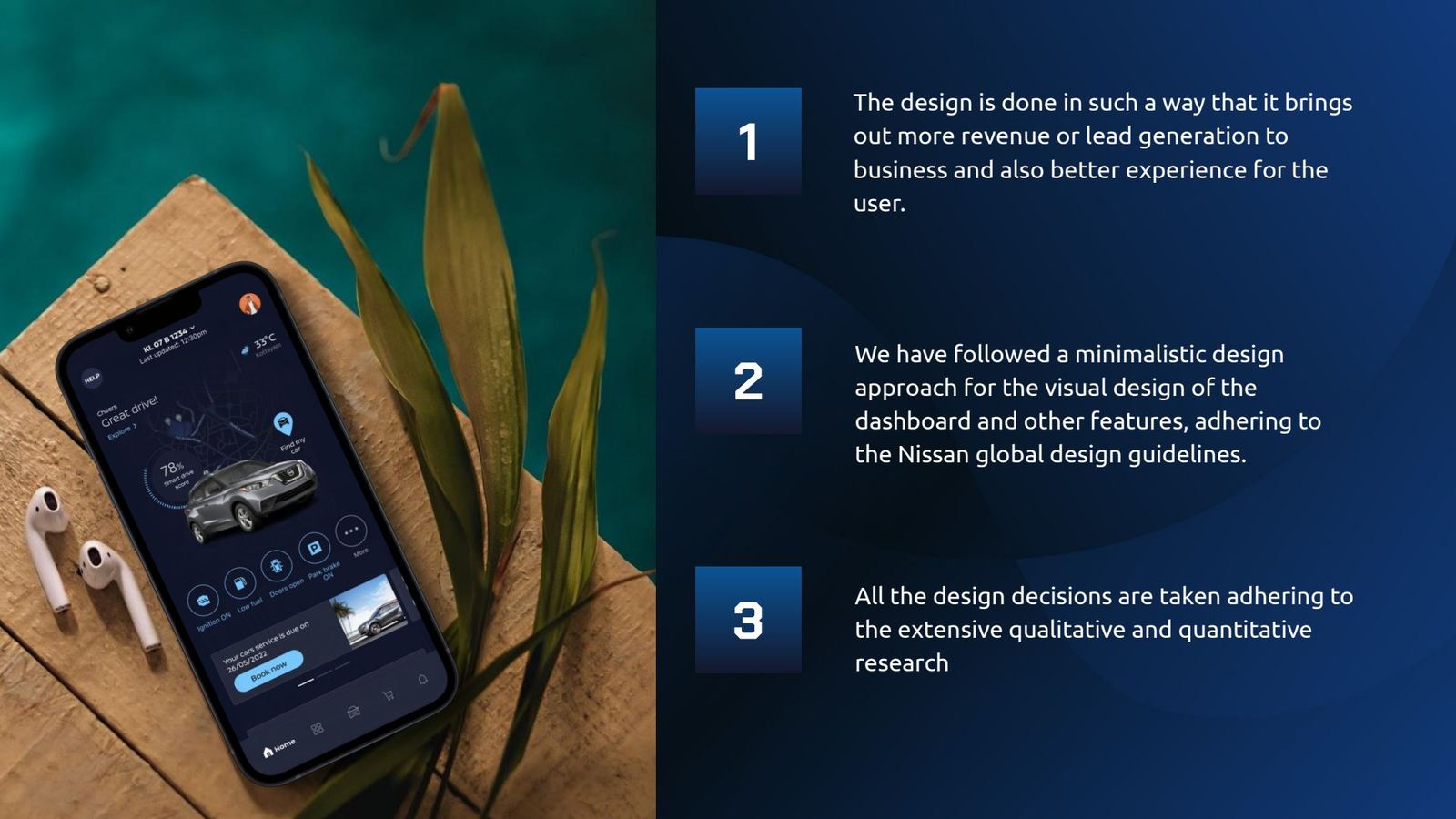
Design approach summary
Slide 59Business value, minimal design within Nissan guidelines, research-backed decisions.
Business value proposition
Slide 62Business value proposition.
Top section
Slide 63Top section: help, car switcher, profile.
Hero section
Slide 64Hero: last-drive insights and weather.
Car on map
Slide 65The car on a map, with Find My Car.
Status section
Slide 66Status section and favourites.
Features section
Slide 67Features ordered for user need and business.
Navigation menu
Slide 68Navigation menu.
Alert
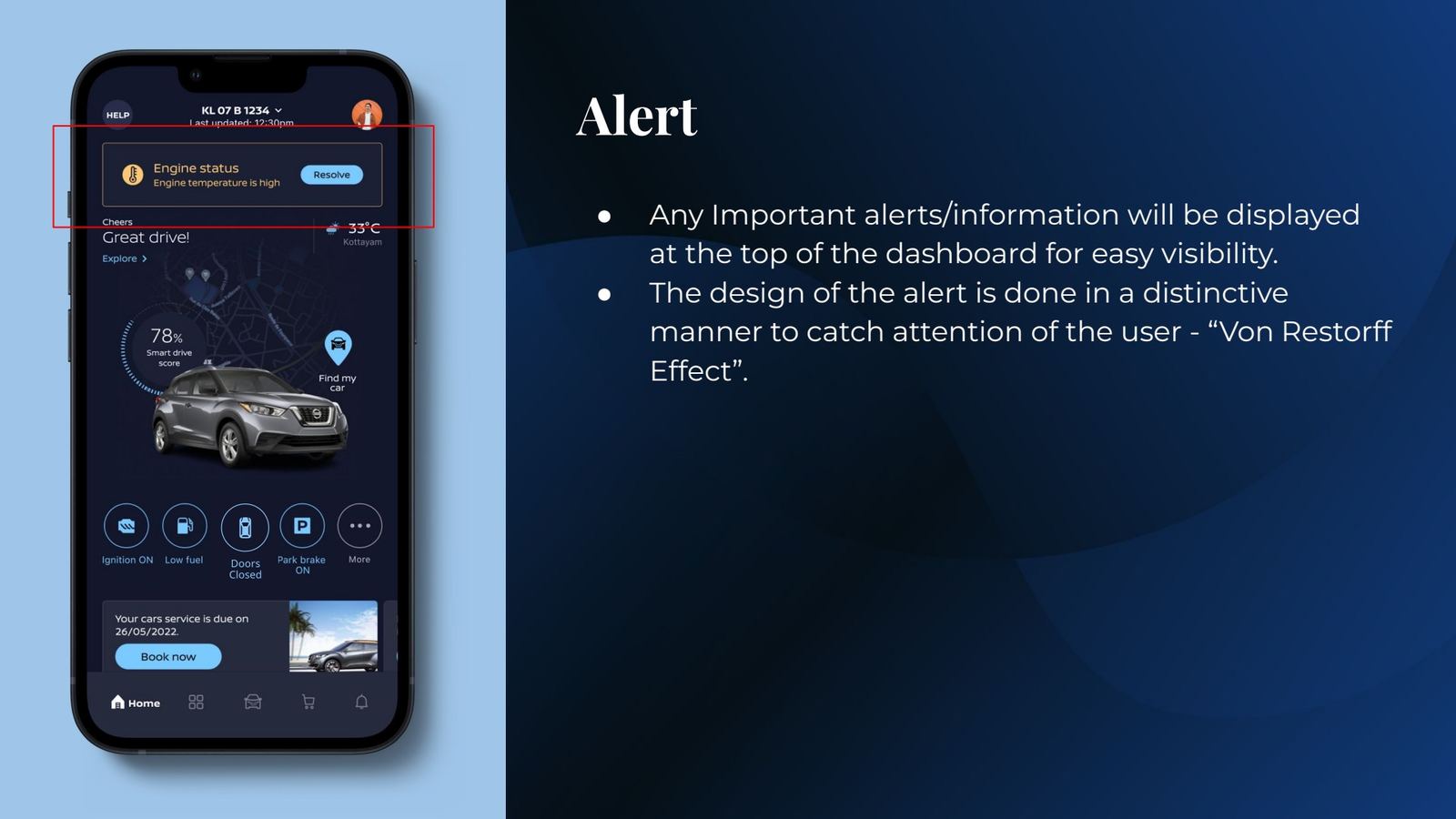
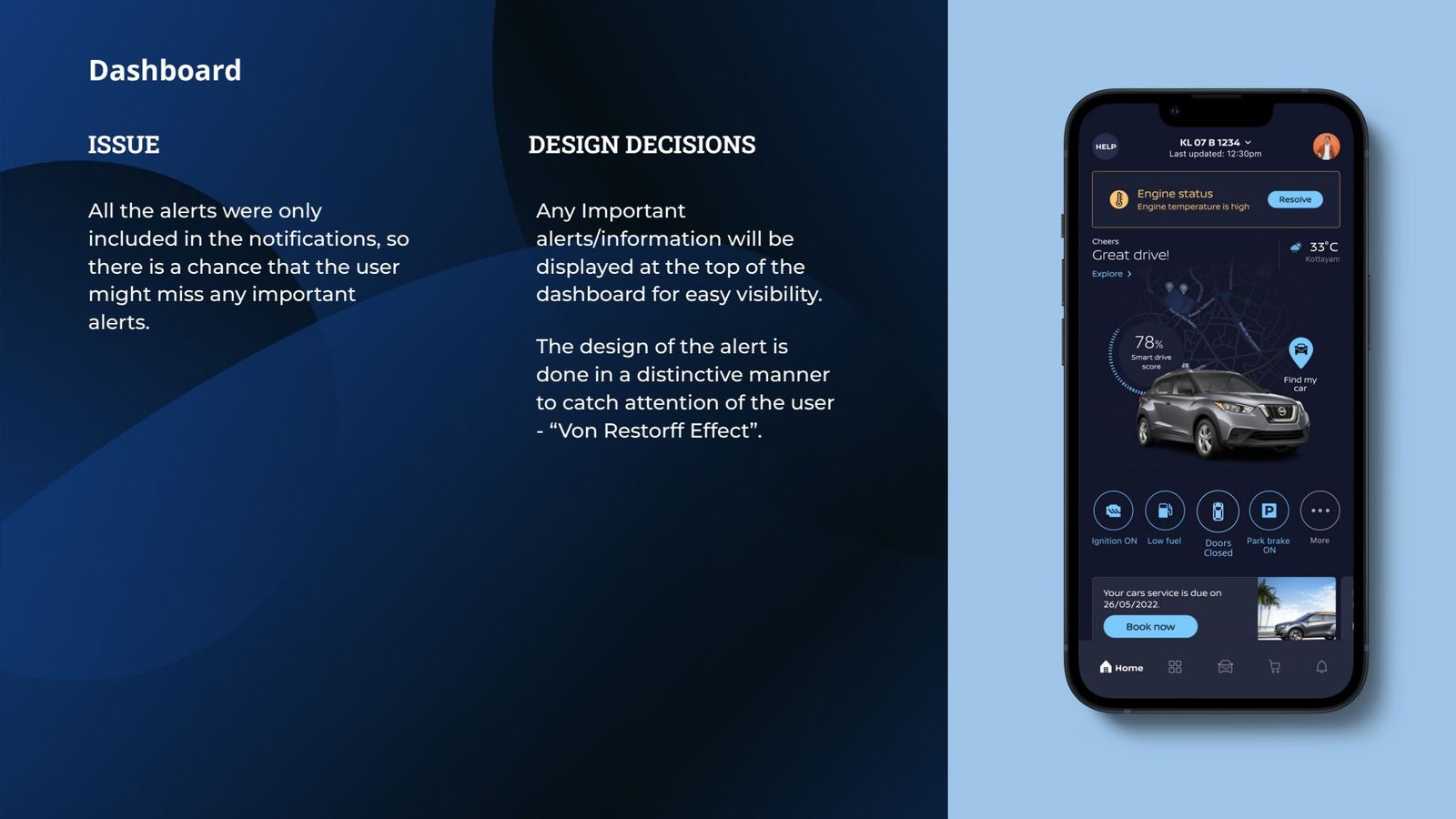
Slide 69Alerts using the Von Restorff effect.
Key screens

The rest of the experience

Welcome screen
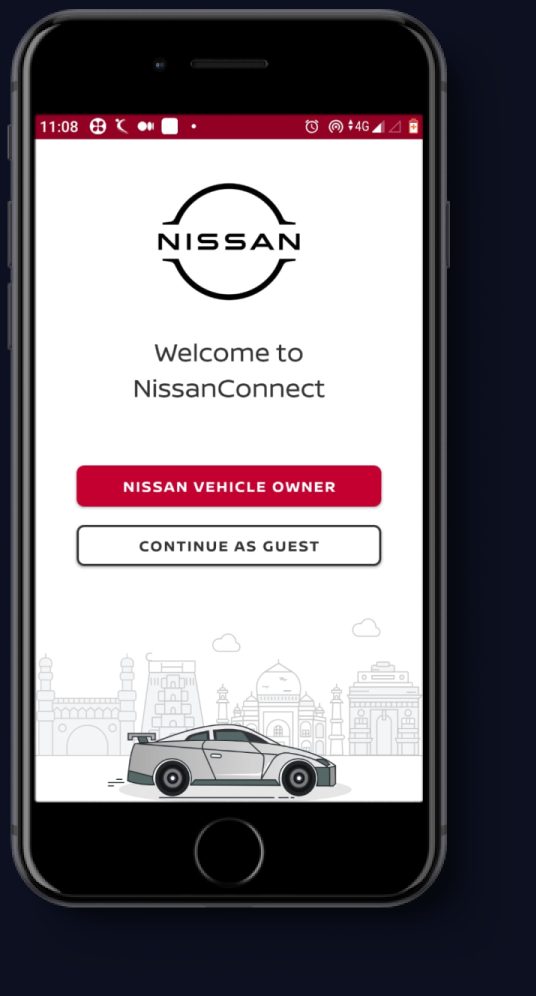
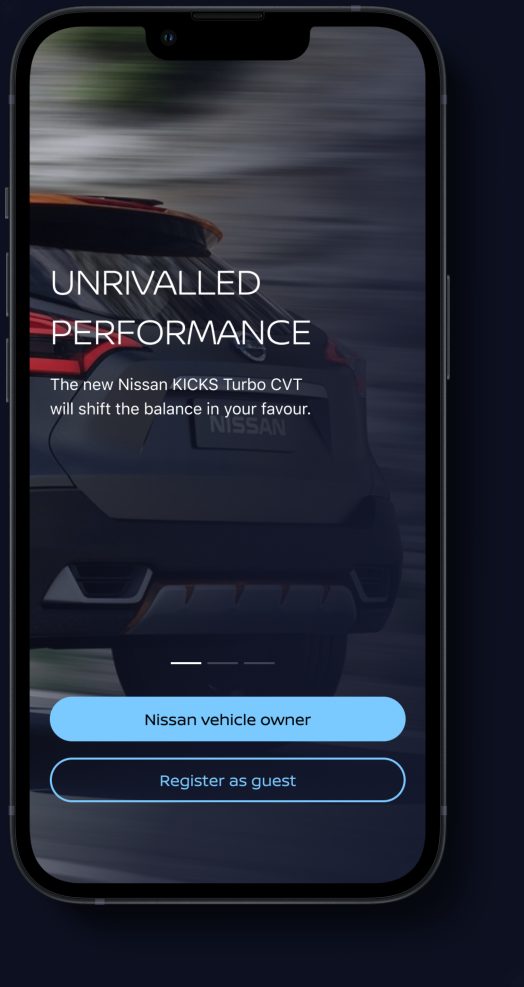
Welcome: owner or guest, no forced sign-up.
Launch screen
Launch: dynamic brand content.
Alert on home
Critical alert at the top.
Home features
Features and task progress.
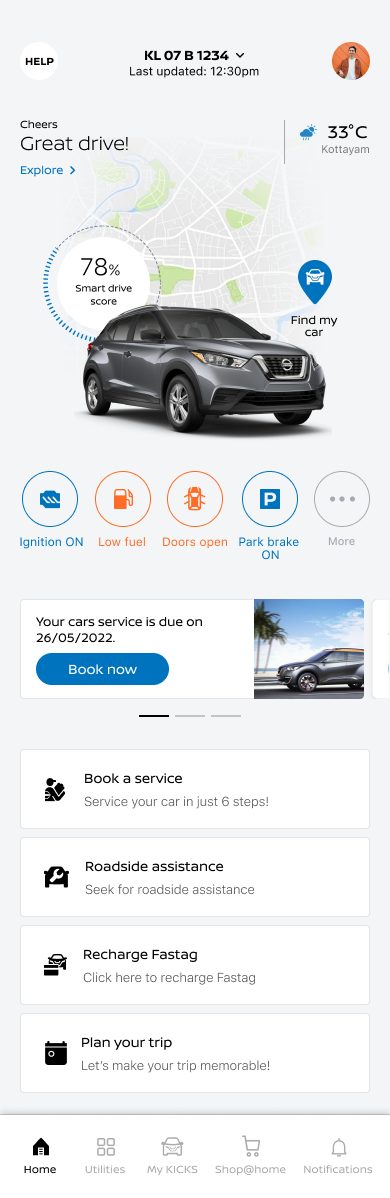
Light theme home
Light theme.
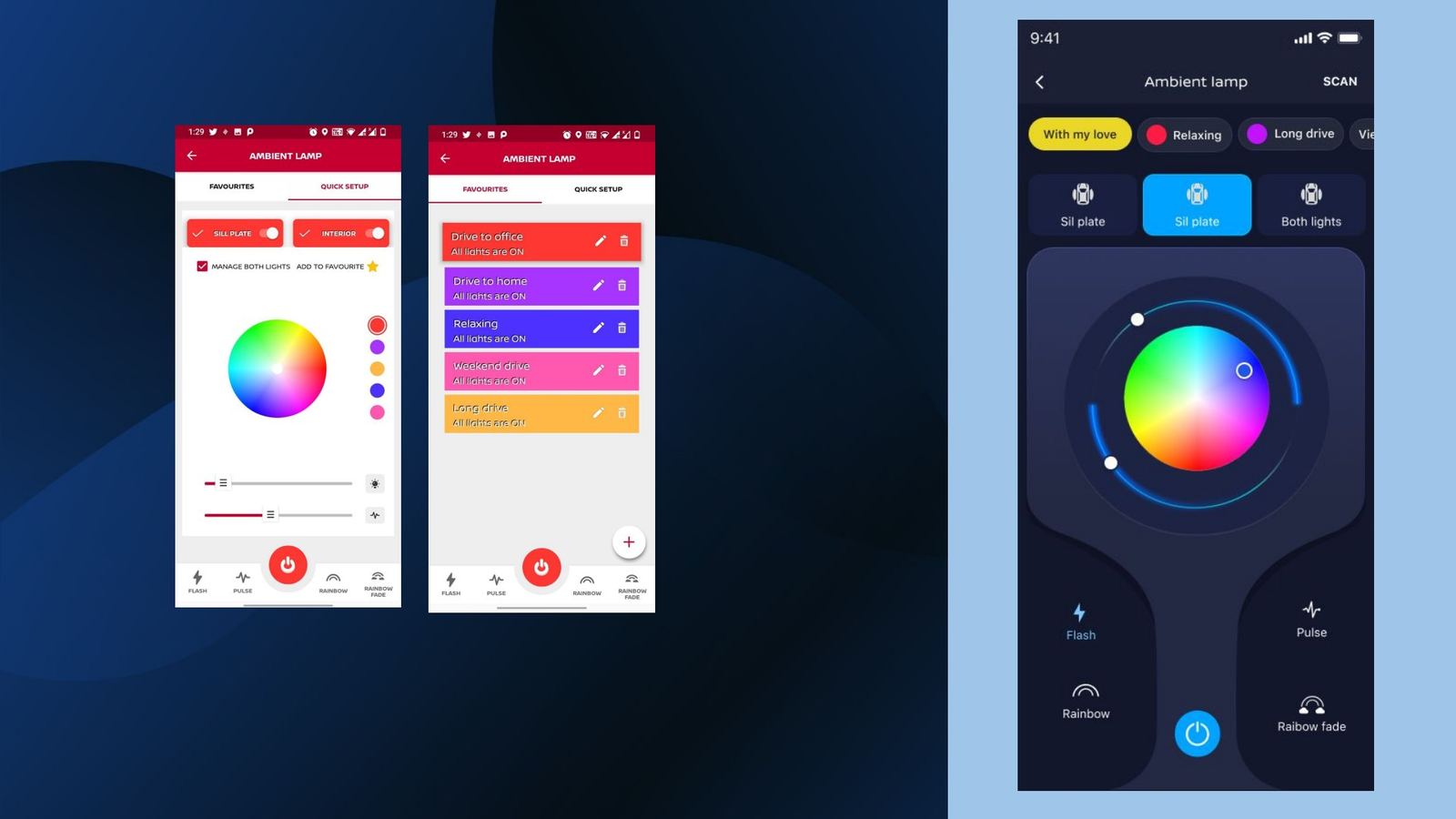
Ambient lamp control screens
Slide 78Ambient lamp: before and after.
Intelligence in the product

Smart where it helps, invisible where it doesn't

The redesign uses the car's own data to make the app feel aware of the owner, not just connected. The first three are in the design. The last three are where I would take it next.

In the design

Context-aware status

Rules on live telematics decide what appears on Home. Low fuel or open doors override the owner's pinned chips until resolved.

In the design

Drive-score coaching

Trip data becomes positive feedback (“Great drive!”) that nudges smoother, lower-emission driving.

In the design

Timely service prompts

Service-due cards are driven by service schedule data, so the booking prompt shows up when it is relevant.

Next · Concept

Ask your car

A conversational digital manual: “What does this warning light mean?”, answered in plain language with one-tap booking.

Next · Concept

Proactive trip companion

Ram's journey prepared for him: tolls, fuel stops and weather at the destination, before he asks.

Next · Concept

Explained anomalies

Instead of “engine temperature high”, likely causes, urgency and the nearest authorised centre.

Chapter 05 · scaleDesign system

From an India style sheet to a global system

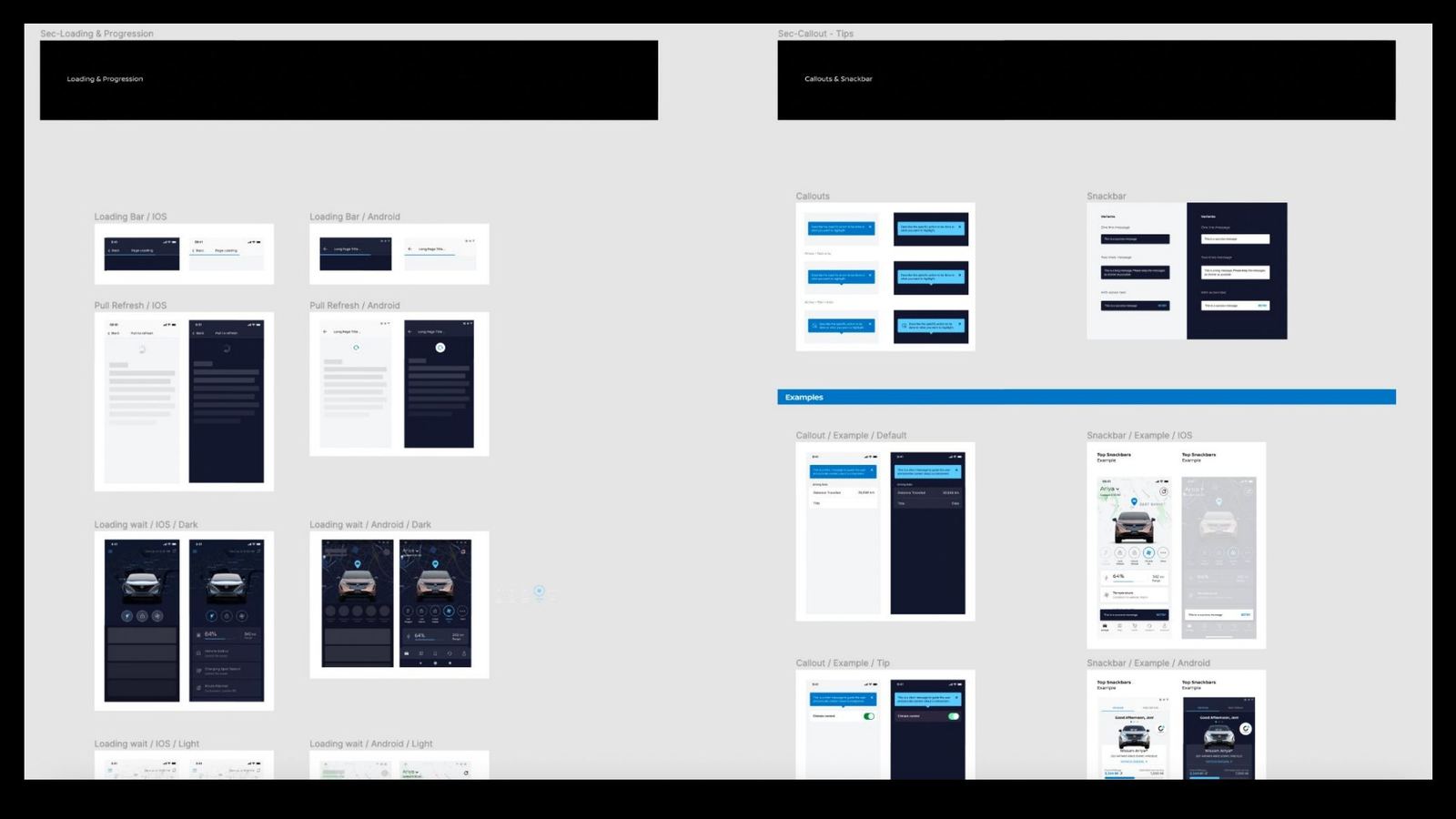
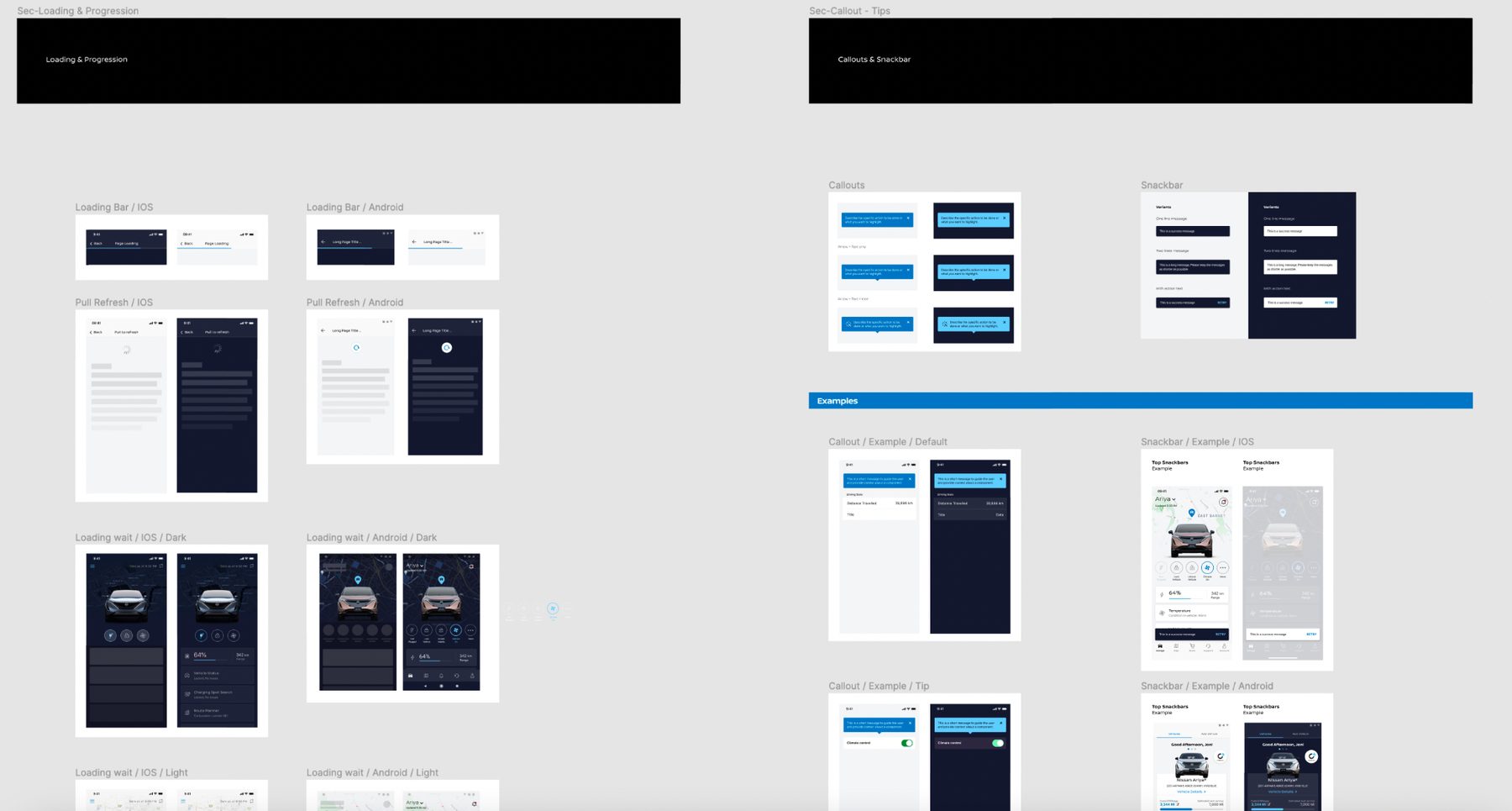
Midway through, Nissan's Europe team started a new design system for global use. Rather than ship a parallel one, we joined forces and built it together: typography, lists, cards, loading states, callouts and snackbars, in light and dark for iOS and Android. That shared foundation is a big reason the design could later travel to other markets.
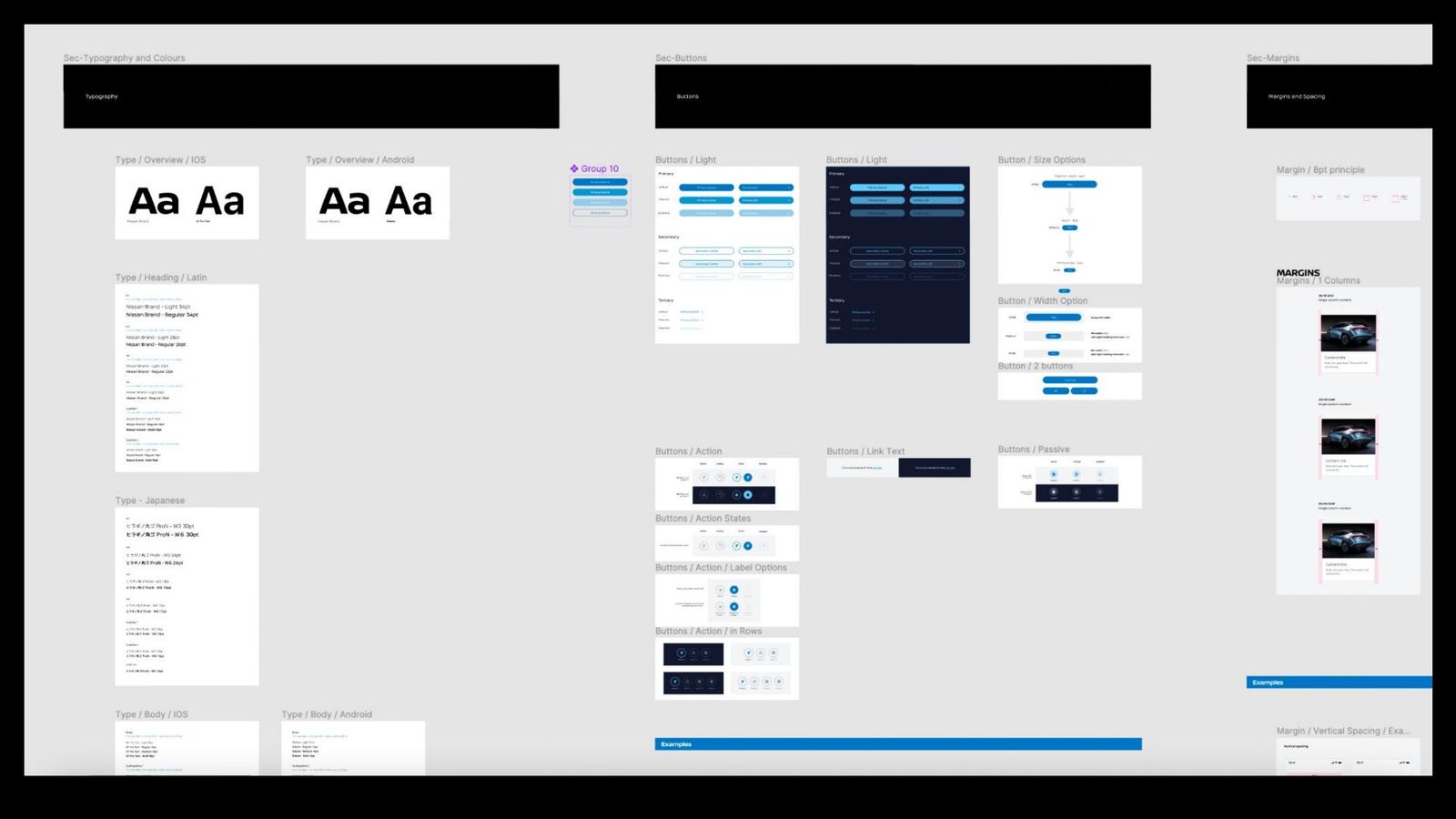
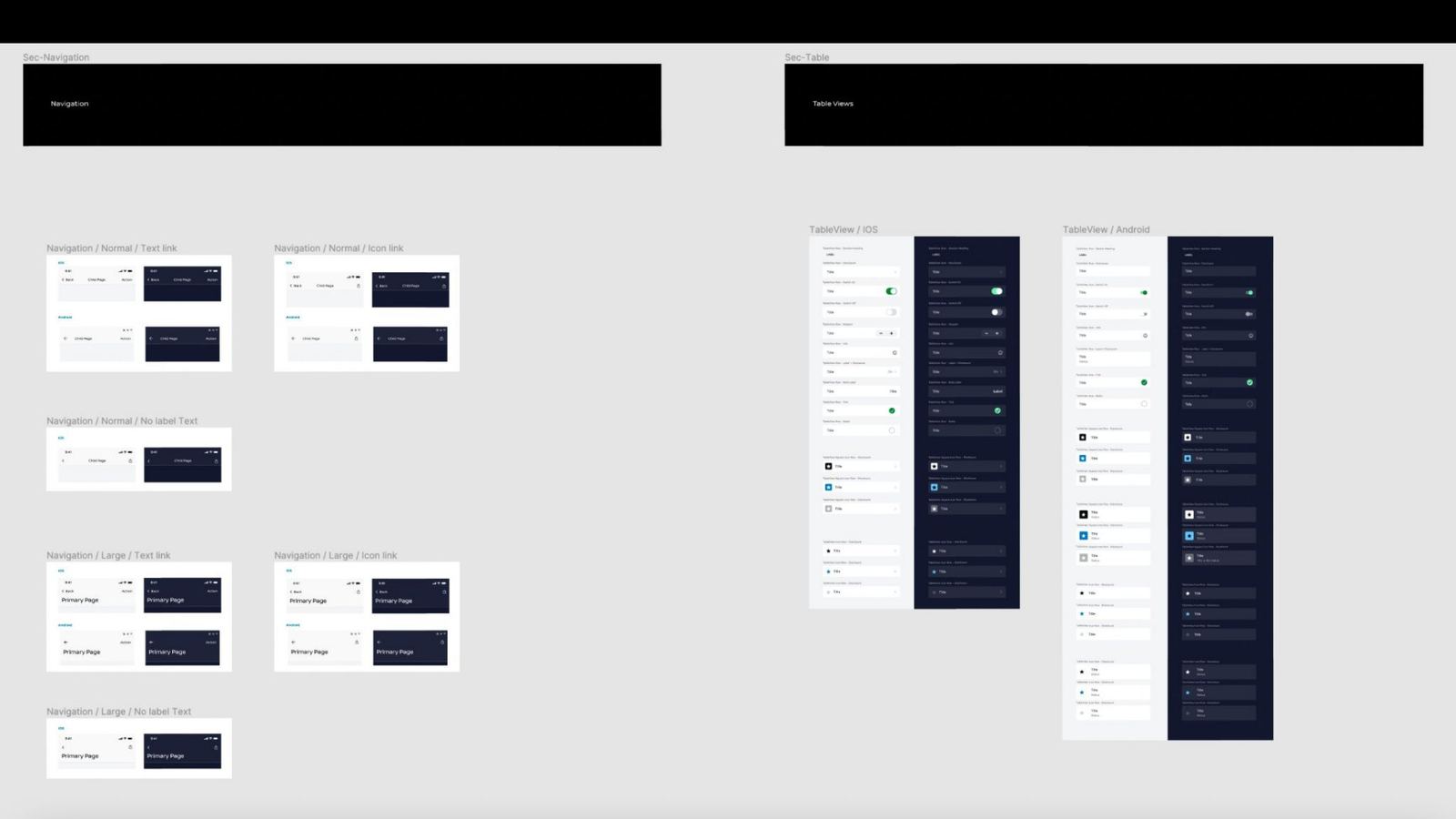
Design system: typography and components
Slide 56Type, colour and core components.
Design system: lists and cards
Slide 57Lists, cards and dark-mode patterns.
Design system: menus and navigation
Slide 58Menus, navigation and screen templates.
Design system: loading, callouts and snackbars
DetailLoading, callouts and snackbars for iOS and Android.
Swipe or use the arrows
Chapter 06Heuristic validation with the client

Closing the loop on every issue

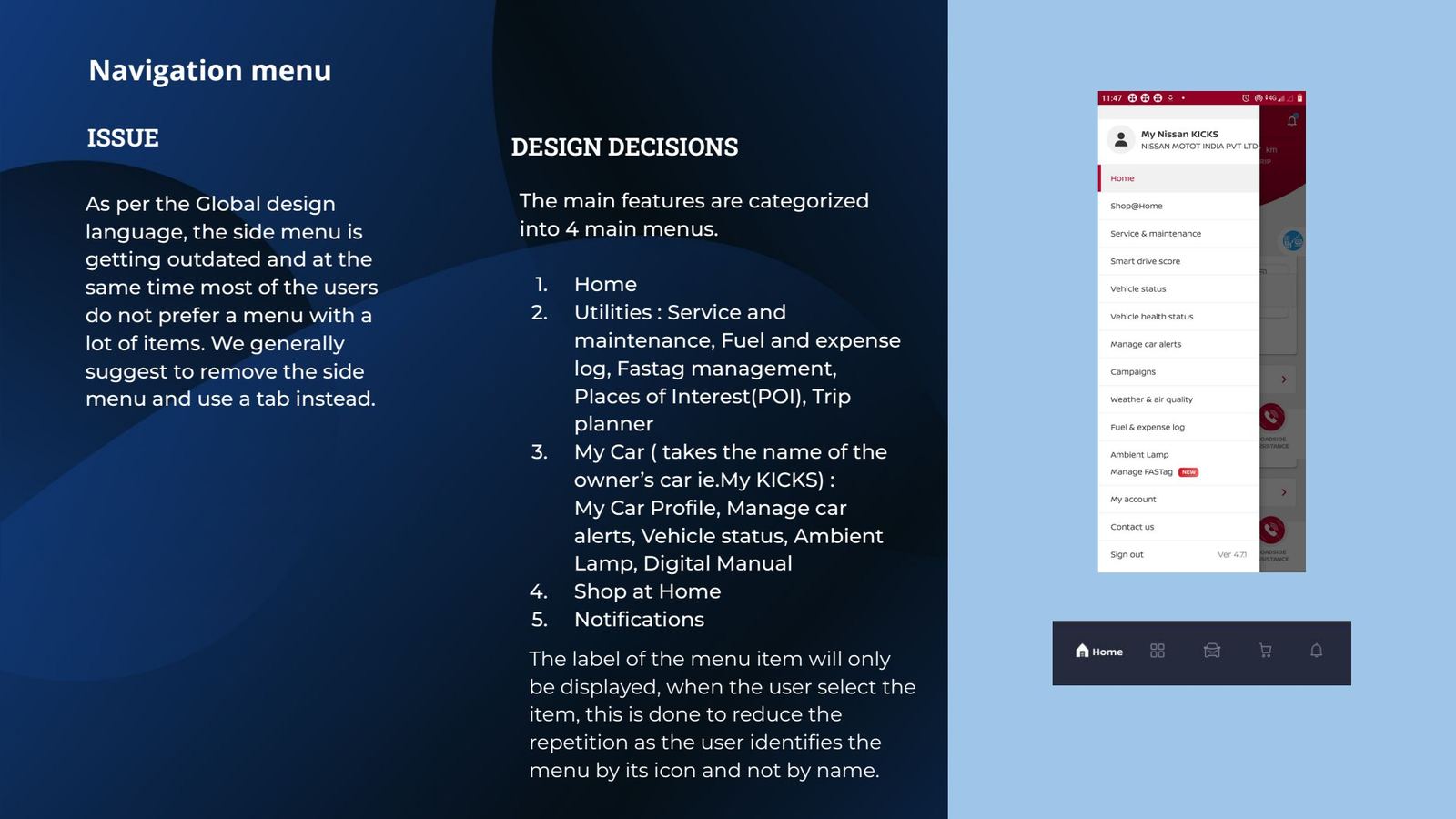
We took Nissan through each original problem and the design decision that answers it, with the research behind it. That turned the review from opinions into a checklist the client could sign off.
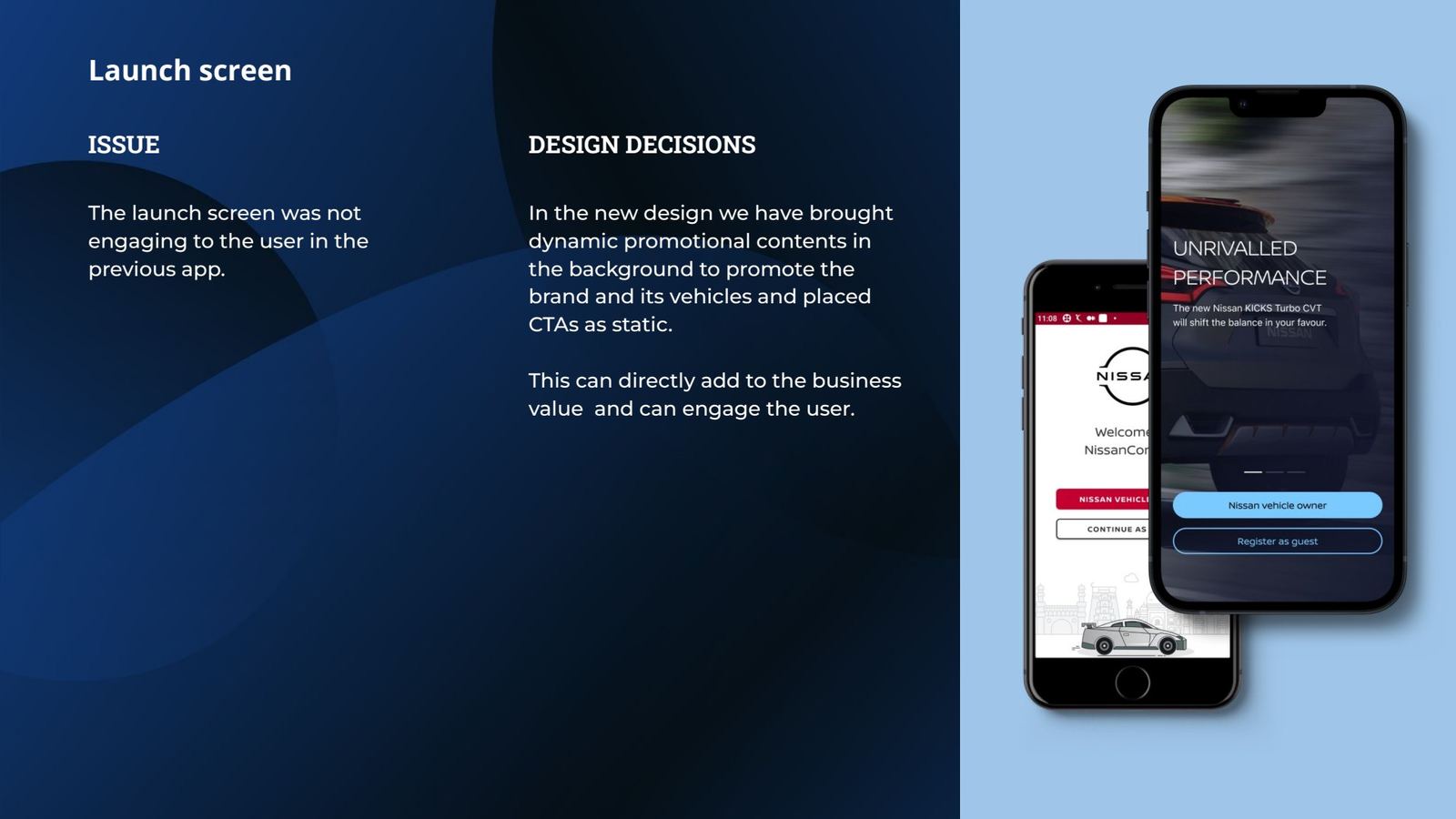
Launch screen issue and decision
Slide 71Launch screen.
Navigation menu issue and decision
Slide 72Navigation menu.
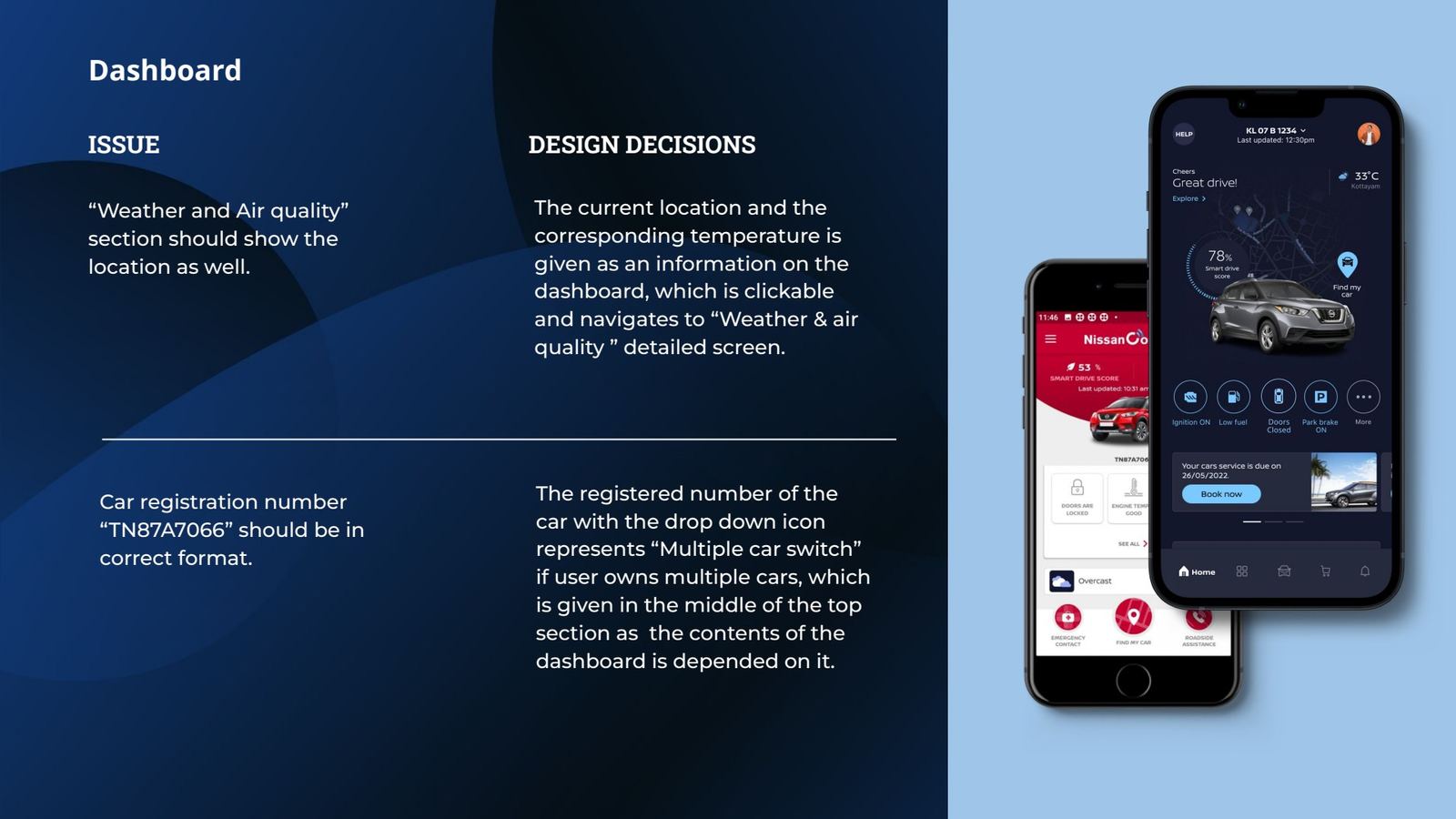
Dashboard weather and plate number
Slide 73Dashboard: weather location and plate format.
Dashboard car image and help
Slide 74Dashboard: car on the map, help button.
Dashboard promotions
Slide 75Dashboard: campaigns and lead CTAs.
Dashboard feature priority
Slide 76Dashboard: research-ranked features.
Dashboard alerts
Slide 77Dashboard: alerts at the top.
LaunchThe launch screen did nothing for the user or the brand.Dynamic promotional content behind fixed CTAs.
NavigationOverloaded side menu, outdated against the global language.Five tabs: Home, Utilities, My Kicks, Shop at Home, Notifications.
DashboardCar image isolated from any feature.Car on a map with drive score and Find My Car built in.
DashboardNo promotions, so business opportunities were missed.Campaign and service cards with “Book service” and “View brochure”.
AlertsAlerts only in notifications, easy to miss.Distinctive alert banner at the top of Home.
Chapter 06 · field testGuerrilla usability testing

Tested with owners in five cities

We ran unmoderated guerrilla usability tests on the working prototype with owners across India's major car markets. They used it on their own, without a moderator steering them, which shows whether the design works without explanation.

  • MethodUnmoderated guerrilla testing
  • PrototypeWorking high-fidelity prototype, light and dark
  • CitiesBangalore, Kochi, Chennai, Delhi, Mumbai
  • FocusThe flows the audit flagged: onboarding, home status, Find My Car, booking a service
30°N20°N10°N0° DelhiMumbaiBangaloreChennaiKochi
Chapter 06 · the proofImpact

From a dormant app to a revenue channel

What we measured after launch, compared with the previous two years of the old app.
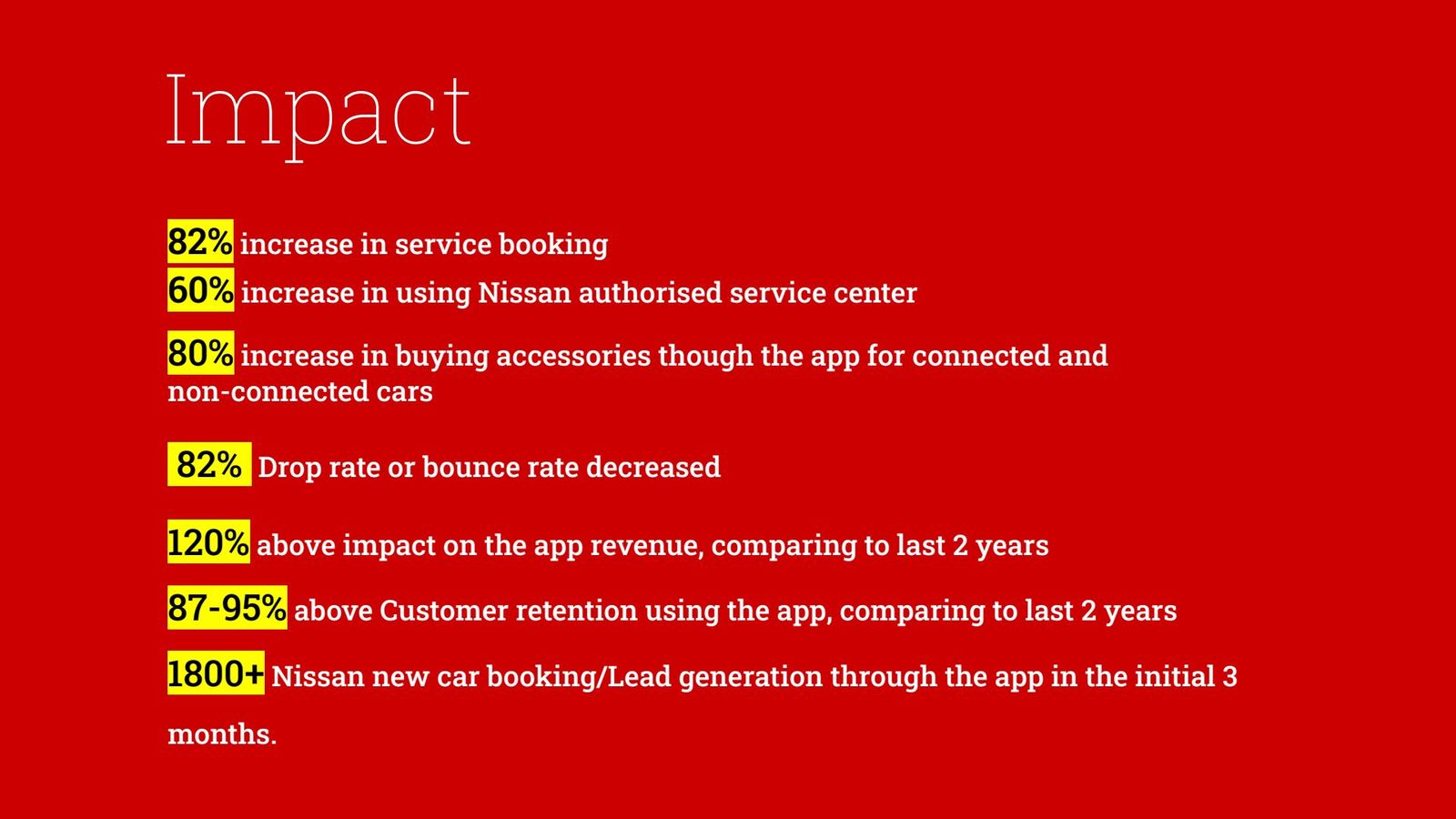
+120%app revenue
+82%service bookings
+80%accessory purchases, connected and non-connected cars
+60%use of Nissan authorised service centres
−82%drop-off and bounce rate
87–95%customer retention through the app
1,800+new-car bookings and leads in the first 3 months
CO₂drive-score coaching for more efficient driving
Impact metrics slide
Slide 80Impact after launch.
Impact on sustainability and global use
Slide 81Sustainability, global use, and the infotainment opportunity.
The bigger outcome

Designed for India. Adopted for the world.

The brief was a single-market redesign. When the results reached Nissan's directors, they made this design the benchmark for other countries. NissanConnect car apps in many markets now use the design we created for India.

India app redesign→Global benchmark→Middle East proposal→Kicks infotainment
EpilogueFollow-on work

Taking the language into the car: Kicks infotainment

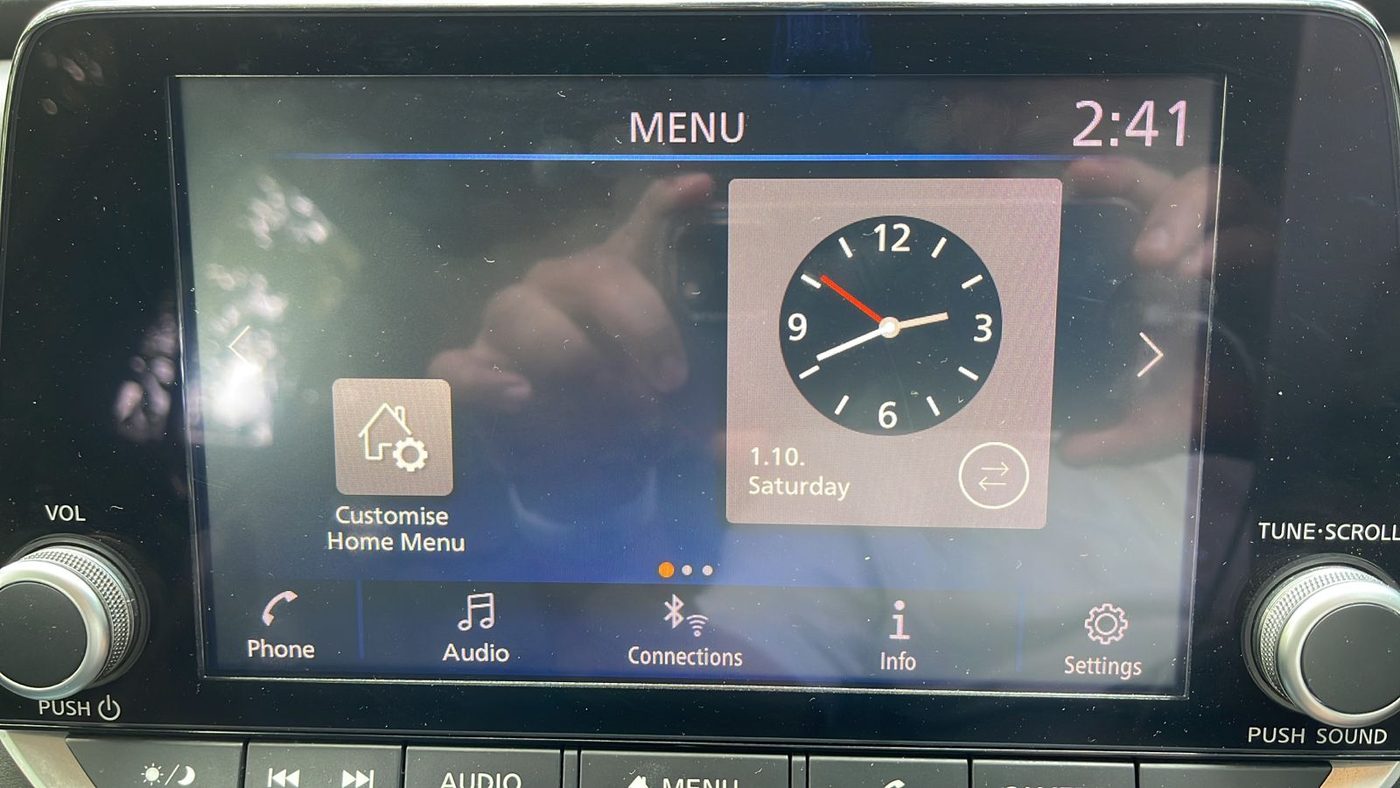
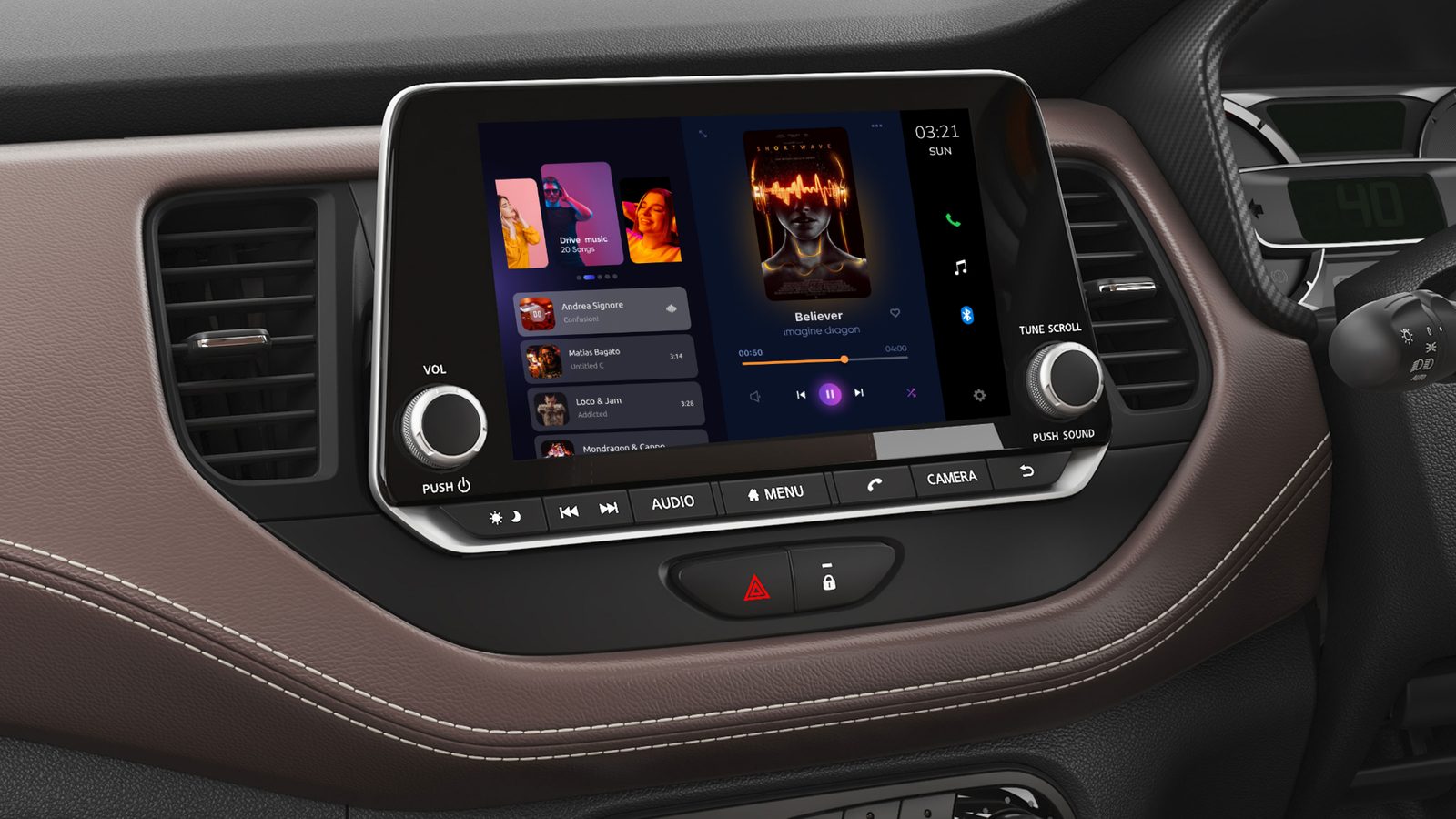
The app's success earned us a usability review and redesign of the Nissan Kicks infotainment system. We used the same method: feature benchmarking against Qashqai, Rogue, Kia, Audi, BMW and MG Hector, owner and analyst reviews, and an expert review of each screen.

What we foundRedesign direction
The back button doesn't exit camera mode.One consistent back behaviour on every screen.
Volume only on the touch panel, slow to change.Large, glanceable volume control.
Play controls dominate, but drivers use the steering wheel.Hierarchy built for the co-passenger.
Crowded screens, mixed fonts, dull blues.The app's design language on a calm dark base.
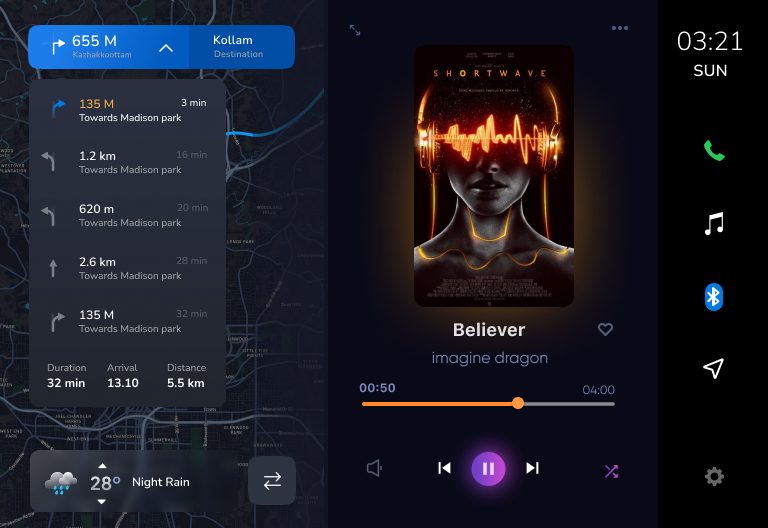
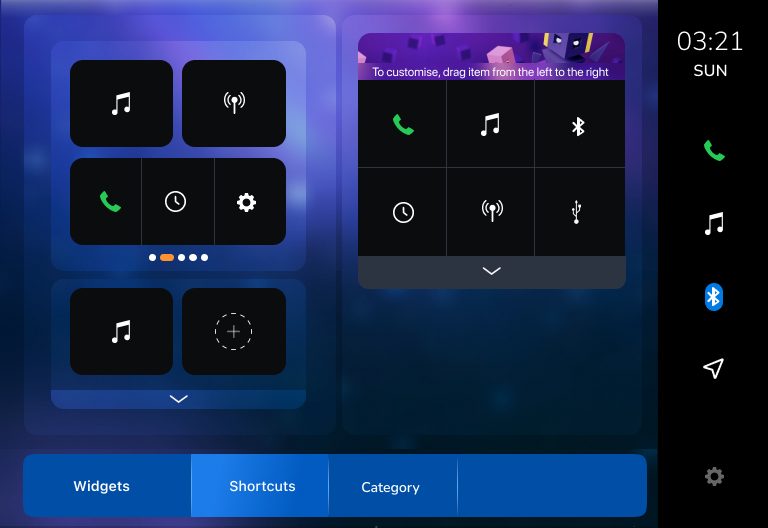
Rigid “Customise home menu”.Widget home with map and music side by side.
Existing Kicks infotainment screen
The existing Kicks infotainment.
Redesign placed in the Kicks dashboard
The redesign, placed in the Kicks dashboard.
Map and music home
Map + music home.
Widgets
Widgets and shortcuts.
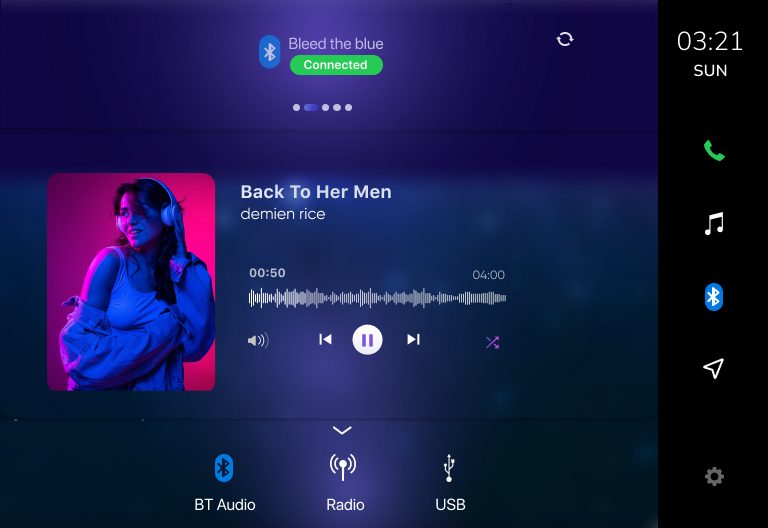
Bluetooth audio
Bluetooth audio.
Reflection

What I'd carry forward, and do differently

The biggest lesson: the design system was more strategic than any single screen. It is what let a one-market project become a global standard.

Measure trust directly

We inferred trust from reviews and retention. Next time I'd track data freshness and add an in-app “was this accurate?” signal from day one.

Start the system earlier

Partnering with the Europe team mid-project worked. Starting there would have saved rounds of visual exploration.

Design with engineering on data

Many problems were backend latency. A joint UX and telematics review earlier would fix root causes faster than UI can hide them.